Who each setup suits

Portable two-screen planners

If you plan meals in different rooms or away from home, a built-in second display lets you keep a recipe, list or calendar beside your plan without taking a separate monitor. ASUS UK and Lenovo UK describe dual-display models for this route; check how you would position their keyboards and screens.

Desk-based weekly organisers

If you normally plan at one table or desk, a conventional laptop and compatible external monitor provide a two-screen workspace. Check the laptop’s display output before choosing the monitor or cable. Microsoft Support explains how to arrange connected displays in Windows.

Everyday laptop buyers

If recipes, browser tabs and shopping lists are your main tasks, start with a conventional laptop you are comfortable using. If you want a second screen later, confirm the exact model’s video-output capability rather than relying on a port description for an entire range.

What matters when choosing

Laptop with an external monitor

Choose when: Meal planning usually happens at a regular desk and you can keep a monitor there.

Trade-off: You need space for the monitor and a compatible connection between it and the laptop.

Built-in dual-screen laptop

Choose when: You regularly need both screens away from a fixed monitor.

Trade-off: The detachable keyboard, stand or folio may change how you set up and use the laptop.

Concern What to check Who this matters to
Two screens on the move Check that the exact laptop has two built-in displays and that its keyboard and stand arrangement suits your planning position. I want my recipe and meal plan visible together when I am away from my usual desk, without taking a monitor along. Around 50% of consumers with these planning needs put portable, self-contained screens first.
External-monitor connection Confirm video output for the exact laptop port and a compatible input on the monitor; in Windows, select Extend for separate workspaces. I plan at one regular spot and want my laptop and monitor to show different things, not the same image twice. For around 30% of consumers, a reliable desk-based connection is the primary concern.
Everyday usability Choose a screen and keyboard you find practical, while retaining a confirmed route to a second display. Most of my planning is recipes, lists and browser tabs, so I would rather choose a straightforward laptop than make its specialist hardware the deciding factor. Everyday simplicity comes first for around 20% of consumers with these needs.

Buying pitfalls

  • Assuming every USB-C port sends video

    A USB-C connector’s shape does not establish whether it can drive a monitor. Lenovo UK explicitly specifies display output for the USB-C port on its cited IdeaPad Slim 3 configuration; check for equivalent wording on the exact laptop you are considering.

    Match the laptop’s stated output to the monitor input before choosing a cable or adapter.

    An incompatible cable or adapter may need replacing.

  • Expecting a passive splitter to create separate workspaces

    Microsoft Support explains that a splitter duplicates a signal rather than creating independent displays. That will not give you different content on each screen.

    Use a compatible connection from the laptop to one external monitor, then select Extend in Windows. If you plan to connect further monitors, check the laptop or dock’s supported display arrangement.

  • Overlooking the dual-screen keyboard arrangement

    ASUS Zenbook DUO UX8406 and Lenovo Yoga Book 9i Gen 10 use detachable keyboards and a stand or folio. Setting them up differs from opening a conventional laptop.

    Check the accessories and available screen positions for the exact configuration, particularly if you often plan meals at a small table.

  • Confusing a warranty with rights for faulty goods

    Citizens Advice distinguishes a product warranty from legal rights when goods are not of satisfactory quality, fit for purpose or as described.

    Keep your order details and evidence of the problem, and consult the Citizens Advice guidance applicable to your part of the UK if a fault occurs.

Relevant brands to consider

ASUS

The Zenbook DUO UX8406 line is relevant if you want two screens built into one portable laptop.

  • ASUS UK describes two OLED touchscreens, a detachable keyboard and a built-in kickstand for the UX8406 line.
  • Check how the keyboard and stand fit the positions where you normally plan meals, and confirm the specifications of the exact variant.

Lenovo

Lenovo has examples of both routes: the dual-screen Yoga Book 9i and a conventional IdeaPad Slim 3 configuration with stated USB-C display output.

  • Lenovo UK describes two displays and a portable keyboard for Yoga Book 9i Gen 10; its cited IdeaPad Slim 3 configuration expressly supports display output through USB-C.
  • The IdeaPad is not a built-in dual-screen laptop. Check the exact configuration and connection required for the route you choose.

HP

The cited HP OmniBook 5 16-inch configuration is a conventional-laptop example for a setup using a separate monitor.

  • HP Store UK lists USB-C, USB-A and HDMI connections for this configuration.
  • It does not have a built-in second screen; match its video connection to the monitor and cable you intend to use.

Acer

Acer’s Aspire Lite range is worth considering if you prefer a conventional laptop and external monitor.

  • Acer UK lists USB-C and HDMI among the range’s connectivity options.
  • Ports and video-output capabilities can vary by model. Check the exact Aspire Lite configuration before choosing a monitor connection.

Joybuy laptop options

These options cover a laptop with two built-in screens and a conventional laptop to consider for use with a separate monitor. For the conventional setup, confirm the exact laptop’s video output and your monitor connection before buying.

ASUS Zenbook DUO UX8406CA-QL135W laptop

ASUS Zenbook DUO UX8406CA-QL135W, 14-inch Dual OLED Touch

Consider this model if you want two built-in displays for meal planning away from a fixed monitor.

Intel Core Ultra 7 255H, 16 GB LPDDR5X RAM and 1 TB SSD are specified in the product name. Check the exact panel resolution and whether the keyboard and stand arrangement suits your usual workspace.

Joybuy
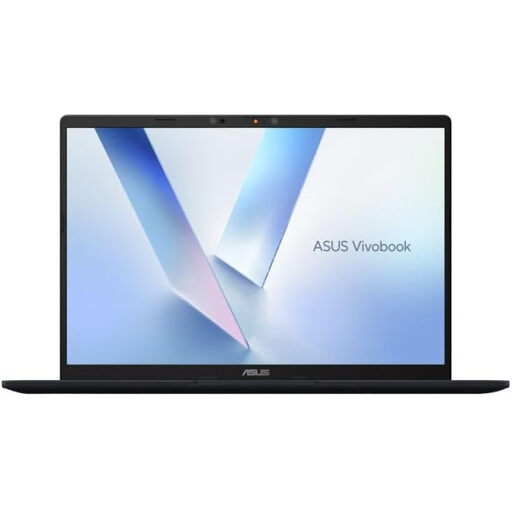
ASUS Vivobook 14 X1407QA-LY003W laptop in Quiet Blue

ASUS Vivobook 14 X1407QA-LY003W, Snapdragon X, Quiet Blue

Consider this conventional laptop if you usually plan meals at a desk and intend to use a compatible external monitor for the second screen.

The product name specifies 16 GB RAM and a 512 GB SSD. Confirm display output for the exact configuration, then match its connection to your monitor and cable.

Joybuy

Common questions

Do I need a laptop with two built-in screens to plan meals on two displays?

No. A conventional laptop can provide a separate workspace with one compatible external monitor; built-in dual screens are more relevant if you need both displays away from that monitor. Microsoft Support explains how to arrange connected displays in Windows.

Will any USB-C laptop connect to a monitor?

No. Check the exact laptop specification for video output through that port and match it to the monitor and connection you plan to use. Lenovo UK, for example, explicitly describes USB-C display output for its cited IdeaPad Slim 3 configuration.

How can I show different content on each screen in Windows?

Connect the compatible external monitor, then select Extend rather than Duplicate and arrange the displays in Windows settings. Microsoft Support also gives Windows key + P as a way to choose Extend.

What should I check if the external monitor does not work?

Start with the selected monitor input, cable and laptop display-output specification, then check the Windows display mode. Microsoft Support advises trying another cable or display when troubleshooting a connection.

Does a laptop warranty replace my rights if the device is faulty?

No. Citizens Advice explains that buyers have legal rights when goods are not of satisfactory quality, fit for purpose or as described. Keep your purchase record and consult its guidance for the part of the UK where you bought the laptop.