Travellers keeping a UK number
You want your usual number available for calls, texts and possible account checks while another line provides travel connectivity. Check how the handset assigns calls, messages and data to each line.


Choose a handset by the combination you need: a UK physical SIM plus a travel eSIM, two active eSIMs, or two physical SIMs. Confirm that the exact model and both providers support that arrangement, and check network-lock status if the lines use different providers. Keeping a UK line active does not, by itself, ensure that account verification texts will arrive abroad.
You want your usual number available for calls, texts and possible account checks while another line provides travel connectivity. Check how the handset assigns calls, messages and data to each line.
Your UK number is on a nano-SIM that you want to leave in place. A phone supporting a physical SIM alongside an eSIM may let you add a travel line without removing that card.
You would prefer both the UK and travel lines to use eSIMs. Check that the exact handset variant permits two eSIMs to be active together and that the relevant providers support the arrangement.
Choose when: You want to leave your UK nano-SIM in the phone and add a digital travel line.
Check: The exact phone needs a physical SIM slot and concurrent eSIM support; different providers also make network-lock status important.
Choose when: Your UK line can use eSIM and you want to manage both lines without physical cards.
Check: eSIM support alone is not proof of two active eSIMs; model, regional variant and carrier support matter.
Choose when: Both your UK line and additional connection need to remain on physical cards.
Check: Look for two physical SIM positions in the specification for the exact UK variant, rather than relying on the words dual SIM.
Consider when: Your main phone cannot use the required two-line arrangement or must keep its existing setup.
Trade-off: You have another device to carry, charge and secure, and must still check how you will receive communications on your UK number.
| Concern | What to check | Who this matters to |
|---|---|---|
| Keeping the UK number available | Confirm that both lines can be active and check the phone’s settings for calls, texts and data. Test important account-verification methods separately. | I want to keep using my UK number for calls and texts, including possible account checks, while travelling. Around 33% of consumers put continuity of that number first. |
| Adding travel data without SIM swaps | Check whether the exact variant supports a physical SIM plus eSIM or two active eSIMs, as needed, and whether both providers support the setup. | If I add a travel data line, I would rather leave my UK SIM in place or manage both lines digitally. Around 33% of consumers prioritise a setup with less SIM handling. |
| Using two physical cards | Look for an explicit two-physical-SIM configuration in the specification for the exact UK handset variant. | I use a physical UK SIM and want a second physical card without moving my number to eSIM. About 20% of consumers put two physical cards first. |
| Leaving the main phone unchanged | Check its SIM capabilities and network-lock status before deciding whether a separate handset is necessary. | Changing the SIM arrangement on my main phone is not practical, so I would consider carrying another device. Roughly 14% of consumers prioritise preserving their main-phone setup. |
A dual-SIM description may refer to two physical cards, a physical SIM and an eSIM, or two eSIMs. Only one of those will suit you if both lines must stay on physical cards.
Check the official specification for the exact UK variant. Samsung UK, for example, lists SIM 1 + SIM 2, SIM 1 + eSIM and dual eSIM as distinct Galaxy S26 arrangements.
The phone’s eSIM capability does not settle whether it is network-locked or whether the intended providers support the arrangement. Apple Support says an iPhone using plans from different providers must be unlocked.
Check network-lock status and ask both providers about the exact combination you plan to use.
Keeping the UK line active for calls and texts is a different decision from allowing it to use mobile data abroad. An unintended data-line choice can result in UK-line roaming.
Set the intended travel line for mobile data where your phone supports it, and review the UK line’s data-roaming setting and destination-specific provider terms before departure.
Two active lines do not establish whether a particular account will send a code to your UK number or accept your usual verification method while you are abroad.
Before travelling, check each important account’s supported verification and recovery options, and test the method you intend to use.
A reference point if you need an explicitly documented choice of physical-SIM and eSIM arrangements.
Relevant if you want a supported iPhone with controls for a UK line and a separate travel line.
Relevant if you are considering a Pixel with a physical UK SIM and travel eSIM, or an eligible model for two digital lines.
This dual-SIM handset is relevant to travellers who want to keep a UK line alongside another connection. If you need two physical cards, confirm the exact slot arrangement before choosing it.
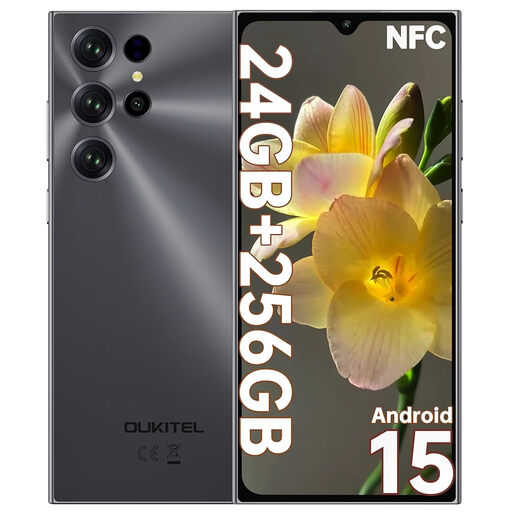 Image unavailable
Consider this handset if you want to keep a UK line alongside another SIM; confirm its physical slot arrangement, network-lock status and both providers’ support for your intended setup.
Listed configuration: 8GB+256GB, black, dual SIM and NFC.
Yes, if the exact handset and both providers support the chosen two-line arrangement. Apple Support describes keeping a home line alongside a travel line; select the intended line for mobile data and check how the phone handles calls and texts.
If the two lines use different providers, check that the phone is unlocked before relying on the second line. Apple Support says an iPhone must be unlocked for plans from different providers; two plans from the same provider are an alternative on a supported iPhone.
Do not assume they can. Apple Support says an iPhone uses one mobile-data network at a time, even when two lines are active; choose the intended data line in the phone’s settings.
Confirm that both lines appear in the phone’s SIM settings, choose your call, text and data preferences, and test a call and text on the UK line. Check important accounts’ verification and recovery methods separately, because dual-SIM support cannot establish whether an account code will reach you abroad.