
24/7 Customer Support

Free returns

Same-day & Next-day Delivery

Quality Guaranteed

Unlock Your Welcome Offers: FREE Delivery | Up to 80% OFF | Free 30-day JoyPlus trial
Download the APP
As our devices evolve, so do our storage needs. Laptops are slimmer, tablets are more powerful and smartphones like the iPhone 15 have embraced the versatile USB-C port. This transition often leaves us juggling adapters and multiple drives to move files between new gadgets and older computers with traditional USB-A ports. A dual USB C flash drive is a simple and effective solution, offering a bridge between your past and present technology.
This guide is designed to help you navigate the key features of modern portable storage. We will look at what makes a great drive and offer some practical recommendations to help you find a reliable device for transferring photos, backing up important documents or expanding your device's storage.
Choosing the right drive goes beyond just picking the largest capacity. Here are a few key factors to consider to ensure you get a device that meets your needs.
The primary benefit of a dual-interface drive is its ability to connect to a wide range of devices without needing an adapter. A USB C and USB A flash drive provides a seamless way to transfer files from a new MacBook or Android phone to an older desktop PC or a university library computer. This versatility is essential for students, office workers and anyone who works across multiple devices. It also makes the drive a fast flash drive for iPhone 15 users who need to offload photos and videos quickly.
Transfer speed, measured in megabytes per second (MB/s), determines how quickly you can read (open) and write (save) files. A standard USB 2.0 drive is fine for small documents, but for large files like 4K videos, high-resolution photo albums or software backups, a high speed thumb drive with USB 3.1 or USB 3.2 technology is a must. Some advanced models even function as an SSD USB drive, offering performance that rivals internal computer storage, which is ideal for content creators and IT professionals.
Consider how you will use the drive. A 128GB USB stick is often sufficient for daily tasks, such as transferring work presentations or school assignments. For those storing large media libraries or backing up entire systems, a 512GB memory stick or larger is a more suitable choice. If you handle sensitive information, look for an encrypted USB stick that offers hardware or software-based encryption (like 256-bit AES) to protect your data from unauthorised access.
Here are a few dual USB C flash drive options that stand out for their performance, design and features.
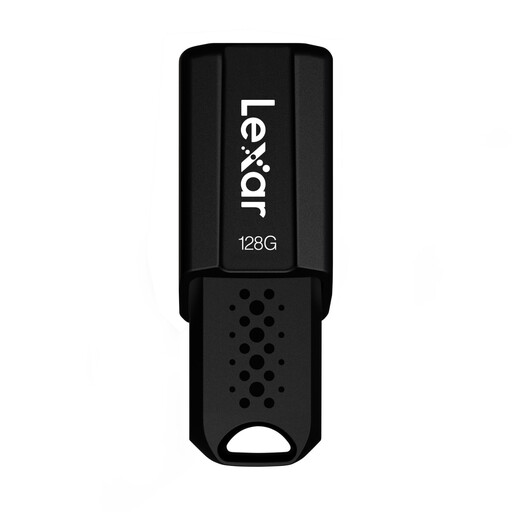
Why It Stands Out: The Lexar JumpDrive S80 focuses on security and practicality. Its standout feature is the included advanced security software with 256-bit AES encryption, providing peace of mind for users handling sensitive files. The retractable design protects the USB-A connector without a cap to lose.
Pros:
Who is it for: Professionals and students who prioritise data security and need a reliable drive for everyday documents and files.
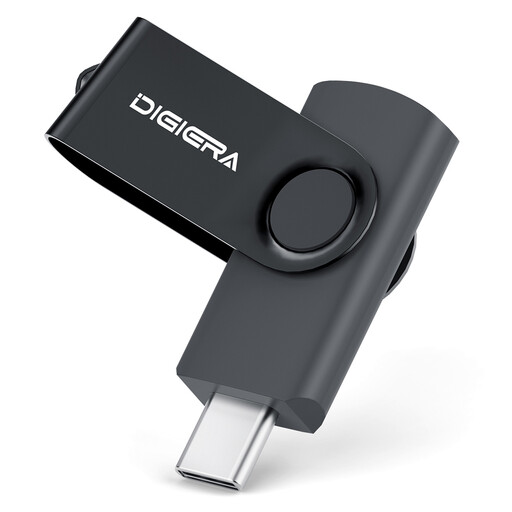
Why It Stands Out: For those who have fully embraced the USB-C ecosystem, the DigiEra CUS310 offers a compact, lightweight and dedicated solution. Its 360° swivel design protects the connector, and at just 0.27 oz, it is exceptionally portable.
Pros:
Who is it for: Users who primarily work with modern USB-C devices and value portability and a streamlined design.

Why It Stands Out: The DigiEra LUS320 is an excellent all-rounder, delivering both versatility and speed. With dual USB-A and USB-C connectors and a durable metal body, it is built for frequent use across a variety of devices. Its performance is a significant step up, making it suitable for larger file transfers.
Pros:
Who is it for: Tech-savvy users, content creators and professionals who need a fast, durable and versatile USB C and USB A flash drive for daily workflows.
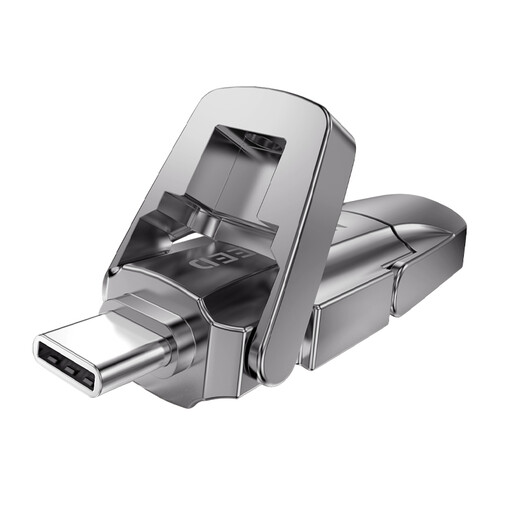
Why It Stands Out: This MOVESPEED drive is essentially a portable SSD in a flash drive's body. With staggering speeds and a large 512GB capacity, it is built for the most demanding tasks. It is an ideal fast flash drive for iPhone 15 Pro users, as it can handle direct recording of 4K ProRes video.
Pros:
SSD USB drive performance with up to 1090MB/s read and 1030MB/s write speeds.Who is it for: Videographers, photographers, gamers and power users who require extreme speed and large capacity for professional workflows and large file transfers.
If these selections do not quite fit what you are looking for, there are many other portable storage solutions available.
Explore our full range of portable storage and other digital reading accessories to find the perfect match for your devices and needs.
Yes. The iPhone 15, 15 Plus, 15 Pro and 15 Pro Max all feature a USB-C port. This allows you to connect a dual USB C flash drive directly to transfer photos, videos and other files without an adapter. High-speed drives, like the MOVESPEED model, can even be used to record high-quality ProRes video directly from the phone to the drive.
The main difference is transfer speed. A standard USB 2.0 drive has a maximum theoretical speed of 480 Mbps (megabits per second), which is slow for today's large files. USB 3.1 Gen 1 and USB 3.2 Gen 1 both operate at speeds up to 5 Gbps (gigabits per second), offering significantly faster read and write performance. This makes a huge difference when moving large video files or backing up your computer.
Most new flash drives come pre-formatted with a file system like exFAT, which is compatible with both Windows and macOS straight out of the box. This means they are typically plug-and-play. You only need to reformat the drive if you have a specific requirement, such as using the NTFS file system for certain Windows-only features.