
24/7 全天候客户支持

免费退货

当日/次日达

品质保障

开启新人专享福利: 全场免邮 | 低至 2 折 | 免费试用 30 天 JoyPlus 会员
下载 Joybuy
Juggling files between a new laptop with only USB-C ports and an older office desktop with traditional USB-A can be a frustrating exercise. Add in the need to quickly get photos or videos off your iPhone 15 or Android smartphone and the simple act of transferring data becomes a tangle of adapters and cables.
A dual USB flash drive is a straightforward and elegant solution to this modern problem. By featuring both USB-C and USB-A connectors on a single, compact device, it offers universal compatibility. This guide is designed to help you navigate the key features to look for and present a selection of reliable options available on the market, so you can move your files between your phone, tablet and computer with ease.
Before diving into specific products, let's cover a few key considerations to ensure you select a drive that meets your needs.
The primary appeal of a dual drive is its two connectors. The standard, rectangular USB-A port is found on most older computers, TVs and game consoles. The smaller, oval-shaped USB-C port is now the standard for modern devices, including MacBooks, recent Windows laptops and smartphones like the iPhone 15 series and most Android models. A drive with both ensures you can plug into almost any device you own. Look for OTG (On-The-Go) support, which allows the memory stick for phone and computer to connect directly to your mobile device for instant file access without needing a PC.
Not all flash drives are created equal when it comes to speed. A high-speed USB 3.2 drive can transfer large files, like 4K videos or extensive photo albums, in seconds rather than minutes. USB 3.2 Gen 1 offers theoretical speeds up to 5Gbps, a significant leap from the older USB 2.0 standard. For professionals and content creators, faster write speeds are just as important as read speeds, as this determines how quickly you can save files onto the drive.
How much space do you need? A 256GB USB stick offers a great balance for most users, providing ample room for work documents, a sizeable photo library and a few large video files. For those managing vast amounts of data, 512GB or 1TB options are also available. In terms of construction, a metal USB drive often provides better durability and heat dissipation compared to plastic models, which is an important factor for high-performance drives that can get warm during intensive use.
Here are a few standout options that cater to different needs, from sheer speed to everyday reliability.
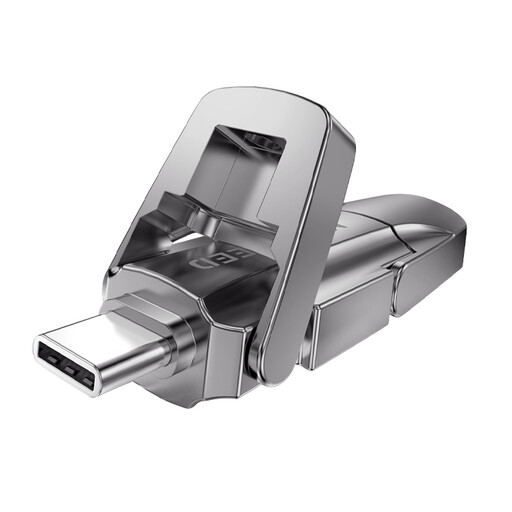
Why It Stands Out: This drive is built for pure performance. With read speeds of up to 1090MB/s and write speeds up to 1030MB/s, it operates more like a portable SSD than a traditional flash drive. Its ability to handle direct 4K ProRes video recording from an iPhone 15 Pro makes it a powerful tool for content creators.
Pros:
Who is it for?: Video editors, photographers and professionals who need to move very large files as quickly as possible and cannot afford to wait.
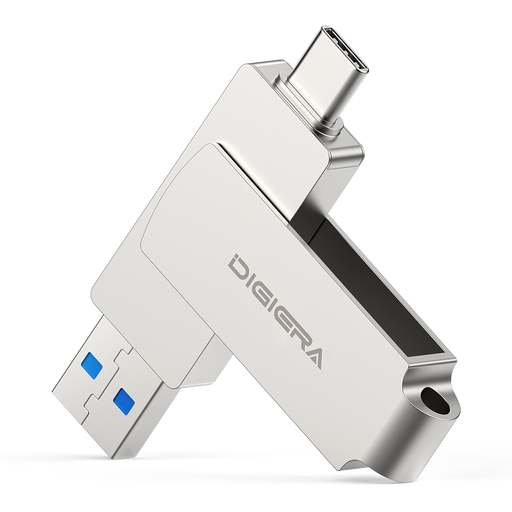
Why It Stands Out: The DigiEra LUS320 strikes an excellent balance between speed, design and practicality. It offers impressive 500MB/s read speeds in a compact, all-metal body. The 360° swivel design protects the connectors without a separate cap that could easily be lost.
Pros:
Who is it for?: Students, office workers and general users looking for a reliable and fast all-rounder for daily file transfers, backups and mobile storage expansion.
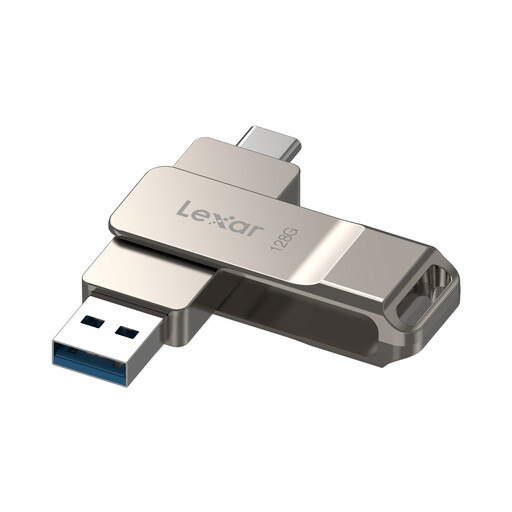
Why It Stands Out: Coming from a well-known brand in memory products, the Lexar D40E is a dependable choice for everyday use. While its speeds are more modest at up to 100MB/s, it offers the essential dual-connector functionality in a sturdy metal housing with a convenient swivel design. It also includes software for 256-bit AES encryption to help keep your files secure.
Pros:
Who is it for?: Anyone needing a straightforward and secure way to move documents, photos and other standard files between USB-A and USB-C devices without prioritising maximum speed.
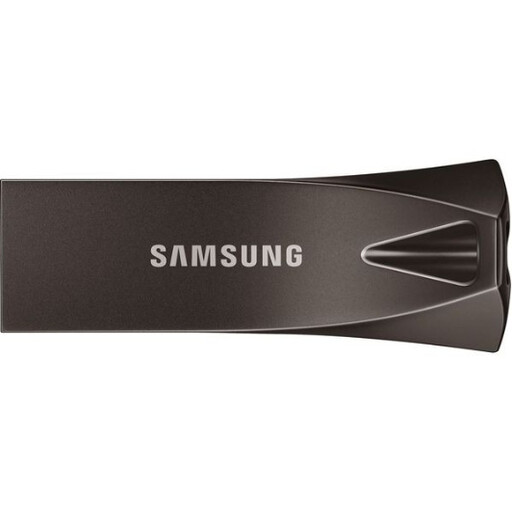
Why It Stands Out: While this is a traditional USB-A only drive, its combination of high capacity, speed and exceptional durability earns it a mention. With 512GB of storage and read speeds up to 400MB/s, it's a workhorse. Its robust metal body is engineered to be water, shock, temperature, magnet and X-ray proof, making it incredibly resilient.
Pros:
Who is it for?: Users who primarily work with USB-A devices and prioritise maximum capacity and physical toughness above all else. It's an excellent choice for creating large backups or a portable media library.
If the recommendations above don't quite match what you're looking for, or if you'd like to explore different capacities and designs, there are many other models to consider.
Browse our full collection of flash storage drives to find the perfect storage solution for your devices.
1. What is an OTG flash drive? An OTG (On-The-Go) flash drive is a USB drive that can plug directly into a compatible smartphone or tablet's charging port (usually USB-C), allowing you to access files without needing a computer as an intermediary. Most dual USB-C drives support OTG functionality.
2. Can I use a dual USB flash drive with an iPhone? Yes, you can. The iPhone 15 and subsequent models feature a USB-C port, making them directly compatible with the USB-C connector on a dual flash drive. This allows for easy transfer of photos, videos and other files. Older iPhones with a Lightning port would require a specific Lightning-to-USB adapter.
3. Is a metal USB drive better than a plastic one? A metal casing generally offers two main advantages. First, it provides superior durability, protecting the internal components from drops and impacts. Second, metal is better at dissipating heat. High-speed drives can become warm during large file transfers, and a metal body acts as a heat sink to help maintain performance and longevity.