
24/7 Customer Support

Free returns

Same-day & Next-day Delivery

Quality Guaranteed

Unlock Your Welcome Offers: FREE Delivery | Up to 80% OFF | Free 30-day JoyPlus trial
Download the APP
A dual USB-A and USB-C flash drive can simplify file transfers between older laptops, modern phones, tablets and desktop computers. It is particularly useful for students moving coursework between university and home, photographers backing up images while travelling, or content creators managing large video files.
However, product listings can make storage devices appear more capable than they are in everyday use. Before buying, check the connection standards, real-world compatibility and capacity rather than relying on headline figures alone.
A listing may promote a high-speed USB thumb drive with read speeds of several hundred megabytes per second. This figure is normally a maximum sequential read result under specific conditions. Your actual performance can be lower because of:
Write speeds are often lower than read speeds, so check both figures if you regularly save large video files or project folders.
A USB-C connector describes the shape of the port, not every capability it offers. A phone or tablet must support USB OTG or external storage access. Some devices may also require you to unlock the screen, approve access or use a file manager.
For iPhone USB-C storage, check that your model supports external drives and that the drive is formatted appropriately. Android phones can usually access an Android USB drive through a file management application, but compatibility varies by manufacturer and operating system.
A 128GB USB flash drive may suit documents, coursework and occasional photo transfers. High-resolution photos, games and video files consume space much faster. A 256GB USB flash drive offers more room for mixed everyday use, while a 512GB USB flash drive or 1TB USB flash drive is more suitable for large media libraries and frequent backups.
Remember that usable capacity is lower than the number printed on the packaging because of formatting and system overhead. A flash drive should also not be your only copy of important files.
A proper dual-interface memory stick should provide both USB-A and USB-C connectors, allowing direct connection to common UK laptops, desktops, phones and tablets without carrying a separate adapter.
Check the exact interface description. USB 3.2 Gen 1 commonly operates at up to 5Gbps in ideal conditions, while a USB 2.0 port will limit transfer rates substantially. Backward compatibility usually means the drive can connect to an older port, not that it will retain its advertised speed.
Also confirm support for your operating system, such as Windows, macOS or Android. For mobile use, check whether your device supports OTG and whether the drive’s default exFAT format is suitable.
Read speed affects how quickly files open or copy from the drive. Write speed matters when creating backups, recording footage or moving files onto the drive.
If you are comparing a USB 3.2 flash drive, look for clearly separated read and write figures. A product stating “up to” a particular speed is giving a ceiling rather than a guaranteed result for every device. For large 4K and ProRes video storage, a higher write rating may reduce waiting during backups, but direct recording also depends on the phone, camera and software support.
Choose capacity according to your routine:
A metal USB flash drive can offer a sturdy outer casing, but metal does not make a drive waterproof or indestructible. Sliding, swivel and flip-cover designs protect unused connectors from dust and scratches. They should still be handled carefully and safely ejected before removal.
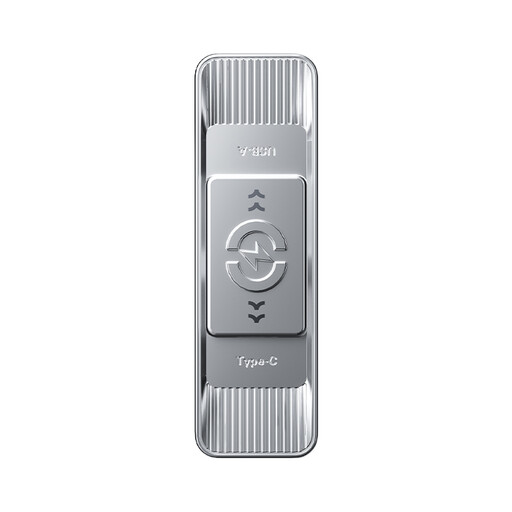
Why This Fits Their Persona: Its 128GB capacity and dual USB-A/Type-C connectors suit students and household users who need portable storage for documents, photos and everyday transfers between older and newer devices.
It clearly lists both interfaces, backward compatibility and separate maximum read and write ratings, making it easier to compare with single-connector drives.
128GB capacity, 3D NAND flash, zinc alloy housing and stated speeds of up to 570MB/s read and 520MB/s write.
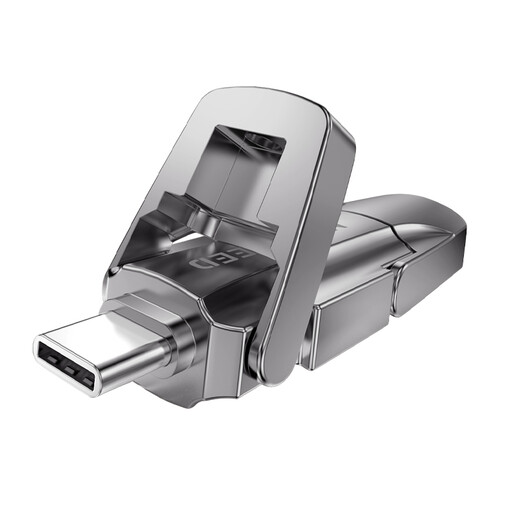
Why This Fits Their Persona: A suitable option for professionals and frequent travellers who want a compact dual-interface drive for work files, mobile backups and cross-device workflows.
The product specification separates the interface, capacity and maximum speed claims, while the flip cover helps shield the connector when carried.
256GB capacity, zinc alloy flip cover and listed maximum read/write speeds of 1090MB/s and 1030MB/s. The casing may become warm during sustained transfers.

Why This Fits Their Persona: The 1TB capacity is aimed at content creators, photographers, mobile gamers and travellers managing large libraries across several devices.
Its stated 1TB capacity addresses the common mistake of buying too little space for video and game files. Actual transfer speed will still depend on the host device and port.
1TB storage, dual USB-A/Type-C connectors, zinc alloy housing and listed maximum read/write speeds of 1090MB/s and 1030MB/s.
Before using a new drive, check its file system and back up anything important elsewhere. Safely eject it from Windows, macOS or your mobile device before disconnecting. Avoid bending the drive while it is plugged in, and keep connectors free from dust and moisture.
For mobile phone backup drives, copy files in smaller batches if your phone becomes warm or reports insufficient power. If you plan to store 4K and ProRes video, confirm that your phone, camera app and chosen drive support the intended workflow before recording important footage.
We have compiled a complete, real-time list of products that fully satisfy these strict selection criteria and UK safety regulations.
It can work with compatible USB-C iPhone models, provided external storage access is supported. You may need to unlock the phone, use the Files app or a compatible file manager, and ensure the drive has an appropriate format.
Lifespan depends on flash quality, write frequency, heat, physical handling and storage conditions. Occasional document transfers may place less wear on a drive than repeated video recording. Keep a second copy of irreplaceable files rather than treating the flash drive as a permanent archive.
A standard flash drive has no subscription or ongoing electricity cost when disconnected. Mobile use draws a small amount of power from the phone or tablet, while sustained high-speed transfers may use more battery and generate heat.