
24/7 Customer Support

Free returns

Same-day & Next-day Delivery

Quality Guaranteed

Unlock Your Welcome Offers: FREE Delivery | Up to 80% OFF | Free 30-day JoyPlus trial
Download the APP
Juggling files between a new USB-C laptop and an older USB-A desktop can be a frustrating exercise in finding the right dongle or cable. If you're a professional, student or content creator, you know that time spent waiting for large files to transfer is time wasted. The solution is simpler than you might think: a dual USB flash drive.
These versatile devices feature both USB-A and USB-C connectors, offering a seamless bridge between your modern and legacy gadgets. This guide is designed to help you navigate the key features to look for and provide our recommendations for 2026, so you can find a reliable drive that fits your workflow.
Choosing the right flash drive goes beyond just picking the largest capacity. To make an informed decision, consider these three factors.
Speed is critical, especially when dealing with large video files, photo libraries or project backups. While many drives are labelled "high-speed," the technical specifications tell the real story. Look for drives with a USB 3.2 flash drive interface, which offers significant performance gains over older USB 3.0 or 2.0 standards. Pay close attention to the listed read and write speeds, measured in megabytes per second (MB/s). A higher write speed means less time waiting for files to copy onto the drive, while a faster read speed ensures quick access when opening or transferring them to another device.
A flash drive is a portable tool, and its construction should reflect that. A metal USB stick often provides better durability and heat dissipation compared to plastic alternatives, protecting the internal components from the rigours of daily use. The design also matters. A swivel or sliding mechanism protects the connectors without a separate cap that can be easily lost, ensuring your drive is always ready for action.
The primary appeal of a dual-interface drive is its versatility. A quality USB drive for phone and laptop should offer true plug-and-play functionality across different operating systems like Windows, macOS and Android. For smartphone users, a USB C thumb drive can be a lifesaver, allowing you to offload photos and videos to free up internal storage without needing a computer or an internet connection.
Based on performance, design and user-centric features, here are our standout recommendations for dual USB flash drives.
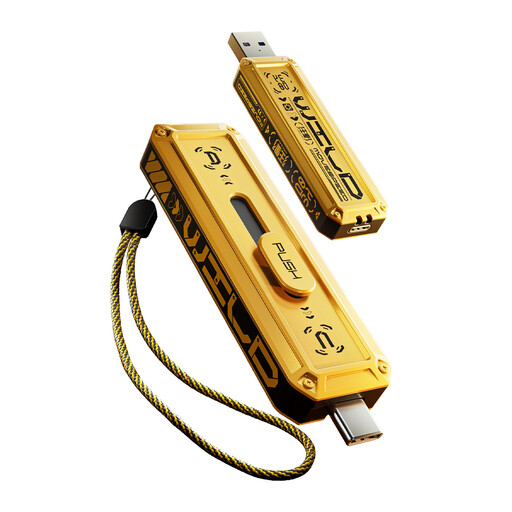
Why It Stands Out: This drive blurs the line between a flash drive and a portable SSD. Its performance is exceptional, leveraging a USB 3.2 Gen 2x1 interface to deliver speeds that can handle even the most demanding file transfer tasks.
Pros:
Who is it for? Content creators, video editors and tech professionals who regularly move very large files and require the absolute fastest transfer speeds in a compact form factor.
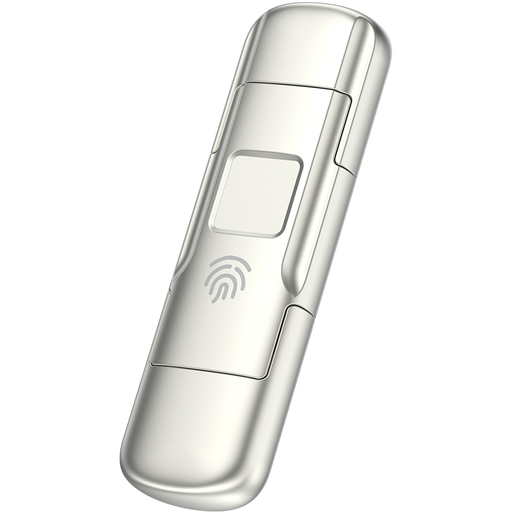
Why It Stands Out: This drive prioritises security without compromising on speed. It integrates biometric fingerprint authentication with AES-256 hardware encryption, offering a powerful defence for your private data.
Pros:
Who is it for? Business professionals, legal and finance workers or anyone who handles sensitive or confidential information and needs peace of mind that their data is protected.
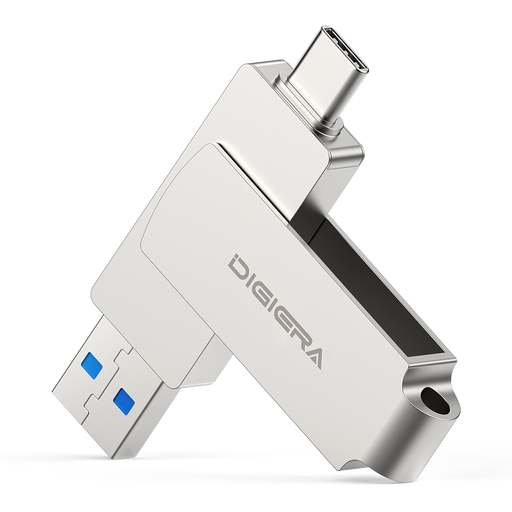
Why It Stands Out: The DigiEra LUS320 offers a fantastic balance of performance, practicality and reliability. Its 360° swivel design is incredibly convenient, eliminating the need for a cap while keeping the connectors protected.
Pros:
Who is it for? Students, office workers and general users looking for a dependable and user-friendly USB C thumb drive for documents, presentations, photos and mobile backups.
While these three drives cover a range of needs from extreme speed to enhanced security, your perfect storage solution might be different. If you're looking for other capacities, form factors or specific features, we invite you to explore our broader collection.
Browse our full range of USB 3.0 Flash Drives to find the right fit for your devices and budget.
A dual USB flash drive is a portable storage device equipped with two different connectors, most commonly the traditional rectangular USB-A and the newer, smaller oval-shaped USB-C. This design allows it to be used with a wide variety of devices, from older computers to modern laptops, tablets and smartphones, without needing an adapter.
Yes, in most cases. If your smartphone has a USB-C port and supports a feature called OTG (On-The-Go), you can plug a USB C thumb drive directly into it. This allows you to transfer files, back up photos and videos and free up your phone's internal storage quickly and easily.
Traditionally, portable SSDs have offered superior speed and durability. However, modern high-performance flash drives are closing the performance gap. A top-tier high speed memory stick, like the MOVESPEED 512GB model, can offer file transfer speeds comparable to some entry-level portable SSDs. The main difference is that a portable SSD is generally better for running applications or operating systems directly from the drive, while a high-speed flash drive excels at quick file transfers in a much more compact and pocketable form factor.