
24/7 Customer Support

Free returns

Same-day & Next-day Delivery

Quality Guaranteed

Unlock Your Welcome Offers: FREE Delivery | Up to 80% OFF | Free 30-day JoyPlus trial
Download the APP
A Sony DualSense PS5 wireless controller can be a straightforward replacement, a practical second pad for local multiplayer or a way to make PC gaming more immersive. However, the range includes standard colourways, iridescent finishes, special editions and the customisable DualSense Edge, so comparing only appearance or advertised discounts can lead to an unsuitable purchase.
Joybuy’s Product Recommendation Officer focuses on the details that affect everyday use, compatibility and long-term value.
A generic Bluetooth gamepad may connect to a PS5 or PC, but it may not support the DualSense experience. Haptic feedback and adaptive triggers depend on the controller, device and game. If these features matter, look for an official Sony PS5 controller rather than relying on vague phrases such as “next-generation vibration”.
A DualSense wireless gamepad can connect to compatible Windows PCs, Macs and selected mobile devices through Bluetooth or USB-C. Nevertheless, feature support varies by game and connection method. Some PC titles may recognise basic controls while not using adaptive triggers or detailed haptic effects. Check the game’s controller support before paying extra for features you may not use.
A rechargeable PS5 controller removes the need for disposable batteries, but it still needs regular charging. Product listings can differ on whether a USB-C cable is included, and battery duration varies with game features, headset use and vibration settings. A charging station may be worthwhile for households with two controllers, but remember that docks generally charge the controller rather than extend its battery capacity.
The standard DualSense layout includes two analogue sticks, a touchpad, motion sensing, a Create button, built-in speaker and microphone, plus a 3.5 mm headset jack. The key distinction is the combination of haptic feedback and adaptive triggers.
Haptic feedback uses more detailed vibration effects than traditional rumble, while adaptive triggers can apply changing resistance to L2 and R2. These functions are most noticeable in supported PS5 games. They can also be available on PC in selected titles, but compatibility is not guaranteed across every game.
For PS5, initial pairing normally involves connecting the controller with a USB cable and pressing the PS button. Afterwards, it can be used wirelessly. A Bluetooth PS5 controller is convenient for console play and compatible mobile devices, while a USB-C gaming controller connection can be useful for wired PC play, pairing and charging.
Before buying, check:
The standard controller suits most PS5 owners and provides the core DualSense features. The DualSense Edge controller is aimed at players who want more control over their setup. It includes swappable stick caps, adjustable trigger travel, remappable back buttons and multiple control profiles. It also comes with a carry case and braided USB cable.
The Edge is larger in specification and customisation, but those features may add cost and complexity for casual players. Competitive or heavy users should also check replacement stick-module availability and the weight before purchasing.
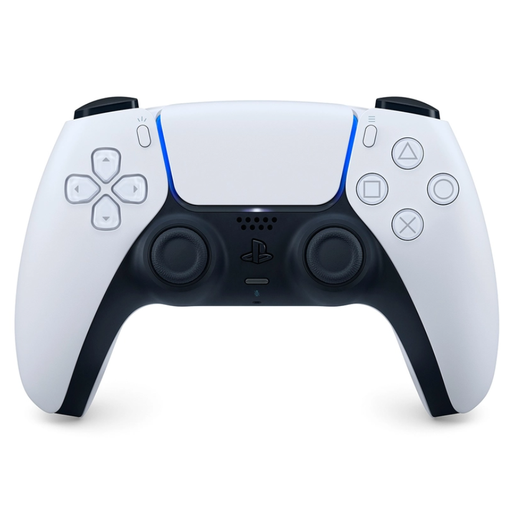
Why This Fits Their Persona: A practical option for a first replacement or an additional controller for family multiplayer in a familiar two-tone finish.
It provides the official DualSense feature set instead of leaving haptic feedback or adaptive triggers unclear.
Haptic feedback, adaptive triggers, USB-C charging, built-in microphone and PC compatibility are listed features.
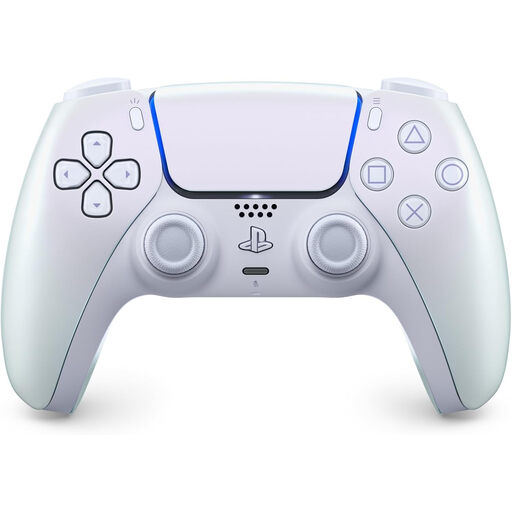
Why This Fits Their Persona: The iridescent Chroma Pearl finish suits players who want official functionality with a distinctive look for a carefully styled gaming setup.
The colourway is paired with clearly stated DualSense functions, USB-C charging and PS5 and PC compatibility.
Pearlescent finish, built-in microphone, 3.5 mm headset jack and motion sensors.
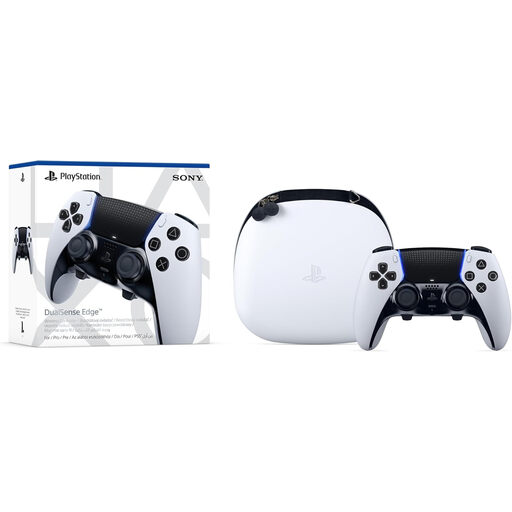
Why This Fits Their Persona: Competitive players and heavy users can adjust stick caps, trigger travel, profiles and back-button controls to suit different games.
Its customisation options are specified, including interchangeable caps, adjustable triggers and remappable back buttons.
Bluetooth and USB-C connectivity, multiple profiles, carry case and signature DualSense feedback.
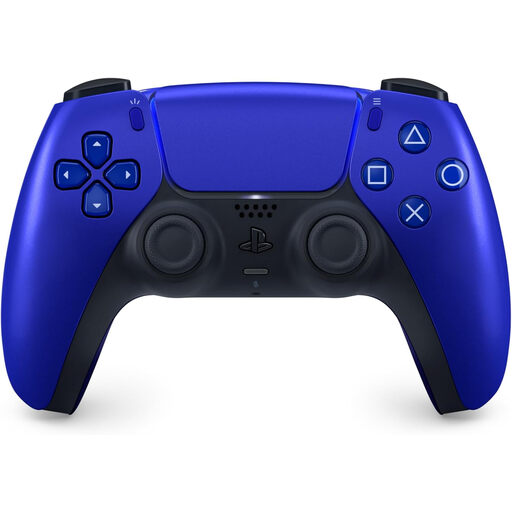
Why This Fits Their Persona: A second official pad in a distinctive cobalt blue finish makes it easier to identify each player’s controller during shared gaming sessions.
The listing identifies Bluetooth, USB-C, rechargeable power and core DualSense features rather than only highlighting colour.
Built-in microphone, headset jack, integrated speaker and rechargeable battery.
If you regularly alternate between two controllers, a dedicated dock can reduce cable clutter. The Sony Official PlayStation 5 DualSense Charging Station charges up to two DualSense controllers simultaneously and uses a snap-on design. The GigaBlast Dual Controller Super Charging Station is another option listed for DualSense and DualSense Edge controllers, with dual charging and LED indicators.
Check whether the selected dock includes its own power adapter and whether it supports your exact controller model.
We have compiled a complete, real-time list of products that fully satisfy these strict selection criteria and UK safety regulations.
Yes. Compatible Windows PCs can connect through Bluetooth or USB-C. macOS and selected iOS and Android devices are also listed as compatible for supported games. Enhanced haptic feedback and adaptive triggers depend on the individual title and connection method.
Battery duration varies according to vibration intensity, adaptive trigger use, headset connection and game type. Rather than relying on one quoted figure, check the product specification and charge the controller with a suitable USB-C cable or compatible charging dock.
It can be, particularly if you value remappable controls, adjustable triggers and interchangeable stick caps. If you simply need a reliable additional PlayStation 5 controller, the standard DualSense offers the main PS5 features with a simpler design and fewer components to configure.