
24/7 Customer Support

Free returns

Same-day & Next-day Delivery

Quality Guaranteed

Unlock Your Welcome Offers: FREE Delivery | Up to 80% OFF | Free 30-day JoyPlus trial
Download the APP
For UK households, students and small offices, EcoTank refillable ink tank printers can reduce the inconvenience of frequent cartridge replacements. However, a low advertised cost per page does not automatically mean every printer is suitable for your needs. The right choice depends on print volume, document type, connectivity and whether you need scanning or copying.
Before buying, watch for three common pitfalls:
A cartridge-free printer uses refillable tanks rather than disposable cartridges. This can be practical for high-volume colour printing, but only if the correct ink is readily available.
Check the exact bottle code before ordering. For example, the Epson 102 ink multipack and Epson 104 ink multipack are designed for different Epson EcoTank printer ranges. Using an unsuitable bottle can cause compatibility problems and may affect print quality or warranty conditions.
Genuine multipacks can also be more convenient than buying each colour separately. The EPSON 102 EcoTank Ink Multipack provides four-colour ink for compatible models, while the Epson 104 EcoTank Ink Multipack is intended for the relevant 104-compatible printers. Always confirm the model list before purchase.
If you need more than occasional printing, an A4 multifunction printer with print, scan and copy functions can replace several separate devices. Look for:
An ADF is particularly useful for invoices, forms and multi-page documents. It is less important if you mainly scan photographs or single pages on a flatbed scanner.
A wireless colour printer should support the devices you actually use. Wi-Fi, Wi-Fi Direct, USB and mobile-printing services such as AirPrint or Mopria can make printing from laptops, tablets and phones simpler. Ethernet is worth considering for a permanent small-business network.
For speed, compare ISO pages-per-minute figures rather than headline draft-mode speeds. Colour and black-and-white speeds are normally different. Resolution is also only one part of output quality: ink type, printhead design, paper and the original file all influence the result.
Photographers and designers may prefer a model with more colour inks and larger-format support. For routine letters, schoolwork and invoices, a four-colour A4 all-in-one printer may be more sensible.
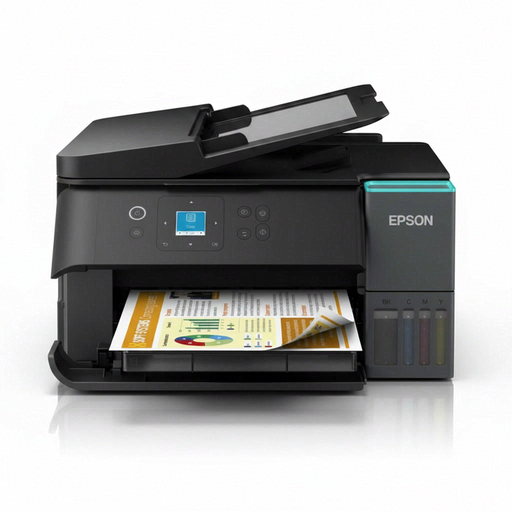
Why This Fits Their Persona: A compact option for students, families and occasional home users who need A4 printing, scanning and copying without cartridge replacements.
Its four-colour refillable system and stated high-yield bottles reduce the need for frequent cartridge purchases. Yield still depends on usage and coverage.
A4 automatic duplex printing, Wi-Fi and Wi-Fi Direct; includes print, copy and scan functions.
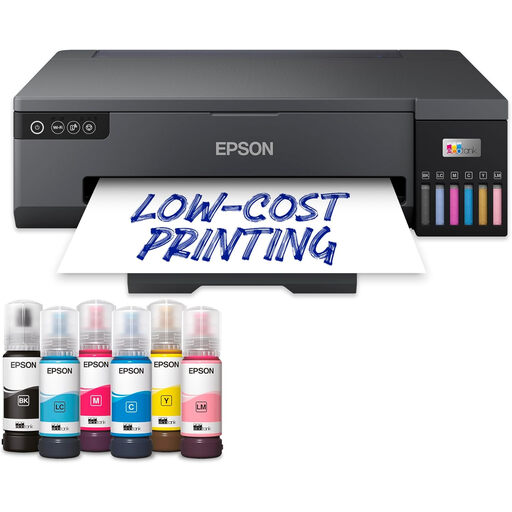
Why This Fits Their Persona: Photographers, designers and creative professionals needing borderless A3+ output and six-colour dye-based printing.
It is clearly positioned as an A3+ photo printer, so buyers can match its larger format and six-ink system to a genuine creative requirement.
Supports paper up to A3+, with Wi-Fi and Ethernet connectivity and a 250-sheet input capacity.
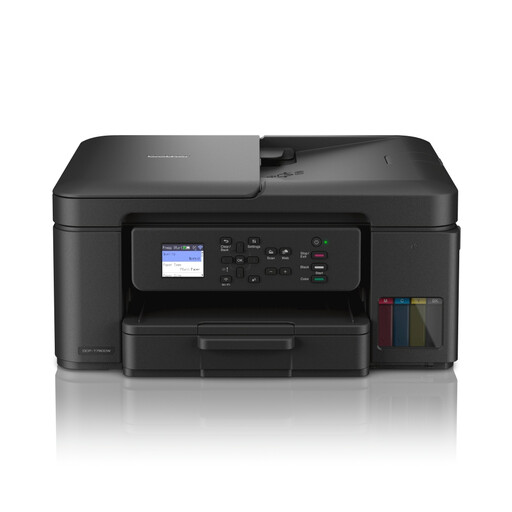
Why This Fits Their Persona: A suitable match for busy households, home offices and small businesses handling frequent multi-page colour printing.
The supplied ink is specified at up to 15,000 black pages and 5,000 colour pages, while the 20-sheet ADF supports multi-page jobs.
Automatic duplex printing, dual-band Wi-Fi, a 150-sheet input tray and print, copy and colour-scan functions.
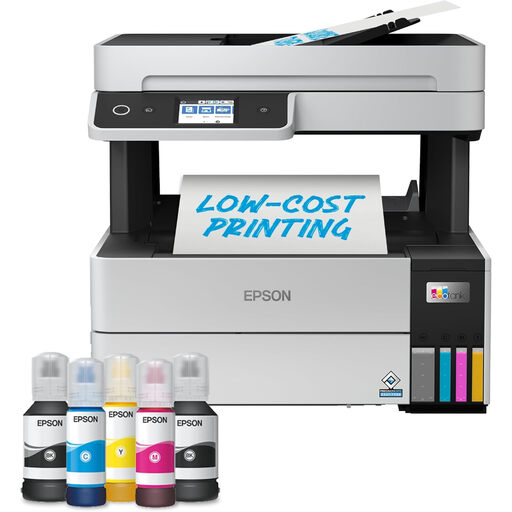
Why This Fits Their Persona: Designed for users who need a productive home office printer with substantial paper capacity and hands-free document handling.
Its stated included-ink yields and 250-sheet front tray are suited to regular printing, rather than only occasional household use.
Includes automatic duplex printing, a 35-page ADF, Wi-Fi, Wi-Fi Direct and Ethernet.
We have compiled a complete, real-time list of products that fully satisfy these strict selection criteria and UK safety regulations.
Both Epson and Brother offer refillable ink systems, but their product ranges suit different priorities. Epson includes compact A4 models, office-oriented multifunction printers and larger photo printers such as the ET-18100. Brother models such as the DCP-T580DW and DCP-T780DW focus on A4 print, scan and copy functions, wireless connectivity and high stated bottle yields.
When comparing models, check the complete specification rather than relying on the brand name. Consider:
They can offer lower ongoing ink costs than cartridge printers, particularly for users printing frequently. Actual savings depend on purchase price, ink prices, page coverage, print mode and how often each colour is used. Compare the price of replacement bottles and stated yields before buying.
There is no single guaranteed lifespan. Service life depends on print volume, maintenance, paper quality, operating conditions and regular use. Follow the manufacturer’s cleaning and storage guidance, keep the printer level and use the specified ink. A longer warranty or stated spare-part support may also be relevant for a small business.
Some are. A standard four-colour A4 multifunction printer can handle everyday photos, while a dedicated photo model with six dye-based inks and A3+ support may provide more flexibility for creative work. Choose according to the paper sizes, colour control and output volume you actually need.