Check the operating airline’s battery and baggage rules before choosing travel electronics: GOV.UK says devices must be able to switch on if requested, while UK Civil Aviation Authority guidance says to keep power banks in the cabin, not checked luggage. For a phone, a compact power bank may provide backup away from a socket; for several devices, a compatible multi-port charger serves a different purpose when wall power is available. If you carry a laptop, choose protection that fits the device, but do not assume a sleeve changes the airline’s baggage rules.
Who needs which setup?
Airline-rule-first travellers
If a battery’s permitted location or a security check is your main concern, establish the operating airline’s rules before choosing capacity or charging speed. GOV.UK advises charging devices so they can switch on if requested, and the UK Civil Aviation Authority says power banks belong in the cabin.
Phone-and-tablet light packers
A compact backup source and fewer loose cables may matter more than charging several devices at once. Compare the power bank’s capacity and size with what you plan to carry, then check its label against your airline’s battery rules.
Laptop and multi-device travellers
Consider both how your laptop will be protected in transit and how you will charge it alongside smaller devices. Check sleeve fit, charger ports and shared output rather than assuming that a laptop-size label or a charger’s total wattage settles the choice.
What should you check before buying?
Settle the flight and battery requirements first; then choose charging and protection accessories for the devices you will actually take.
| Concern | What to check | Who this matters to |
|---|
| Flight readiness |
Check the power bank’s printed Wh rating and the operating airline’s rules on quantity, cabin location and use. Charge devices so they can switch on if requested. |
I want to avoid packing a battery in the wrong place or finding that a device cannot pass a power-on check. Around 36% of consumers put flight readiness first. |
| Compact backup power |
Compare capacity, dimensions, weight and output with the phone or tablet you will carry. |
For a phone-led trip, I want backup power without filling my small cabin bag with a bulky pack; around 29% of consumers prioritise that balance. |
| Charging several devices |
Check port types, the plug you need and how total output is shared when devices charge together. |
If I am bringing a laptop and smaller devices, I want to charge them from available wall power without packing several plugs. That is the primary need for around 21% of consumers. |
| Device protection |
Compare a sleeve’s internal dimensions, padding and closure with the device; check the airline’s packing conditions separately. |
A laptop travelling among other items in my bag needs a sleeve that fits without excessive bulk. Around 14% of consumers place protection ahead of the other accessory needs. |
Packing and buying mistakes to avoid
-
Assuming a “travel” power bank is allowed on every flight
Airlines can set conditions for battery capacity, quantity, placement and use; a travel label does not establish acceptance.
Read the Wh rating on the actual unit and check the dangerous-goods rules of each operating airline before you pack.
-
Leaving a power bank in a bag that may be gate-checked
UK Civil Aviation Authority guidance says power banks must stay in the cabin. British Airways specifically directs passengers to keep power packs and spare batteries in their smaller under-seat item.
Put them in the cabin item you will retain, and follow your operating airline’s placement instructions.
-
Judging a multi-port charger by total wattage alone
Output is shared when several devices are connected, and a laptop also needs a compatible charging connection.
Check the laptop’s input requirements, the cable rating and the charger’s output for the ports you intend to use together.
-
Carrying a damaged power bank loose with metal objects
Damage or contact between exposed terminals and keys or coins can create an electrical safety risk.
Keep the unit and its terminals protected from loose conductive items, and do not use a damaged or overheated power bank.
Relevant brands to consider
Anker
Its Nano A1259 is an example of a compact power bank for personal USB-C devices.
- Anker lists a 10,000mAh capacity, built-in USB-C cable and 30W bidirectional charging for this model.
- Those specifications do not establish permission on a particular flight; check the unit’s Wh label and the operating airline’s rules.
Belkin
Its cited products address wall charging for several devices and laptop protection.
- Belkin lists two USB-C ports, one USB-A port and 100W total output for its BoostCharge Pro charger; it also describes padding on its EDA001 and EDA002 laptop sleeves.
- Check output sharing and device requirements for the charger, or the exact device dimensions for a sleeve.
INIU
Its P21 combines a power bank, wall charger and USB-C cable for travellers considering fewer separate charging items.
- INIU lists a 10,000mAh bank and 30W foldable wall charger for the P21.
- An integrated design does not establish airline acceptance: check the printed Wh rating and current carrier policy before travel.
Joybuy charging and laptop-protection products
These cables suit trips with compatible USB-C charging equipment, while the laptop cases address carrying and fit. None replaces a check of the operating airline’s rules for the electronics and batteries you pack.
 No image available
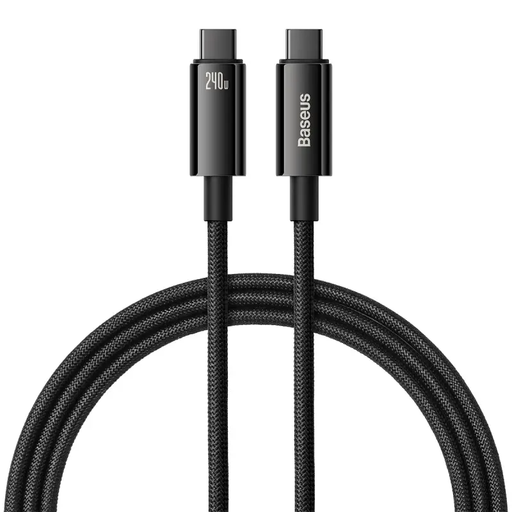
Baseus Tungsten Gold USB-C to USB-C Cable, 240W, 1m, Black
A 1m cable to consider when your travel devices and charger use USB-C. Its stated 240W rating does not determine the charging power your particular devices and adapter will deliver.
View on Joybuy
 No image available
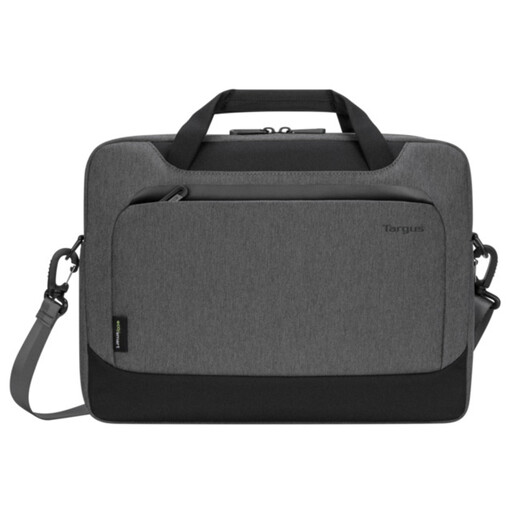
Targus EcoSmart Cypress 14-inch Slipcase, Grey
A laptop-carrying option if its interior fits your device. Check the laptop’s dimensions against the case before buying; the 14-inch designation alone does not confirm fit or change airline packing rules.
View on Joybuy
 No image available
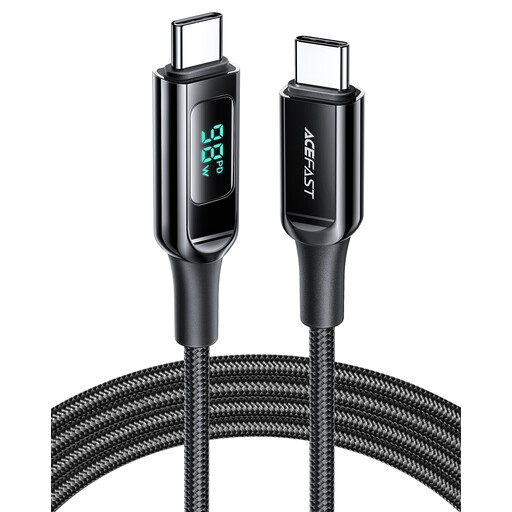
ACEFAST USB-C to USB-C Charging Cable, 100W, 1.2m, Black
A 1.2m lead for compatible USB-C devices when you want more reach than a 1m cable. Its stated 100W maximum is not a promise of that charging rate with every device and adapter.
View on Joybuy
 No image available
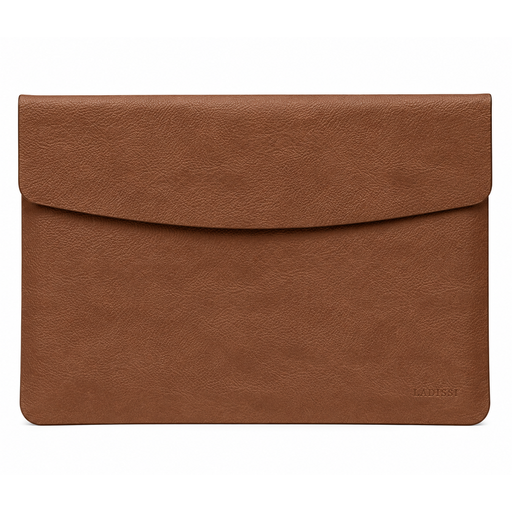
VoxorAI 14-inch Notebook Sleeve, Brown
A sleeve to consider for a notebook that fits its actual dimensions. Compare the device with the sleeve’s measurements rather than relying on the 14-inch designation or assuming the sleeve changes hold-luggage rules.
View on Joybuy
Questions about flying with electronics
Do my devices need to be charged for a flight to the UK?
Yes. GOV.UK says electronic devices should be charged before travel and that a device which does not switch on when requested will not be allowed onto the aircraft.
Can a power bank go in checked luggage?
No under current UK Civil Aviation Authority passenger guidance: power banks and spare batteries must be kept in the cabin, not checked luggage. Check the operating airline’s instructions for where to keep them within the cabin.
How many power banks can I take?
Current UK Civil Aviation Authority passenger guidance states a limit of two per person. Confirm the operating airline’s current capacity, quantity and placement conditions for every flight in your itinerary before packing them.
Can I recharge a power bank on board?
No under current UK Civil Aviation Authority passenger guidance, which says power banks should not be recharged on board. Follow crew instructions and the operating airline’s policy for charging other devices during the flight.
Can I put a laptop in hold luggage?
Check the operating airline before packing it in the hold. British Airways says a laptop, tablet or similar device placed in checked baggage must be completely switched off, rather than asleep or hibernating, and protected against damage and unintentional activation; its conditions should not be assumed to apply to every carrier.


