Check your course’s current software requirements before choosing a laptop. If specialist Windows applications or hardware interfaces must work on your own device, a Windows laptop with an Intel or AMD processor is the route supported by the engineering guidance cited here; a Mac or Linux laptop can suit a course that explicitly accepts it. University virtual desktops may reduce the need for local computing power, but only when you have access to the required software and the workflow does not depend on hardware connected to your laptop.
Who needs to check what?
The decisive question is whether your course expects specialist work to run on your laptop, through a university service or on a campus computer.
Engineering students using CAD or connected hardware
Check required applications, processor support and physical connections before settling on a platform. The University of Nottingham warns that ARM-based devices may not support all software or hardware interfaces required by its electrical and electronic engineering students; the University of Bath identifies Windows-only software in its engineering guidance.
Computing students using programming and remote tools
Find out which operating systems your department accepts and how coursework tools are accessed. The University of Warwick’s Department of Computer Science lists Windows 11, macOS and Linux as suitable systems and provides remote facilities for coursework; that guidance applies to its department, not every computing degree.
Students planning to use university computers
Confirm that your modules include access to the applications you need, at times that fit your study routine. The University of Bath says access to specialist virtual desktops depends on course, modules or group, so remote access should be checked before choosing a laptop for everyday tasks alone.
How should you choose?
Start with the course software and where it must run. Then compare hardware, carrying needs and connections against that workflow.
Windows for local engineering work
Choose when: Your department requires Windows-only applications or connected engineering equipment to work on your own laptop, as described in guidance from the universities of Nottingham and Bath.
Trade-off: Windows alone does not establish that a particular processor, memory and graphics configuration meets the application’s requirements.
macOS or Linux for supported courses
Choose when: Your department explicitly accepts the operating system and provides a workable route to any specialist applications; Warwick’s computer-science guidance is one example.
Trade-off: The University of Bath identifies Windows-only engineering software, so approval for programming tools does not establish compatibility with every engineering module.
Everyday laptop plus university computing
Choose when: Your department confirms access to the required virtual desktop or campus computers for your modules and study hours.
Trade-off: Remote work depends on access and a suitable connection; Nottingham cautions that its virtual desktop cannot cover every hardware-based activity.
| Priority |
What to check |
Your needs |
| Software compatibility |
Ask for the current module software list, required operating system and supported processor architecture. Check whether applications need drivers or a physical hardware connection. |
I need the applications for my actual modules to work where I will use them. Nottingham flags possible ARM compatibility problems in electrical and electronic engineering, while Warwick accepts several operating systems for computer science. |
| Local workload |
Match memory and graphics to the named application and project size. Autodesk lists 16GB RAM as the minimum for Inventor 2026 assemblies below 500 parts and recommends 32GB or more; those figures are not a specification for every course. |
If I must run CAD on my laptop, I need to check the projects my course assigns rather than choose hardware for note-taking alone. |
| Remote access |
Confirm your entitlement, available software and access times. Check whether your connection and any hardware-connected activities suit remote use. |
A laptop that is easier to carry could work for me if university computers handle the specialist tasks. Bath says access to specialist virtual desktops depends on course, modules or group. |
| Connections and equipment |
Compare the exact configuration’s ports with required displays and peripherals. Check whether a charger and any needed adapters are included. |
I want to connect the equipment used in my classes without discovering that I need a different port or adapter. Dell’s listed 14 Plus configuration, for example, states that no AC adapter is included. |
What can catch you out?
-
Buying before checking course software
An operating system accepted for one degree may not run applications required by another. Warwick’s computer-science guidance accepts Windows, macOS and Linux, while the University of Bath identifies Windows-only software in engineering.
Ask your department for its current module requirements and whether specialist applications must run on your own device before choosing a platform.
-
Assuming remote access replaces every local task
A university virtual desktop may provide software, but permissions can vary by module. Nottingham also notes that remote use needs a suitable connection and cannot cover every hardware-based activity.
Confirm access to the exact applications, when you can use them and whether any coursework requires equipment connected directly to your laptop.
-
Treating all Windows laptops alike
Nottingham and the University of Strathclyde warn about software support on ARM-based devices. Local CAD requirements also change with the application and project scale: Autodesk gives different memory guidance for Inventor 2026 depending on assembly size.
Check the supported processor architecture, memory and graphics against your department’s named tools and expected projects.
-
Overlooking the exact configuration
Ports, charging equipment and included accessories can differ between listings. Dell states that no AC adapter is included with its listed 14 Plus configuration.
Check the selected model’s ports, charger inclusion and any mouse or display adapter your course recommends.
Relevant laptop ranges
These manufacturer configurations illustrate different platforms; the brand name alone cannot confirm fit for a particular course.
Lenovo
Lenovo UK lists a ThinkPad T14 Gen 6 (Intel) configuration with Windows 11 Pro, 16GB DDR5 memory, a 512GB SSD and a 14-inch WUXGA display.
- A configuration to examine when a department calls for a portable Windows laptop.
- Its listed hardware does not by itself confirm support for your course applications or connected equipment.
Apple
Apple’s UK specifications list M5 MacBook Air configurations with 16GB unified memory, 512GB SSD storage and two Thunderbolt 4 USB-C ports.
- A macOS range to consider where the department confirms macOS support.
- The University of Bath identifies Windows-only engineering software; check the approved way to use each required application before choosing a Mac.
Dell
Dell UK lists a Dell 14 Plus (DB14250) configuration with Windows 11 Home, 16GB memory and a 512GB SSD.
- A Windows configuration to compare with your department’s requirements for locally run work.
- Dell states that its listed configuration has no AC adapter included. Check the exact configuration and do not assume it meets graphics-heavy application requirements.
Laptop options on Joybuy
These laptops cover configurations to examine for local specialist work and for general coursework, including a MacBook Air for courses that accept macOS. Compare each exact model with your department’s software and hardware requirements before choosing.
 No image available
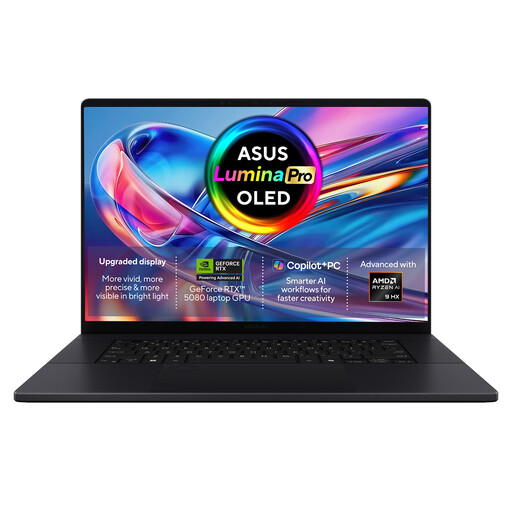
ASUS ProArt P16 H7606WW-SE006W
Examine this Windows 11 Home configuration if your course requires substantial resources for work on your own laptop. Its listed specifications include an AMD Ryzen AI 9 HX 370, NVIDIA GeForce RTX 5080 16GB graphics, 64GB RAM, a 2TB SSD and a 16-inch 4K OLED touchscreen. Confirm support for each required application and hardware interface; the specifications alone do not establish course compatibility.
View on Joybuy
 No image available
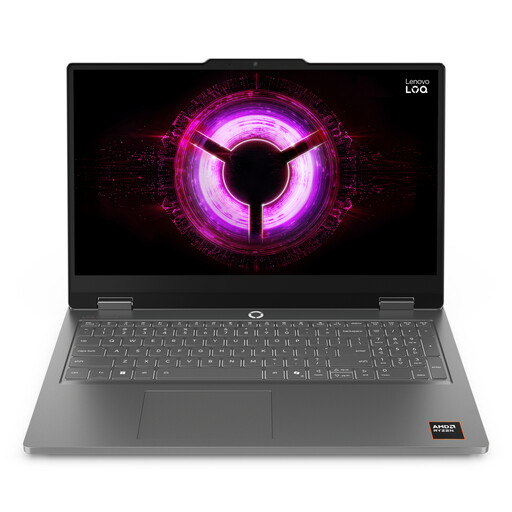
Lenovo LOQ Essential 15ARP11
This is a configuration to compare if your course requires local applications and you are checking graphics as well as memory. The title lists an AMD Ryzen 7 170, GeForce RTX 5050, 16GB RAM, a 1TB SSD and a 15.6-inch 144Hz FHD display. Confirm the required operating system, application support and whether 16GB meets your project workload.
View on Joybuy
 No image available
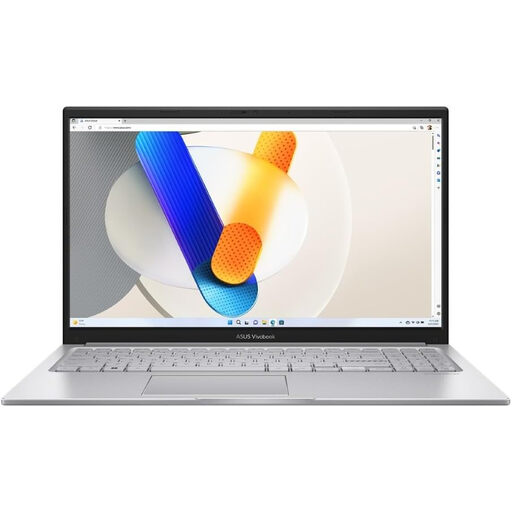
ASUS Vivobook 15 X1504VA
Consider this 15.6-inch model for general coursework if its exact configuration fits your course’s software requirements. Its title specifies an Intel Core 5 120U, 24GB memory and a 1TB SSD. If you will run specialist CAD locally, check the application’s graphics and platform requirements rather than judging fit from memory alone.
View on Joybuy
 No image available
HP OmniBook X Flip 16-as0004na
The touchscreen 2-in-1 format may be worth considering if you want a flexible screen arrangement for coursework. The listed configuration has a 16-inch display, Intel Core Ultra 5 226V, 16GB RAM, a 512GB SSD and Windows 11 Home. Check whether those specifications meet any specialist applications you need to run locally, and confirm the weight if you will carry it regularly.
View on Joybuy
 No image available
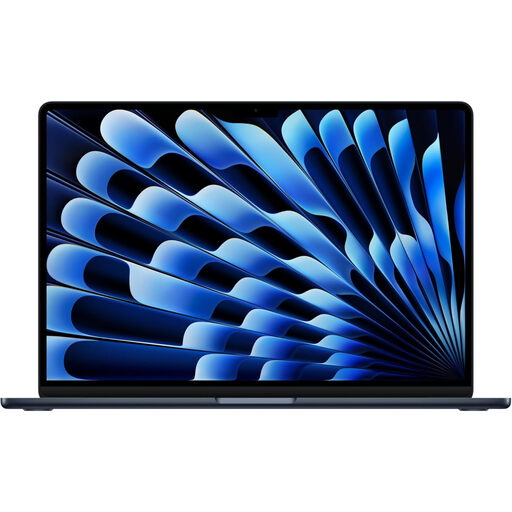
Apple 13-inch MacBook Air (2026), M5, 24GB, 1TB SSD
Consider this MacBook Air where your course explicitly supports macOS or confirms a workable way to access any Windows-only tools. This Midnight configuration lists an M5 chip with a 10-core CPU and 10-core GPU, 24GB memory and a 1TB SSD. Check development tools, specialist software and hardware interfaces with your department before choosing it for engineering work.
View on Joybuy
Common questions
What should I ask my department before buying a laptop?
Ask for the current software list for your modules, supported operating systems and processors, and whether applications must run on your own device. Also confirm access to any virtual desktop or campus computers and whether coursework uses connected hardware. The University of York advises students to check with their department because some courses have specialist requirements.
Can I use a MacBook for engineering or computing?
Yes, if your course supports macOS and you have a workable way to use every required application. The University of Warwick’s Department of Computer Science accepts macOS alongside Windows and Linux, but the University of Bath identifies Windows-only software in its engineering guidance. Check your own modules rather than assuming either department’s arrangements apply to you.
Can a virtual desktop let me choose a less powerful laptop?
It can if your university confirms access to the software your modules require and you can use the service when needed. The University of Bath provides access to university-licensed software through virtual desktops, with specialist access dependent on course, modules or group; the University of Nottingham cautions that remote use needs a suitable connection and cannot cover every hardware-based task.


