What should you prioritise?
The key decision is whether required work must run on your laptop or can be completed through university facilities. Confirm the department’s software, hardware-interface and remote-access requirements before comparing configurations.
| Concern |
What to check when buying |
Who this matters to |
| Course software compatibility |
Check supported operating systems, processor architecture, application versions and required ports with your department. |
If I need to run course software or connect engineering hardware locally, compatibility comes before my preferred operating system. Consumers who put local course-tool compatibility first account for around 36%. |
| Local performance |
Match memory, storage and graphics to the exact application version and project size; distinguish minimum from recommended requirements. |
If substantial CAD, simulation or development work must run on my laptop, I need a configuration that fits those workloads. Consumers who prioritise local specialist-work performance account for around 29%. |
| University remote access |
Confirm eligibility, supported connection methods, network requirements and which tasks still need local software or hardware. |
If my department’s computing facilities cover my specialist work, reliable access may matter more than running every demanding application locally. Consumers who prioritise university computing resources account for around 21%. |
| Portability and support |
Compare the laptop’s size and required ports, plus the selected configuration’s support terms and repair options. |
If I carry my primary laptop between classes, I need a manageable setup and a clear repair route if it fails. Consumers who put portability and continuity of use first account for around 14%. |
Laptop choices on Joybuy
These Joybuy laptops are related to engineering and computing study. Check each exact configuration against your department’s software, local-work and remote-access requirements.
 No image available
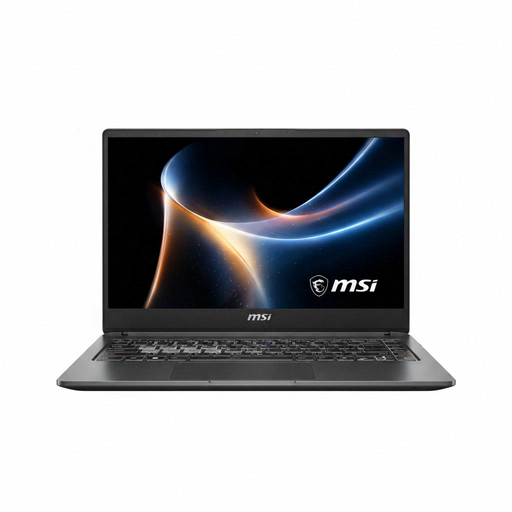
MSI Prestige N16 Flip AI+ C1XMT-044UKY
The listed 32 GB RAM matches Autodesk’s recommendation of 32 GB or more for Inventor 2026; confirm that the exact processor and graphics configuration suits your course software.
Listed specifications: 16-inch 2-in-1, Windows 11 Pro, 32 GB RAM, 1 TB SSD, 2.8K 120 Hz OLED touchscreen and UK keyboard.
View on Joybuy
 No image available
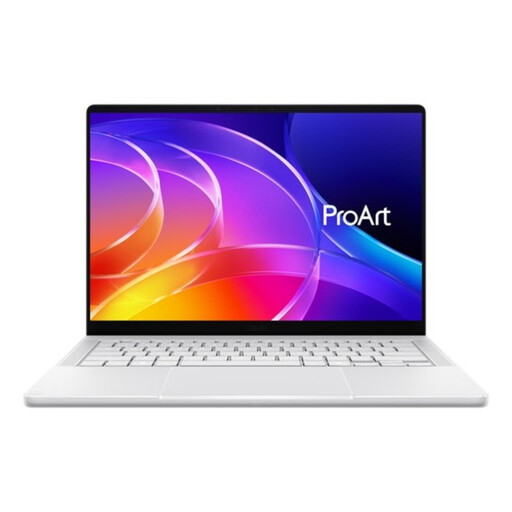
ASUS ProArt P14 H7407BA-SM083W
For local specialist work, compare the listed memory and graphics with your department’s applications and project requirements.
Listed specifications: 14-inch 3K OLED display, NVIDIA RTX Spark N1X, 32 GB RAM, 1 TB SSD and Windows 11 Home.
Autodesk recommends 32 GB or more for Inventor 2026; that guidance is specific to the application.
View on Joybuy
 No image available
Stormforce Exobook 16
For work that must run locally, check the listed components against the exact applications and project sizes required by your course.
Listed specifications: 16-inch QHD+ display, Ultra 9, 32 GB RAM, 4 TB storage and 5090 graphics.
View on Joybuy
 No image available
ASUS Vivobook 14 X1407QA-LY003W Copilot+ PC
For Inventor 2026 assemblies below 500 parts, the listed 16 GB RAM meets Autodesk’s stated minimum but is below its recommendation of 32 GB or more. Check your course’s software and processor-architecture requirements.
Listed specifications: 14-inch display, Snapdragon X, 16 GB RAM and 512 GB SSD.
View on Joybuy
Frequently asked questions
Can I buy a Mac or Linux laptop for engineering?
Only if your department confirms that the required applications and support arrangements will work for your course. Loughborough University recommends Windows for its engineering courses and does not support Linux devices; the University of Nottingham describes remote access to some engineering software but notes limits for hardware-based work. These arrangements do not automatically apply to other courses.
If my university has a virtual desktop, do I still need a powerful laptop?
Not necessarily; it depends on what the virtual desktop covers and what you must still run or connect locally. Confirm the modules and applications included, how your laptop connects and whether required hardware-based activities need a local setup. The University of Nottingham says its virtual desktop needs a stable connection and does not suit every hardware-based activity.
What should I set up before the first specialist-software assignment?
Follow your department’s current instructions for approved software or remote access, then check that the required applications and peripherals work on your chosen setup. Confirm which operating systems and devices your course supports before relying on a particular laptop.
Should I budget separately for specialist software and repairs?
Check which software and university computing facilities your department provides before buying licences. The University of Nottingham describes access to specified university-provided software and computing facilities. Check the selected laptop’s service and repair terms separately; Lenovo’s specified three-year support applies to its listed P14s configuration, not to every model.


