
24/7 Customer Support

Free returns

Same-day & Next-day Delivery

Quality Guaranteed

Unlock Your Welcome Offers: FREE Delivery | Up to 80% OFF | Free 30-day JoyPlus trial
Download the APP
Buying one of the many Epson all-in-one printers available online can appear straightforward until you compare ink systems, print speeds, paper handling and wireless features. A low purchase price may not mean low ownership cost, while a high-resolution specification may not translate into faster or more practical printing.
This guide filters the key details so UK households, students, home-office users, photographers and small businesses can choose a suitable Epson inkjet printer without paying for features they will rarely use.
Printer packaging may quote a fast draft speed, such as 33 pages per minute. This figure normally applies to a particular print mode and may not represent standard-quality colour or business-document output. When comparing models, look for ISO print speeds, which provide a more useful basis for everyday comparison.
For occasional homework, recipes and documents, a slower Epson A4 printer may be perfectly practical. If you regularly print contracts, invoices or multi-page documents, prioritise standard black-and-white speed and automatic document handling.
A cheaper cartridge printer can cost more over time if you print frequently. Individual cartridges reduce waste because you replace only the colour that has run out, but cartridge prices and replacement frequency still matter.
An Epson EcoTank printer uses refillable bottles instead of conventional cartridges. The initial purchase price may be higher, but the system is designed for users who print regularly and want fewer cartridge changes. Ink yield varies according to coverage, paper type, print mode and operating conditions, so treat advertised page counts as usage estimates rather than guarantees.
A compact wireless printer may suit a student bedroom or kitchen shelf, while a larger printer with an automatic document feeder (ADF) is more practical for a home office. Photographers and creative professionals may also need borderless printing, six-colour ink or support for A3+ media rather than a standard Epson multifunction printer limited to A4.
Check the printer’s physical dimensions, paper input, connectivity and supported media before ordering. Remember to leave space for paper loading, scanner access and ventilation.
A print scan copy printer combines three everyday tasks in one unit. A flatbed scanner is useful for photographs, receipts and individual documents. An ADF, where included, is more efficient when scanning or copying several pages.
The Epson Expression Home XP-2200, XP-3200 and XP-4200 all combine printing, scanning and copying. The EcoTank ET-5150 adds a 35-page ADF, making it more suitable for regular multi-page office work.
Choose an individual-cartridge printer for light or occasional colour printing where a lower upfront cost and compact design are priorities. Choose a refillable ink tank printer when you print frequently, produce many colour pages or want to reduce the number of cartridge replacements.
For photographs, check the ink configuration and media support. The Epson EcoTank ET-18100 uses six individual dye-based inks and supports printing up to A3+, which makes it more relevant to photography and creative work than a basic home colour printer.
A wireless printer with Wi-Fi or Wi-Fi Direct can print from laptops, tablets and smartphones without requiring a USB connection. Mobile services such as Epson Smart Panel, Apple AirPrint and Mopria may simplify setup, but compatibility depends on your device and operating system.
Automatic duplex printing is another useful feature. It prints on both sides of compatible paper, helping reduce paper consumption. Check whether duplex is automatic or manual, and whether it applies to all supported media. For most UK households, a 100-sheet tray is sufficient; higher-volume users may benefit from a 250-sheet capacity.
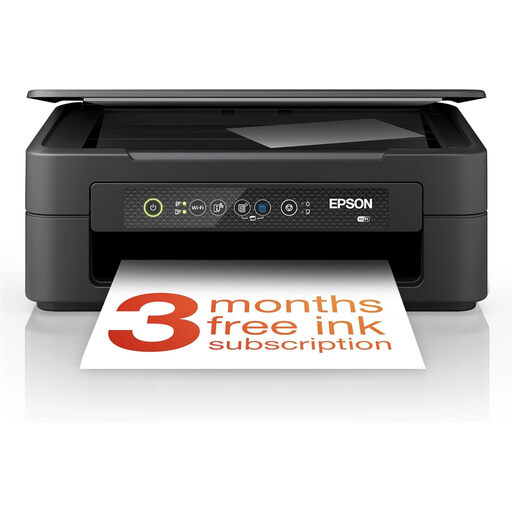
Why This Fits Their Persona: Its compact A4 format and Wi-Fi support suit students, renters and households with light printing requirements.
Individual ink cartridges mean you can replace the colour required rather than changing a combined colour cartridge.
Print, copy and scan functions; Wi-Fi and Epson Smart Panel mobile printing; support for photo paper and card.
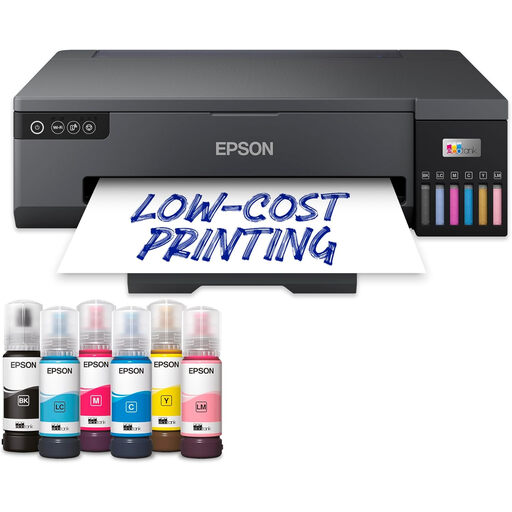
Why This Fits Their Persona: Photographers, designers and creative users who need borderless colour output and media up to A3+ have more flexibility than with an A4-only model.
Its refillable six-ink system is designed for photo output and avoids relying on standard four-colour cartridges.
Six dye-based inks; A3+ borderless printing; Wi-Fi and Ethernet connectivity.
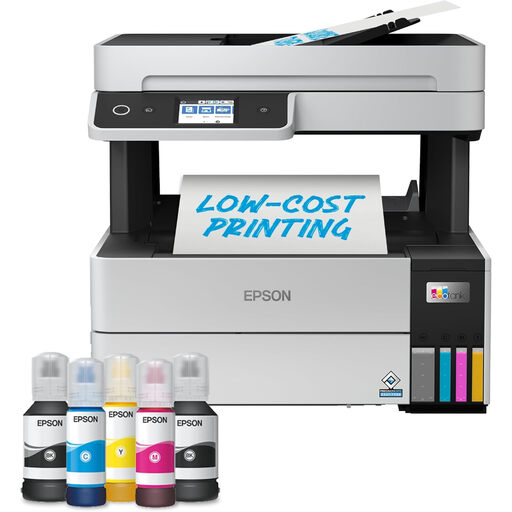
Why This Fits Their Persona: Home offices and small businesses handling frequent documents can use its larger paper tray, ADF and refillable ink tanks.
The 250-sheet tray and 35-page ADF reduce repeated loading and manual document handling during busy working days.
Automatic duplex printing; Wi-Fi, Wi-Fi Direct and Ethernet; A4 print, copy and scan functions.
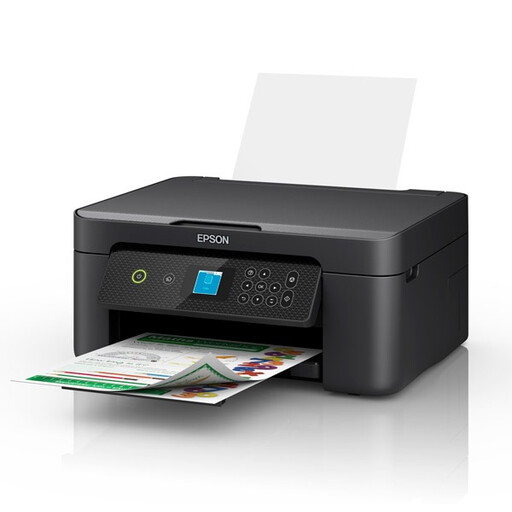
Why This Fits Their Persona: It balances everyday A4 documents, occasional photographs and home-office tasks in a compact desktop format.
Its listed ISO speeds of up to 10 ppm black and 5 ppm colour give a clearer everyday comparison than draft-mode figures alone.
Automatic duplex printing; Wi-Fi Direct and Apple AirPrint; 1,200 × 2,400 dpi optical scanning.
We have compiled a complete, real-time list of products that fully meet these strict selection criteria and UK safety regulations.
Yes. Choose an A4 print scan copy printer with automatic duplexing and Wi-Fi for routine documents. If you scan several pages regularly, an ADF such as the one on the ET-5150 can reduce manual work.
They can be suitable for reducing cartridge replacement frequency when printing regularly. However, total running cost depends on ink usage, page coverage, paper and the printer’s purchase price. Occasional users should compare the full ownership cost rather than relying only on bottle yield claims.
Lifespan depends on print volume, maintenance, storage conditions and the availability of compatible ink and parts. Keep the printer level and dry, use compatible supplies, follow cleaning instructions and print periodically if the device is used infrequently. Always check the model’s warranty and manufacturer guidance before purchase.