What to check before buying
Choose an operating-system route that can complete your assignment, then assess unplugged writing time and day-to-day comfort. The routes below describe different software choices; none makes its advertised battery figure directly comparable with another’s.
MacBook Air
Consider it when: Your course tools and reference manager work on macOS and you want a compact laptop with a published wireless-web battery figure.
Allow for: The battery figure reflects Apple’s test conditions, while USB-C/Thunderbolt connections may call for an adapter for your peripherals.
Windows ultraportable
Consider it when: Your institution requires Windows software or a particular desktop Word workflow.
Allow for: Ports and charging arrangements vary by model; Dell’s XPS 13 and HP’s OmniBook 5 14-hh0500sa UK listings each state that a charger is not included.
Chromebook
Consider it when: Browser-based documents, research and submission cover your entire essay workflow.
Allow for: Microsoft says the Windows and Mac desktop versions of Microsoft 365 and Office 2016 cannot be installed on a Chromebook.
| Concern |
What to check |
Who this matters to |
| Unplugged writing and charging |
Read the exact configuration’s battery-test description and confirm the required charger and what comes in the box. |
If I cannot count on a socket, I need a workable charging setup and enough unplugged time for writing and research. Around 50% of consumers put this need first. |
| Documents and course software |
Check the required Word version, reference manager, offline editing and submission tools against the operating system. |
A required desktop app or citation tool has to run before other laptop features matter to me; roughly 30% of consumers prioritise that compatibility. |
| Typing and carrying comfort |
Assess the keyboard, screen size and layout, and weight for your writing locations. |
For a long draft that travels between workspaces, I want a keyboard and screen I can use comfortably; about 20% of consumers make that their primary concern. |
Joybuy products for essay writing
These laptops cover macOS, Windows and browser-first ChromeOS writing routes. Compare each one with your required software and charging setup; the product choices do not establish which battery will last longest in your own essay sessions.
 No image available
Apple MacBook Air 13-inch (2026), M5 10-core CPU and GPU, 16GB, 1TB, Sky Blue
Consider this MacBook Air if your writing, citation and submission tools work on macOS. Apple specifies up to 15 hours of wireless-web use for the 13-inch M5 model, rather than a guaranteed essay-writing duration. Confirm the charging equipment and any adapters you need.
View on Joybuy
 No image available
HP OmniBook Ultra Flip 14-fh0006na 2-in-1, 16GB, 1TB
This Windows 11 Home 2-in-1 is a choice for an essay workflow that needs Windows software. Confirm that your course applications run on it, and check the exact screen configuration and included keyboard and charging equipment before buying.
View on Joybuy
 No image available
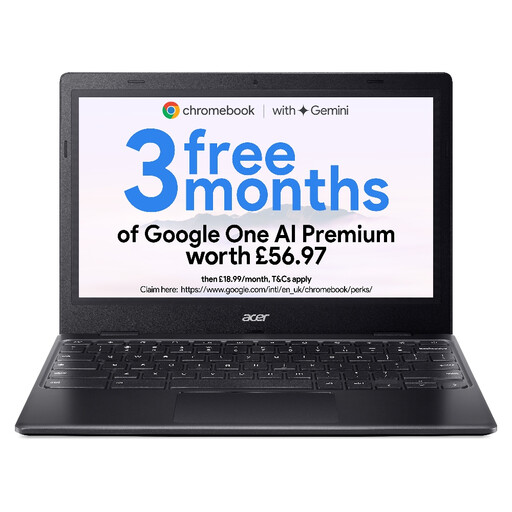
Acer Chromebook 311 CBOA311-1H, 11.6-inch HD, 4GB, 64GB, Black
Choose this ChromeOS model only if browser-based drafting, citations and submission meet your needs: Microsoft says desktop Word cannot be installed on a Chromebook. Its listed display is 1366 × 768, with an Intel Celeron N4500 and 64GB eMMC storage. Check the model’s update end date and whether the compact screen suits long writing sessions.
View on Joybuy
 No image available
ASUS Vivobook 14 X1407QA-LY003W, Snapdragon X, 16GB, 512GB, Quiet Blue
This Windows laptop may suit essay work if your required applications and peripherals support its Snapdragon X configuration. Check model-specific battery information for your unplugged sessions rather than assuming a runtime from its processor or screen size.
View on Joybuy
 No image available
ASUS Zenbook DUO UX8406CA-QL135W, dual 14-inch OLED touch, Core Ultra 7 255H, 16GB, 1TB
This Windows dual-screen laptop is worth considering if your writing and research workflow calls for that form factor. Check whether carrying and setting up both screens suits your usual workspace, and confirm the exact display configuration, keyboard and charging bundle.
View on Joybuy
Frequently asked questions
Do I need a powerful laptop to write a personal essay?
Not for writing and ordinary web research alone. Which? says an all-rounder can be sufficient for common study tasks such as word processing, browsing and presentations; check separately if your course also requires specialist software.
Can I use Word on a Chromebook?
Yes, through Microsoft 365 on the web, according to Microsoft. You cannot install its Windows or Mac desktop Microsoft 365 or Office 2016 applications on a Chromebook, so confirm that browser editing and your offline and citation workflow are sufficient.
Will the advertised battery life cover a whole writing day?
An advertised figure cannot guarantee your writing-day runtime. Apple gives separate wireless-web and video-streaming figures for the 13-inch M5 MacBook Air, while Acer says configuration, applications, settings and conditions affect actual life. Check the test behind the exact model’s claim and plan how you would recharge it.
Will my laptop come ready to charge from a UK socket?
Check the exact product bundle rather than assuming it will. Dell’s XPS 13 and HP’s OmniBook 5 14-hh0500sa UK listings say a charger is not included; for whichever laptop you choose, confirm the adapter, cable, plug and required wattage before checkout.
What should I check about Chromebook updates?
Check the automatic-update end date for the exact Chromebook model you intend to buy. Its individual update schedule is more useful for this decision than the date a retailer first listed it.


