Writers working away from sockets
You draft and reorganise essay plans in libraries, cafés or while travelling. Battery claims for browsing and document work matter more to you than a figure measured during video playback.


Choose a laptop you can comfortably carry and use for a writing-and-research session away from a socket, but check your required software before deciding on an operating system. A compact macOS or Windows laptop can support a full desktop workflow; a Chromebook may suit cloud-first outlining if its application and file-storage requirements fit your course. Compare battery claims by test activity rather than treating the largest quoted figure as your expected writing time.
You draft and reorganise essay plans in libraries, cafés or while travelling. Battery claims for browsing and document work matter more to you than a figure measured during video playback.
You want a manageable bag weight without giving up a physical keyboard and enough screen space to work on an outline.
Your outline may be straightforward to draft, but your course could require particular citation, accessibility or assessment tools. You need to establish that those tools and your file-storage workflow work on the laptop you choose.
Settle any course software and storage requirements before choosing between macOS, Windows and ChromeOS. Then compare the exact laptops you could carry, using battery figures measured under activities relevant to writing and research.
Consider it when: You want a compact macOS laptop for browser research and drafting, and your required applications support macOS.
Check: Apple’s quoted wireless-web runtime is a manufacturer maximum, not a promise for your particular mix of documents, tabs and background tasks.
Consider it when: Your course requires a Windows application or a familiar Windows desktop workflow.
Check: Configuration details matter: Dell lists one XPS 13 configuration without a charger, while specialist software on a Windows-on-Arm model needs its own compatibility check.
Consider it when: Your outlining tools and permitted storage fit a browser-led workflow.
Check: Google says its Chromebook workflow for opening and editing Microsoft 365 files requires OneDrive; confirm that this fits your course rules and that you do not need a desktop-only application.
| Concern | What to check | Who this matters to |
|---|---|---|
| Unplugged writing time | Compare battery claims for similar activities on the exact model. Check its charging connection and the output needed if you plan to use a portable USB-C PD charger. | I need to research and revise an outline without relying on a nearby socket, so a video-playback figure alone does not settle my choice. Around 42% of consumers put usable unplugged writing time first. |
| Weight and keyboard | Check the configured laptop’s weight and keyboard layout, along with the screen size you are comfortable carrying and using. | Moving between study locations makes the weight in my bag important, but I still need a keyboard I can type on comfortably. For around 33% of consumers, carrying and typing needs take priority. |
| Software and files | Confirm the required operating system, application versions, offline access and permitted storage. Check specialist software separately on Windows-on-Arm devices. | If my course requires a particular application or restricts cloud storage, that requirement decides which laptop I can use. Compatibility comes first for around 25% of consumers. |
Battery figures depend on the activity tested. Apple lists separate maximum figures for video streaming and wireless web use on its cited MacBook Air specification; neither tells you exactly how long your own documents, browser tabs and background syncing will run.
Look for a web-use or comparable productivity test on the exact model, and check charging requirements before planning to use a portable power source.
Google supports Microsoft 365 file editing on Chromebooks, but its cited workflow requires OneDrive. A course that requires desktop-only software or restricts cloud storage could make that workflow unsuitable.
Get the course application list and storage rules before buying. If possible, try the required tools on a comparable Chromebook.
Dell marks the cited XPS 13 configuration as supplied without a charger. The contents of another configuration should not be inferred from the product-family name.
Check the in-box list for the exact model and confirm the connector and charging requirements of any charger you intend to use.
Microsoft ended Windows 10 support on 14 October 2025 and says it no longer provides free security fixes for the operating system.
For a newly purchased coursework laptop, check that it runs a supported operating system unless your institution manages a specific supported arrangement.
These product lines illustrate different ways to meet the writing task; check the specification of any particular laptop rather than applying a line-wide claim to every configuration.
The 13-inch MacBook Air is a compact macOS option for browser research and document drafting when your course applications support macOS.
The XPS 13 line is a compact Windows route for writers who need Windows software.
The Yoga Slim line includes Windows options for writers who place particular importance on carrying weight.
These Joybuy laptops span Windows, ChromeOS and macOS options for drafting away from a fixed desk. Match their operating systems to your course requirements, and assess each battery claim against its stated test activity before relying on it for an unplugged session.
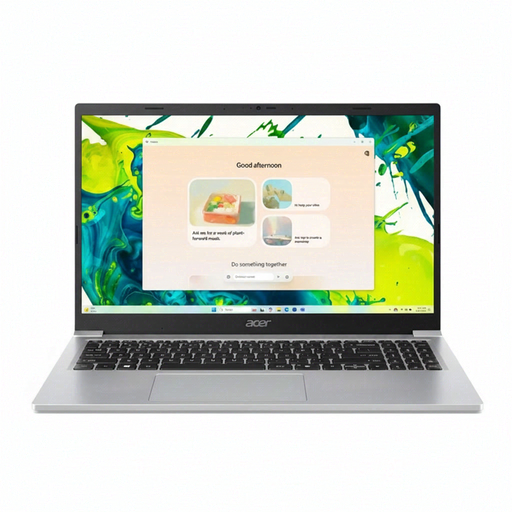 No image available
Consider this Windows 11 Home model if you want a UK English keyboard and a 15.6-inch Full HD anti-glare screen for writing. The stated weight is 1.53kg.
Its listing claims up to 12.5 hours of battery life without identifying the test activity. Check how that claim relates to browser-and-document use, whether the charger is included and whether 128GB of storage meets your needs.
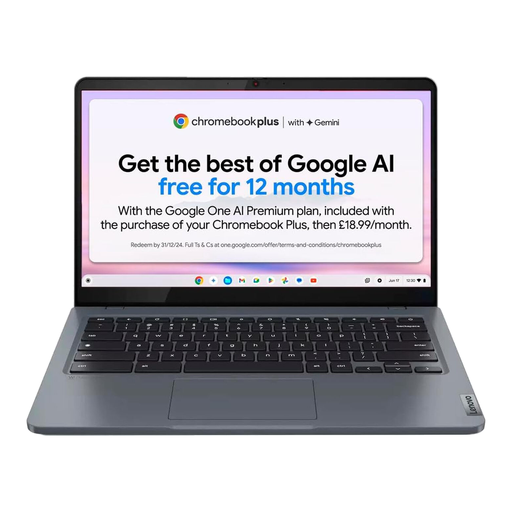 No image available
This ChromeOS model is an option for browser-led outlining if its applications and storage workflow fit your course. It has a 14-inch anti-glare Full HD display and a stated weight of 1.5kg.
The listing claims up to 10 hours from a 57Wh battery without stating the test activity. Google says its Chromebook workflow for editing Microsoft 365 files requires OneDrive; also confirm the keyboard layout and charger contents for this configuration.
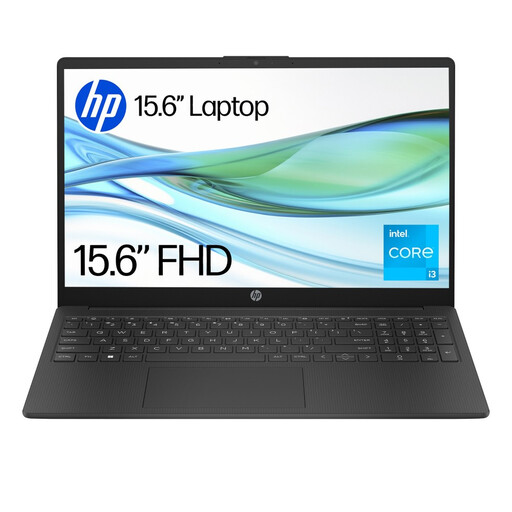 No image available
This 15.6-inch Full HD Windows laptop may suit document work if its 4GB memory and 128GB UFS storage meet your application and file needs. Its stated starting weight is 1.59kg.
The listing claims up to 11 hours under a MobileMark 2018 mixed-use test and specifies a 41Wh battery. Windows 11 Home S Mode restricts app installation unless you switch out of S Mode, so check your course software and whether changing modes suits you. Confirm the keyboard layout before ordering.
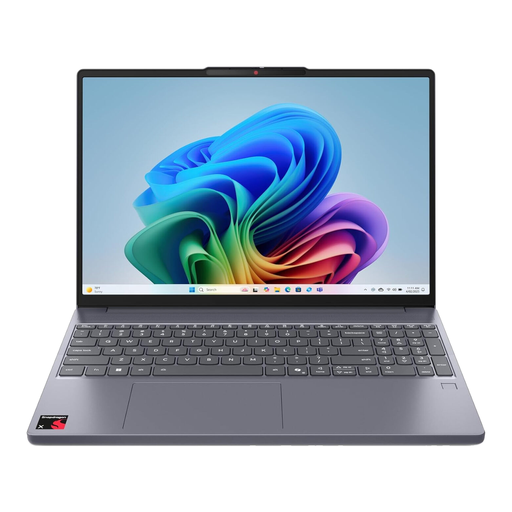 No image available
Consider this Windows-on-Arm model if its required writing, course and accessibility applications work on that platform. It has a 15.3-inch OLED display and a stated weight of 1.79kg.
The listing gives an “up to 20+ hours” battery claim without a test activity, so do not use it as a direct prediction for outlining. Microsoft says most Windows apps can run on Arm-based PCs, but check specialist or driver-dependent software with its publisher for this configuration.
 No image available
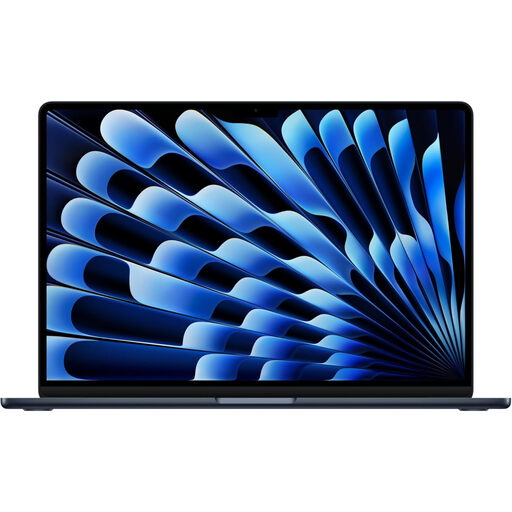
This macOS model offers a 13.6-inch display and backlit keyboard for drafting, provided your university applications and file workflow support macOS. Its listed configuration has 24GB unified memory and a 1TB SSD.
The listing’s up-to-18-hour claim is for video streaming, not browsing and document work. Check a relevant runtime figure and the exact weight if either will determine your choice.
Compare the test activity before comparing the hours. Apple’s cited MacBook Air specification lists up to 18 hours for video streaming but up to 15 hours for wireless web use; the latter is a closer reference for online research and drafting, though your brightness, calls, tabs and background tasks will affect actual runtime.
Yes, Google says Chromebooks can open, edit, download and save Microsoft 365 files. Its cited Microsoft 365 editing workflow requires OneDrive, so check that your course permits that storage arrangement and that any other required applications work on ChromeOS.
It can run many Windows applications, but check the exact tools your course requires before buying an Arm-based laptop. Microsoft says most Windows apps run on Windows 11 Arm-based PCs and others may use emulation; specialist accessibility tools and vendor-specific software warrant an application-by-application check.
For a UK online purchase, Coventry City Council Trading Standards says you can cancel most purchases because you have changed your mind within 14 days after receiving the goods. A faulty laptop is a different matter: contact the seller about a remedy rather than assuming the change-of-mind cancellation rules determine your rights.