Window-side event organisers
People working through schedules, sign-up lists and presentations beside a bright window, who need to keep everyday documents readable despite changing light.


For a community-event planning desk beside a bright window, control reflections by changing the screen position and using blinds or curtains where needed before relying on monitor brightness. A 27-inch 4K desk monitor with a suitable screen surface and adjustable stand is a practical route for detailed planning work; USB-C charging matters when the laptop supports it, while an HDR peak-brightness claim does not establish everyday readability in that room.
People working through schedules, sign-up lists and presentations beside a bright window, who need to keep everyday documents readable despite changing light.
Organisers who regularly connect different laptops at the same desk and want straightforward display connections and charging where their equipment is compatible.
People preparing posters, social graphics or presentation assets who need to assess documented colour coverage alongside the monitor’s usefulness for office work.
Set the desk and screen position first, then assess the panel surface and stand. After that, choose the workspace, connections and colour features your event work calls for.
| Concern | What to check | Who this matters to |
|---|---|---|
| Window-side readability | Check the exact panel surface and stand adjustments; plan a position away from direct window reflections. | If reflections make schedules difficult to follow, I need to manage the light before changing display settings. Roughly 36% of consumers would put glare and legibility first. |
| Planning workspace | Check native resolution, desk depth and comfortable viewing distance for the intended screen size. | With calendars, lists and venue plans open together, I want enough room to see detail without crowding the desk. Around 29% of consumers would prioritise workspace and text clarity. |
| Laptop handover | Confirm the laptop’s USB-C video support and charging needs against the monitor’s connections and power delivery. | When organisers take turns connecting laptops, I want handovers to involve fewer cables. For approximately 21% of consumers, compatible connections would be the primary concern. |
| Colour and energy information | For graphics, check stated colour coverage and intended colour spaces; compare the energy information shown for an in-scope UK display. | If I create posters as well as schedules, I want to assess the monitor’s colour specifications before choosing. Roughly 14% of consumers would put colour-led work first. |
Bright reflections can interfere with reading planning documents regardless of the monitor’s other specifications. The Health and Safety Executive advises arranging desks and screens to avoid glare, often by not facing the screen directly towards a window.
Try a different screen position and use blinds or curtains where needed before judging whether the display itself needs changing.
An HDR peak claim does not describe every full-screen working condition or remove reflections from the room.
Check the panel surface and typical brightness where stated, then assess whether the stand lets you position the screen appropriately. If possible, judge it in the intended room.
A monitor’s USB-C port cannot simplify laptop handovers unless the laptop and cable support the required video connection and charging arrangement.
Compare the laptop manufacturer’s port and charging specifications with the monitor’s power delivery and check which cable is included.
The observed Joybuy listings for the LG 27UP850K-W and KTC M27P6 said those models were no longer available. A model’s specifications alone therefore do not establish that it can currently be ordered.
Check the live product page, seller and applicable warranty terms before making a purchase decision.
Dell’s UltraSharp U2725QE is a reference point for organisers considering a 27-inch 4K hub monitor for a shared laptop desk.
BenQ’s PD2706U is relevant when event planning also involves creating posters or other colour-sensitive materials.
LG’s 27UP850K-W is a model-specific reference for a 27-inch 4K IPS desk monitor with USB-C and an adjustable stand.
The KTC M27P6 is a specification reference for readers considering a 27-inch 4K Mini-LED display after addressing window reflections.
These 27-inch 4K monitors are relevant to desk-based schedules and event documents; some also address compatible laptop handovers or graphics work. For any position beside a bright window, assess reflections and screen placement separately from the listed features.
 No image available
A desk-display option for detailed event schedules and planning documents. The product name identifies a 27-inch 4K UHD monitor; check the panel surface and required laptop connections for your window-side setup.
 No image available
Consider this model for a planning desk using a compatible MacBook and for work that calls for its stated P3 colour feature. Its product name specifies a Nano Glossy surface and a height-adjustable stand; assess reflections in the intended position and confirm the laptop connection before buying.
 No image available
A planning-desk option where a compatible laptop may use USB-C charging. The product name specifies a 27-inch 4K display, Google TV and USB-C 65 W; confirm that the laptop supports video over the connection and that its charging needs fit.
 No image available
This model combines a desk-sized planning display with colour specifications to consider for event graphics. Its product name states 27-inch 4K IPS, 95% DCI-P3 coverage, HDMI and DisplayPort; check the screen surface for the intended window-side position rather than treating its DisplayHDR 400 label as an office-brightness result.
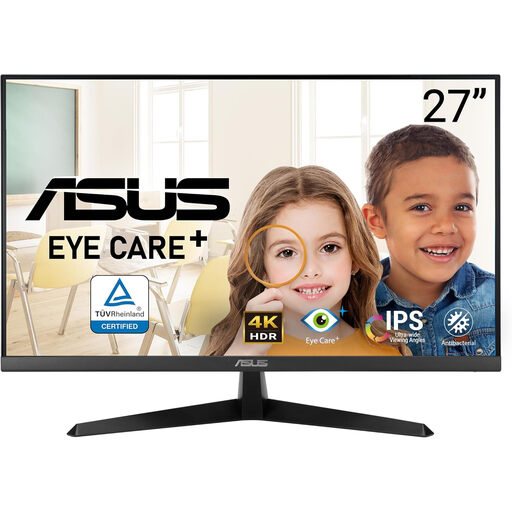 No image available
A 4K option for reading schedules and working on planning materials at a desk. Check whether its screen surface and available stand positioning suit the window and the people using it; the product name alone does not establish those conditions.
Not by itself: a brightness specification does not remove reflections. The Health and Safety Executive advises positioning the desk and screen to avoid glare, often by keeping the screen from directly facing windows or bright lights; use blinds or curtains where needed before assessing panel features.
USB-C power delivery is useful when a compatible laptop is regularly connected and a one-cable desk matters. Check that the laptop supports video through the relevant port, that the monitor’s charging level meets its needs and that the intended cable supports the setup.
Yes, check the displayed energy label for an in-scope electronic display offered for sale in the UK. GOV.UK’s energy-information guidance says products in scope must show an energy label at the point of sale, including on a website; the label helps compare energy information, not window-side readability.
No: the Health and Safety Executive’s guidance says the Display Screen Equipment Regulations apply to employers whose workers use display screen equipment regularly as a significant part of normal work, described there as daily use for continuous periods of an hour or more. The guidance on positioning a screen to avoid glare can still help with shorter or infrequent planning sessions.