Spreadsheet and schedule organisers
If you keep budgets, volunteer rotas, bookings and messages open together, a QHD display is worth considering for the extra document space compared with Full HD at the same screen size.


For detailed schedules, budgets and several open windows, consider a 27-inch QHD monitor if it fits your student-room desk. If calls and laptop connections matter more than document space, compare integrated meeting features and USB-C charging before choosing; check your laptop’s video output, the supplied cables and your power arrangement too.
If you keep budgets, volunteer rotas, bookings and messages open together, a QHD display is worth considering for the extra document space compared with Full HD at the same screen size.
If online planning calls are frequent, a monitor with a webcam, microphone and speakers may be more useful to you than extra screen resolution. Check whether its camera position suits a shared room.
If your monitor must sit beside study materials, measure the space for its stand as well as the screen. Check the laptop connection and whether you can position the display away from reflections.
Decide how much room your planning documents need, then check the laptop connection against the space and power available at your desk.
| Concern | What to check | Who this matters to |
|---|---|---|
| Planning workspace | Compare native resolution and screen size; measure the space available for a 27-inch display. | I need to see budget columns and schedules alongside messages without constantly changing windows. Around 36% of consumers put detailed workspace first. |
| Laptop and meeting connections | Check USB-C video support, charging wattage and the supplied cable; decide whether call hardware is needed. | If I move between laptop work and online meetings, I want connections and call equipment that suit both tasks. Roughly 36% of consumers prioritise laptop and meeting integration. |
| Desk fit and safe setup | Measure the stand footprint and adjustment options. If using an extension lead, check its rating and the combined load. | My desk also has to hold study materials, and the screen must sit clear of glare without crowding the socket arrangement. About 28% of consumers place the room setup first. |
USB-C charging differs by model: LG states up to 15W for the 27U631A-B, while LG’s 27BA850-B and Samsung’s S60UD state up to 90W. The connector alone does not establish video compatibility or adequate charging.
Compare your laptop’s USB-C video support and charging requirement with the monitor’s specifications, and check which cable is supplied.
You may still need your laptop charger or a compatible cable for the intended setup.
Screen size does not tell you how much room the stand leaves for a keyboard and writing. The Health and Safety Executive advises considering desk space, screen position and lighting together when arranging display-screen work.
Measure usable width and depth, then check the stand adjustments or confirmed mounting options before buying.
Speakers or a webcam being present does not establish how well a group call will work in your room.
Decide whether calls will involve one person or a group, and check the camera, microphone and privacy requirements before choosing integrated equipment.
Electrical Safety First warns that overloading extension equipment can cause overheating and fire, and advises against connecting one extension lead to another.
Check the extension lead’s marked rating and the combined load of connected devices. Do not keep using a damaged lead.
Dell’s S2725DC is relevant if you want QHD document space, speakers and substantial stand adjustment in one monitor.
LG offers different configurations for document work and online meetings; the model matters more than the brand name alone.
Samsung’s S60UD is relevant if you intend to connect more than one source or use a monitor as part of a laptop hub setup.
These monitors offer different approaches to document-heavy planning and student-room placement. Compare their stated display and connection features with your laptop and desk rather than assuming every model supports the same one-cable setup.
 No image available
Consider this for schedules and spreadsheets if QHD resolution meets your document needs. Confirm this unit’s USB-C video and charging capabilities before relying on a USB-C laptop connection, and measure the space available on your desk.
 No image available
Consider this for detailed planning documents if a 27-inch display fits your desk. The product name specifies an IPS panel, Google TV, built-in speakers and USB-C 65W; check your laptop’s video compatibility and charging requirement before relying on one cable.
 No image available
Consider this if detailed documents are your priority and your laptop can use a suitable video connection. Its product name specifies HDMI, DisplayPort and built-in speakers; check your cable needs and the space for a 27-inch screen.
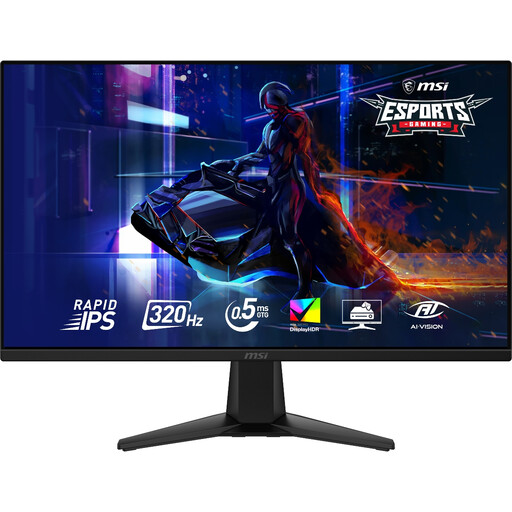 No image available
Consider this for QHD planning documents if its connections suit your laptop. The product name specifies 2560 × 1440 resolution and a 320Hz refresh rate; the refresh-rate figure alone does not establish an advantage for event planning. Check any USB-C charging or call-equipment needs separately.
 No image available
Consider this if flexible placement matters more to your student-room setup than QHD document space. Check the intended mounting arrangement, your laptop’s USB-C video compatibility and its charging requirement before buying.
Yes, if you regularly compare detailed schedules, budgets and other windows and have room for the monitor and its stand. Dell UK, LG UK and Samsung UK each list 27-inch 2560 × 1440 models relevant to that kind of work. If calls or desk space decide the choice, compare smaller displays or meeting-focused features instead.
Only when the laptop’s USB-C port supports video output and the monitor supplies enough charging power for that laptop. LG UK states up to 15W Power Delivery for the 27U631A-B, compared with up to 90W for its 27BA850-B; Samsung UK states 90W for the S60UD. Check the laptop’s requirements and whether the necessary cable is supplied.
Arrange the chair, desk, screen and lighting together so you can position the display without awkward reach or reflections. The Health and Safety Executive includes desk arrangement and screen and lighting adjustment in its display-screen guidance; measure the stand footprint before choosing a monitor for a crowded desk.
Check the marking applicable to the territory where the monitor is supplied and use a suitable socket arrangement. Department for Business and Trade guidance dated March 2026 lists UKCA or CE for electrical equipment placed on the Great Britain market, and CE or UKNI together with CE for the Northern Ireland market. For use, Electrical Safety First advises against overloading extension equipment or connecting one extension lead to another.