What to consider when choosing
Start by checking the existing router position and the signal path, then choose an extension method that suits the distance, building layout and available cabling.
| Concern |
What to check when buying |
Who this matters to |
| A reliable link to a garage or garden workspace |
Check whether Ethernet can reach the location, what power is available, and the exact device’s outdoor mounting and installation requirements. |
If I need a dependable connection in a remote workspace, I want to know whether the link and installation will work there; around 31% of consumers put that need first. |
| Coverage across several rooms |
Map weak rooms and possible node positions, then check router compatibility and support for any planned wired backhaul. |
When several rooms need attention, I care about how the nodes connect across the layout; around 25% of consumers prioritise multi-room coverage. |
| A proportionate fix for one weak room |
Check for a usable signal at an intermediate extender position and distinguish wireless repeating from a wired access-point setup. |
If only one room is affected, I want to avoid replacing more of the network than the layout requires; around 25% of consumers prioritise a targeted fix. |
| A route when Ethernet cannot be run |
Check for suitable sockets at both ends, the network output you need, and how the kit performs on the intended outlets. |
Where routing a cable is impractical, I would consider powerline if the actual outlets provide a usable connection; around 19% of consumers prioritise this alternative. |
Joybuy product options
These options cover multi-room mesh, a targeted indoor extender and powerline Wi-Fi for home coverage gaps. Check each model’s details and your property layout before choosing a connection method.
 No image available
NETGEAR Orbi 370 RBE373 WiFi 7 Mesh System, 3-Pack, Dual-Band BE3600, 2.5Gbps Ethernet, White
The three-pack is an option to consider when planning mesh coverage across several rooms; check node positions and how the system will connect to your existing router.
The product name specifies dual-band Wi-Fi 7, BE3600 and 2.5Gbps Ethernet.
View on Joybuy
 No image available
TP-Link RE220BE BE3600 Wi-Fi 7 Range Extender
Consider it for a targeted weak-room setup if there is a usable router signal at an intermediate position. Check the exact router compatibility and mode you need before relying on an existing mesh arrangement.
View on Joybuy
 No image available
TP-Link Deco BE22 (3-Pack) BE3600 Whole Home Mesh Wi-Fi 7 System
A three-unit mesh system to consider when planning coverage across several rooms. Check node positions and confirm support for your intended backhaul arrangement before buying.
The product name specifies BE3600 and Wi-Fi 7.
View on Joybuy
 No image available
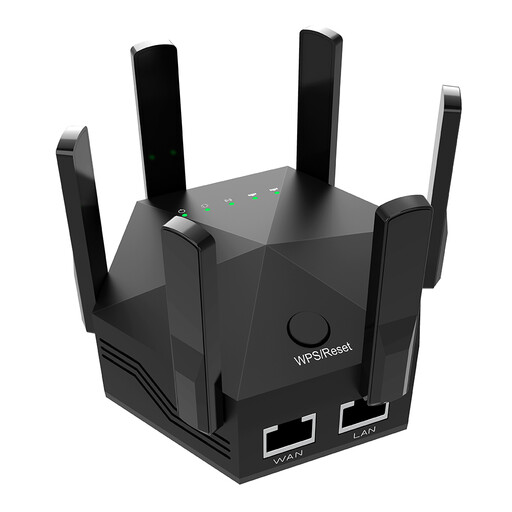
Dual-Band Wi-Fi Signal Extender, 1200Mbps, 6 Adjustable Antennas, Indoor Use, UK Plug
Consider it only for an indoor weak-room setup where a usable signal reaches the extender’s position; check the actual connection rather than relying on the rated speed.
The product title specifies dual-band operation, 1200Mbps and six adjustable antennas. It is described for indoor use only.
View on Joybuy
 No image available
TP-Link TL-WPA8631P KIT AV1300 Gigabit Powerline Wi-Fi Extender Kit
Consider this powerline Wi-Fi kit where Ethernet routing is impractical and suitable outlets are available at both ends. Test the intended sockets, as the property’s wiring and outlet conditions affect whether this route works for your workspace.
The product name specifies AV1300 and Gigabit.
View on Joybuy
Wi-Fi extension FAQs
Should you move the existing router before buying anything?
Yes, if you can move it safely: Ofcom advises placing a router centrally and raised, away from objects that can block its signal. Compare the connection near the router with the weak location before deciding whether you need an extension device.
Can powerline reach a garage on another electrical circuit?
Do not assume success or failure from the circuit label alone. NETGEAR recommends using the same circuit for best results, while devolo describes operation across fuses and phases and also notes that some outlets can produce slow links. Check the chosen kit and test the intended wall sockets.
Can you put an ordinary indoor mesh unit outside?
Do not assume that a mesh device is suitable for outdoor use. TP-Link specifies power and upright-mounting instructions for the Deco X50-Outdoor; Ubiquiti specifies an orientation and mount for weatherproof installation of the U6 Mesh. Check the exact model’s instructions for the position you have in mind.
What should you check before commissioning electrical work for a garden workspace?
Check the requirements for the relevant UK nation and the specific work before commissioning it. England’s Approved Document P explains when domestic electrical work is notifiable; Wales has its own guidance, including distinctions for some outdoor alterations. Electrical Safety First advises using RCD protection with outdoor electrical equipment; this is safety guidance, not a statement that every network installation requires new mains wiring.
What security information should you check for a connected product?
Check the manufacturer’s stated security-update support and the seller’s current returns terms. The UK Product Security and Telecommunications Infrastructure product security regime has applied to relevant supply-chain businesses since 29 April 2024; that does not by itself confirm the status of an individual listing or its Wi-Fi performance.


