What matters when choosing a drive?
Decide how the group will make and restore a separate backup before comparing capacities. Then check how much the archive may grow, where the drive will travel and whether its contents need controlled access.
| Concern |
What to check |
Who this matters to |
| Recovering the journal |
Confirm that the group can repeat the backup and restore a sample folder. Plan where the drive will be kept after each update. |
If the main computer fails or its files are damaged, I need a separate copy that I can actually restore. Around 42% of consumers put recoverability first. |
| Protecting member information |
Check the exact model's encryption workflow and decide who can unlock the drive and retain recovery details. |
When volunteers share custody of a journal with personal details, I need to limit access without leaving the next custodian locked out. For around 33% of consumers, controlled access is the primary concern. |
| Archive growth and portability |
Measure the current folder, allow for growth and check the computer's ports, supplied cable and operating-system compatibility. |
As scans or recordings accumulate, I need enough room on a drive that fits our handover routine. Capacity and portability come first for around 25% of consumers. |
Joybuy drives for journal backups
These portable HDDs and an SSD offer different capacity and carrying options for a community journal. Match the drive to the group's computer and backup routine, and assess access protection separately if the journal contains personal information.
 No image available
Western Digital My Passport Ultra for Mac 5TB Silver
Consider this portable HDD if the journal archive needs 5TB of stated capacity. Its for Mac variant makes the group's operating system and connection important checks; if personal information is stored, also confirm the exact model's protection workflow.
View on Joybuy
 No image available
Western Digital My Passport 2TB Black
This 2TB portable HDD is a capacity option for a recurring journal backup. If the group uses a Mac or needs password-managed access, confirm the exact model's setup and recovery procedure before buying.
View on Joybuy
 No image available
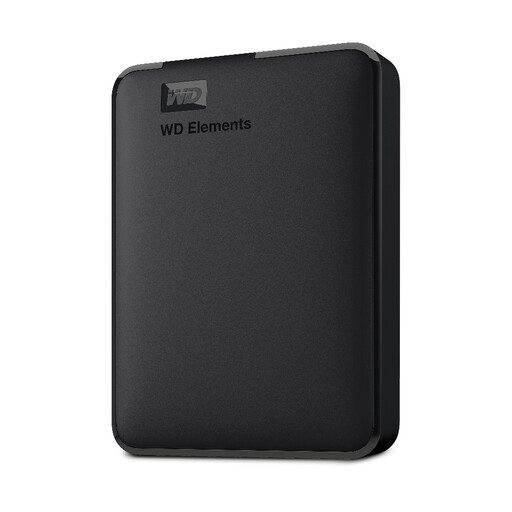
Western Digital Elements Portable 4TB Black USB 3.0
Consider this 4TB portable HDD for a journal accumulating scans or other large files. Check its format against the group's computers and decide how personal information will be protected if it is included in the backup.
View on Joybuy
 No image available
Samsung MU-PE1T0S 1TB Black USB-C SSD
This 1TB portable SSD is an option when a custodian carries the backup between venues. Samsung's stated T7 Shield maximum speeds require a USB 3.2 Gen 2 host, compatible cable and UASP; confirm the group's connection and any required backup or access-protection workflow.
View on Joybuy
 No image available
Western Digital Elements Portable 1TB
This 1TB portable HDD is an option for a journal whose measured folder size leaves sufficient room for future backups. Check compatibility with the group's computer and plan separate protection if the files contain personal information.
View on Joybuy
Common questions
Is one external drive enough to safeguard the journal?
One drive can hold a backup, but it should not be the group's only safeguard. The National Cyber Security Centre advises keeping a backup disconnected when it is not in use; maintain another separate copy where practical and check that journal files can be restored.
Should a journal backup containing personal information be encrypted?
Assess encryption alongside the risk posed by the journal's contents and where the drive will be kept or carried. The Information Commissioner's Office advises encryption when storing personal information; the group also needs authorised access and a way to recover the password.
Should the group choose an HDD or an SSD?
Consider a portable HDD when the measured archive size and room for growth are the main buying concerns, or a portable SSD when the backup travels regularly and transfer speed matters. For Samsung's cited T7 Shield speeds, the computer must support USB 3.2 Gen 2 with a compatible cable and UASP.
How often should the group test its backup?
Test restoration regularly enough to keep pace with changes to the journal, by recovering a sample folder to another location. The Information Commissioner's Office calls for processes that test security measures, while the National Cyber Security Centre emphasises regular, reliable backups for recovery.


