For a spacious copy of home files, start with an HDD: choose a portable model if you need to carry it, or a desktop drive if it will stay at one backup station. Which? describes SSDs as faster but generally pricier than HDDs, so consider a portable SSD when frequent transfers and carrying convenience matter enough to justify the difference. Whichever type you choose, keep another separate copy of important files and test that you can restore them, as the UK National Cyber Security Centre advises.
Who is this external-drive guide for?
Family-file backup keeper
You want recoverable copies of a growing photo and document collection, and need to plan the capacity and where another copy will live. The UK National Cyber Security Centre describes a backup as a separate copy of important data.
Laptop file carrier
Your laptop is short of space, or you regularly take sizable files between locations, so carrying convenience and transfer time matter. Which? describes SSDs as faster than HDDs, while generally costing more.
Windows-and-Mac file sharer
You use both systems and need to distinguish a format for sharing ordinary files from a disk set up for Mac Time Machine. Apple Support says Time Machine cannot back up to a disk formatted for Windows.
What should you prioritise when choosing an external drive?
Portable external HDD
Choose it when: you want a drive you can put away or carry, and backup space matters more than frequent large transfers.
Trade-off: backups will not run while the drive is disconnected, so reconnect it when you want updates.
Portable external SSD
Choose it when: you regularly carry the drive or move sizable files between compatible devices.
Trade-off: Which? describes SSDs as generally faster but usually pricier than HDDs; check the exact model’s host and cable requirements before relying on its advertised speed.
Desktop external drive
Choose it when: the backup will stay near one computer and you want to compare desktop HDDs with portable models.
Trade-off: some desktop drives need a mains adapter. Seagate describes its One Touch 8TB as USB-C bus-powered, so check the power arrangements for the exact model.
For consumers choosing an external drive for home-file backup in the UK, these checks distinguish recovery, capacity, portability and cross-system access.
| Concern |
What to check when buying |
Who this matters to |
| Keeping a recoverable backup |
Plan a repeatable backup schedule and separate storage location; test restoring a sample file. |
I want a copy I can recover if my computer fails, and a routine that keeps it separate. Around 40% of consumers put recoverable backup first. |
| Room for growing files |
Size the folders you plan to copy and allow for expected growth or backup history. |
I need space for the photos and documents I already have, with room for additions. Consumers who prioritise growing backup capacity make up around 30%. |
| Frequent transfers and carrying |
Check that the drive, computer port and cable support the interface you need; consider how you will carry the drive. |
When I move large files between locations, carrying convenience and transfer time matter more than a drive that stays at home. Around 20% of consumers prioritise frequent portable transfers. |
| Windows and macOS access |
Choose shared-file use or a dedicated File History or Time Machine workflow before formatting; preserve existing files before erasing a disk. Apple Support says Time Machine cannot back up to a disk formatted for Windows. |
I use Windows and Mac and need files available across both, rather than a disk set up solely for Time Machine. Around 10% of consumers put cross-system file access first. |
External-drive backup mistakes to avoid
-
Moving the only copy onto an external drive
If that drive is lost or damaged, you may not be able to recover the files. The UK National Cyber Security Centre advises keeping important data in a separate backup.
Keep the original files or another separate copy, then try restoring a sample file.
Maintaining another copy takes storage and a routine for keeping it up to date.
-
Assuming an always-connected drive is isolated
The UK National Cyber Security Centre warns that ransomware can affect connected backup drives.
Plan when to connect the drive for updates and how to retain another separate, recoverable copy.
Keeping a copy disconnected takes time and may require additional storage.
-
Choosing an SSD by its advertised peak speed alone
Samsung says the maximum transfer speeds for its T7 Shield depend on a compatible host, cable and operating mode.
Check the exact drive, cable and computer port before treating a maximum speed as the speed you will get.
-
Reformatting before preserving existing files
A format for shared files and a format for a dedicated Mac Time Machine backup serve different purposes. Apple Support says erasing a storage device deletes its contents.
Choose the intended workflow first and copy any files you need to another device before reformatting.
External-drive brands to compare
Western Digital
Compare the portable My Passport line with the stationary My Book desktop HDD line when deciding where the backup will live.
- Western Digital’s My Passport, Works with USB-C data sheet specifies exFAT formatting, an included USB-A cable and a USB-C adapter for that line.
- That data sheet lists capacities up to 6TB for the specified line.
- Check the exact My Book model’s power arrangement and capacity rather than assuming they match a portable drive.
Seagate
The One Touch desktop-style HDD is a model to examine when comparing fixed backup locations and power arrangements.
- Seagate describes its One Touch 8TB as USB-C bus-powered.
- Check the exact model’s power requirements and connections before setting up a stationary backup.
Crucial
The X10 portable SSD line is relevant when carrying files and transferring them frequently are priorities.
- Crucial states a maximum sequential read speed of 2,100MB/s for the X10 under its stated test setup.
- Crucial notes that performance and compatibility depend on the host and formatting, so check the setup for the exact device.
Samsung
The T7 Shield portable SSD is one model to examine when its stated connection and protection features matter.
- For the identified UK 2TB black variant, Samsung specifies USB 3.2 Gen 2 and describes conditional IP65 and drop-test claims.
- Samsung says maximum transfer speeds require a compatible host and cable. Its stated warranty coverage excludes liquid, dust and drop damage.
Toshiba
Canvio Basics is a USB-powered portable HDD line to compare for Windows-centred file storage.
- Toshiba lists 1TB, 2TB and 4TB variants, formatted as NTFS out of the box.
- Toshiba says macOS use requires reformatting, so check the intended workflow and preserve existing files before setup.
Joybuy products for backing up home files
These Joybuy choices cover portable HDDs for files you may carry, portable SSDs for frequent transfers, and a desktop HDD for a fixed backup location.
 Product image unavailable
Samsung MU-PE1T0S 1TB
Consider this portable SSD if you regularly carry files and want a 1TB external drive.
USB Type-C; USB 3.2 Gen 2 (3.1 Gen 2).
Joybuy
 Product image unavailable
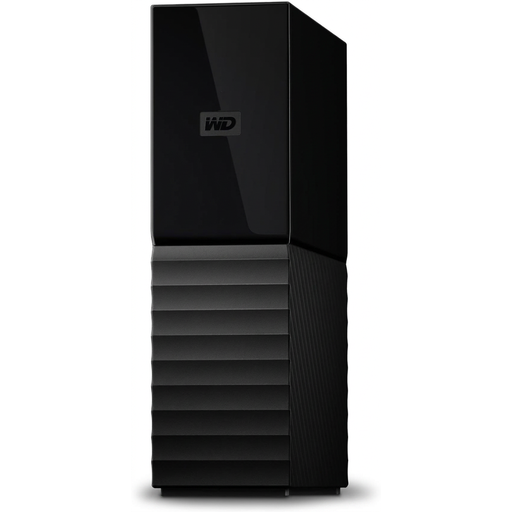
Western Digital My Book 22TB
Consider this desktop HDD if your backup will stay near a computer and you want a 22TB drive.
USB 3.0; password protection and hardware encryption; listed as compatible with PC and Mac.
Joybuy
 Product image unavailable
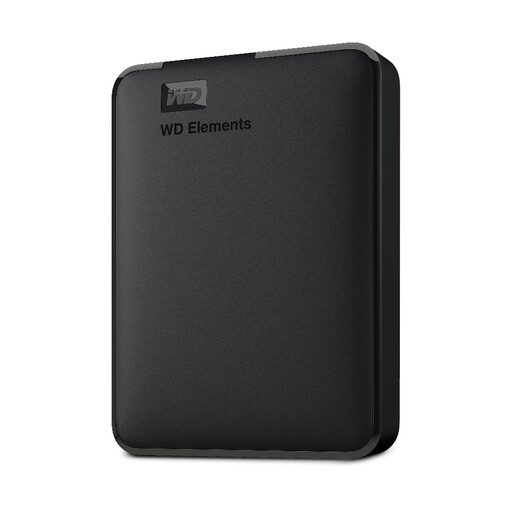
WD Elements 2TB Portable
Consider this portable HDD if you want to carry a 2TB drive between locations.
USB 3.0; formatted for PC and Mac.
Joybuy
 Product image unavailable
SanDisk Portable SSD 2TB
This is a portable SSD option for carrying a 2TB file collection.
Joybuy
 Product image unavailable
Western Digital My Passport 4TB
Consider this portable HDD for a 4TB file-backup option that you can carry.
For macOS read/write use, the listed setup requires a downloadable NTFS driver; check that requirement before choosing.
Joybuy
External-drive backup questions
Can I use the same exFAT volume for file sharing and Mac Time Machine?
No: Apple Support lists exFAT as Windows-compatible but says Time Machine cannot back up to a disk formatted for Windows. Apple prefers APFS or APFS Encrypted for a Time Machine destination, so choose whether the drive is for shared files or dedicated backups before setting it up.
How much space should I allow for a Mac backup?
For Time Machine, Apple advises a storage device with at least twice the Mac’s capacity; its example is 2TB for a Mac with 1TB. This is Apple’s guidance for that workflow, not a universal minimum for every external drive.
Will Windows automatically back up my personal folders to an external drive?
Windows File History can save versions of personal files to a selected external drive, but Microsoft Support says you need to select the drive and turn File History on. Check that the folders you want are included; reconnect a disconnected drive for backups to resume.
What should I do before reformatting a drive for Mac backups?
Copy any files you want to keep to another device first. Apple Support says erasing and reformatting deletes everything on the selected storage device.
What if an external drive bought in the UK is faulty?
GOV.UK guidance says faulty goods, goods not as described or goods that do not do what they are supposed to can give rise to a refund or other remedies. Separately, for an online order it describes a 14-day period after receipt to notify the seller of cancellation, subject to applicable conditions. Check the seller’s process; a manufacturer’s warranty does not remove statutory rights.


