Choose a desktop external hard drive if the backup will stay beside your home workstation and must hold a growing archive; choose a portable SSD if you regularly need to take a current copy elsewhere and your computer supports the connection you need. Either way, size the drive for the files and versions you intend to keep, check your backup software’s requirements, and maintain another separate copy. The National Cyber Security Centre advises keeping important data in a separate safe location.
Who is this for?
Writers building an archive at one desk
If the drive will stay beside a home workstation and the backup includes research, media and older drafts, a desktop hard drive is worth considering for its capacity options. Seagate and Western Digital both offer desktop ranges intended for backup and archiving.
Writers who move a copy away from home
A portable SSD is relevant if you regularly carry an up-to-date backup elsewhere. Check its connection against the workstation: Samsung’s stated maximum T7 Shield transfer speeds, for example, depend on a compatible host and cable.
Writers who need earlier versions
If you want scheduled backups rather than occasional manual copies, check the operating system’s backup workflow before choosing a drive. Apple specifies disk-format requirements for Time Machine, while Microsoft advises checking which folders File History covers.
What matters when choosing a drive?
Decide first whether the drive will stay at the desk or travel with a current backup. Then check the size of the complete backup set, how it connects and whether your chosen backup application will protect the manuscript folder.
| Concern | What to check | Who this matters to |
|---|
| A recoverable copy |
Choose a drive you can use regularly and disconnect or store separately afterwards. Plan another copy in a different location. |
If my workstation fails or files are lost, I need a copy I can actually restore. Around 36% of consumers put recoverability and separation first. |
| Archive capacity |
Measure the folders and backup history you intend to keep, then allow room for growth rather than sizing the drive for the manuscript file alone. |
My research, scans and older drafts may take more space than the current manuscript. Capacity is the primary concern for around 29% of consumers. |
| Portability and transfers |
Check the drive’s connection, your workstation’s port and the cable; quoted maximum SSD speeds depend on the specified setup. |
I want to take a current copy away from the desk without making large transfers a chore. Around 21% of consumers place that need first. |
| Backup setup |
For Time Machine, check the disk format. For File History, confirm that the manuscript folder is included. |
If my backup application misses the folder or cannot use the disk, the drive will not serve its purpose. That setup need comes first for around 14% of consumers. |
Backup mistakes to avoid
-
Leaving your only backup permanently connected
A drive kept beside the workstation can be affected by the same theft, damage or malware incident. The National Cyber Security Centre advises storing important backups in a separate safe location.
Run regular backups, disconnect the drive when practical, and keep another copy elsewhere. Check periodically that you can restore a file.
-
Sizing the drive for one document
The protected set may also contain research, scans and previous drafts. Seagate notes that operating systems may report a lower capacity than the advertised decimal TB figure.
Measure everything you intend to back up, including the history you want to retain, and leave room for growth.
-
Assuming a drive is ready for Time Machine
Apple says Time Machine cannot use a disk formatted for Windows as a backup destination without reformatting it; Apple prefers APFS or APFS Encrypted.
Decide how you will use the disk before putting files on it, and copy any existing files elsewhere before reformatting.
Reformatting permanently erases data already on the disk.
-
Treating maximum speed or ruggedness claims as guarantees
Samsung’s stated T7 Shield maximum speeds require a compatible host, cable and UASP. Its IP65 and drop-resistance claims are based on controlled testing, and Samsung excludes liquid, dust and drop damage from warranty coverage.
Check the exact drive model and workstation connection, and keep multiple backup copies rather than relying on a durability rating.
Relevant brands to consider
Western Digital
The My Book desktop range is intended for desk-based storage and computer backups; Western Digital lists capacities from 4 TB to 26 TB.
- Western Digital lists backup and device-management software, password protection, hardware encryption and a three-year limited warranty for My Book.
- The range’s stated exFAT formatting does not by itself make a drive ready for Time Machine. Apple says a Windows-formatted disk must be reformatted for that use.
Seagate
Seagate positions Expansion Desktop for home and office backup and archiving, with listed capacities from 4 TB to 30 TB.
- Seagate lists USB-C connectivity and support for most Windows and macOS systems for this range.
- Check the exact capacity and applicable support terms: Seagate lists a one-year limited warranty and region-dependent Rescue Data Recovery Services.
Samsung
The portable T7 Shield SSD is relevant when a writer wants to move a current backup away from the workstation.
- Samsung specifies sequential read and write speeds of up to 1,050 MB/s and 1,000 MB/s for the T7 Shield, subject to compatible equipment and connection conditions.
- Samsung’s IP65 and 3 m drop-resistance claims reflect controlled tests; liquid, dust and drop damage are excluded from its warranty coverage.
Joybuy drives for manuscript backups
These portable SSDs and portable hard drives can hold a manuscript backup that you can move away from the home workstation. Compare their stated capacity with your full archive, and check the connection and backup format before choosing.
 No image available
Samsung MU-PG4T0B 4 TB portable SSD
A portable option to consider when the backup also contains a larger collection of drafts and supporting files; measure that collection before deciding whether 4 TB is enough.
The product name specifies USB Type-C and USB 3.2 Gen 2x2. Check the workstation port and cable for the connection you intend to use.
View on Joybuy
 No image available
Samsung MU-PG2T0B 2 TB portable SSD
Consider this portable drive if a 2 TB capacity covers the manuscript, supporting files and backup history you plan to retain.
The product name specifies USB Type-C and USB 3.2 Gen 2x2. Confirm that your workstation has a suitable connection.
View on Joybuy
 No image available
Samsung T7 Shield MU-PE1T0S 1 TB portable SSD
A compact choice for moving a current backup, provided 1 TB accommodates the files and versions you need.
This model uses USB 3.2 Gen 2. Samsung specifies sequential read and write speeds of up to 1,050 MB/s and 1,000 MB/s when the host, cable and UASP meet its requirements. Check the disk format if you intend to use Time Machine.
View on Joybuy
 No image available
Western Digital Elements Portable 4 TB hard drive
This portable hard drive is worth considering when you want space for a wider archive and the measured backup set fits within 4 TB.
The product information specifies USB 3.2 Gen 1, also described as USB 3.0, and a USB-A cable. Check the workstation connection and whether your backup workflow requires reformatting.
View on Joybuy
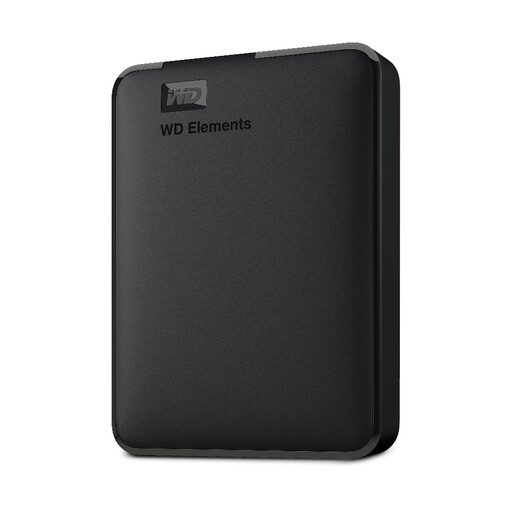 No image available
WD Elements Portable 2 TB hard drive
A portable hard-drive option if 2 TB covers your manuscript archive and the versions you want to keep.
The product name specifies USB 3.0. Its Windows and Mac formatting description does not establish that it is ready for Time Machine; check the required format before use.
View on Joybuy
Common questions
Is one external drive enough to protect a manuscript?
No: use it as one copy, not the entire backup plan. The NI Cyber Security Centre recommends three copies across two devices, with one kept offline in a different location; disconnect a local backup when practical and check that you can restore a file.
Should a home-workstation backup use a desktop HDD or a portable SSD?
Choose a desktop HDD when the drive will remain at the desk and capacity for a growing archive matters most; consider a portable SSD when you regularly take a current copy elsewhere. Check your computer’s port and cable before relying on an SSD manufacturer’s quoted maximum speed.
Can the same drive hold Mac and Windows files and work with Time Machine?
A drive formatted for file access on both systems is not necessarily ready to be a Time Machine destination. Apple says Time Machine cannot back up to a Windows-formatted disk and prefers APFS or APFS Encrypted; reformatting erases existing files, so copy them elsewhere first.
How do I include my manuscript folder in Windows File History?
Check that the folder is in a library covered by File History. Microsoft says folders outside the standard libraries can be added to an existing library or placed in a new one; confirm the folder is being backed up before relying on its version history.


