Occasional notes-backup student
If you mostly copy documents, PDFs, slides and coursework folders, start with a connection that fits your computer and a copying routine you can keep up.


For ordinary notes and coursework folders, a portable hard drive can suit routine copying if its cable fits your computer and its capacity meets your needs. Consider a portable SSD if you frequently move larger files or carry the drive daily, but check the particular model’s protection claims and the connection needed for its advertised speeds. Confirm the supplied cable and file-system compatibility before ordering.
If you mostly copy documents, PDFs, slides and coursework folders, start with a connection that fits your computer and a copying routine you can keep up.
If your work regularly includes scans, recordings or larger project folders, an SSD’s stated transfer speeds may be relevant. Check whether your laptop port and cable can support the speed specified for the model.
If the drive travels between home and study spaces, consider its size and the particular model’s stated drop, dust or water protection. Such ratings do not guarantee protection against every incident.
Check the laptop connection first. Then decide whether frequent large transfers or a repeatable backup routine should guide your choice of drive.
| Concern | What to check | Who this matters to |
|---|---|---|
| Laptop and cable compatibility | Match the laptop’s USB-A or USB-C port to the exact drive variant and its supplied cable. Check the port or hub’s USB generation if transfer speed matters. | If my laptop’s port does not fit the supplied cable, I cannot conveniently copy even a small set of notes; around 45% of consumers put connection compatibility first. |
| Large transfers and protection | Compare the exact SSD model’s stated transfer specification with your laptop port and cable. Check what any drop or IP rating covers. | When scans, recordings or project folders move frequently, I want transfers that suit my setup, and I may need protection while carrying the drive; around 33% of consumers prioritise these needs. |
| Capacity and backup routine | Allow room for current and future coursework, and decide whether manual copies or a scheduled-backup tool suit your routine. | I need an organised copy of my coursework that I will update regularly rather than a drive used only once; around 22% of consumers place routine storage and backup first. |
Connector arrangements vary even within a product range. Seagate’s One Touch guides identify USB-A and USB-C cable combinations that are not included with particular variants.
Identify your laptop’s port, then check the in-box cable list for the exact drive before ordering.
You may need a separate compatible cable or adapter.
A slower port or hub can limit transfers. Samsung says the T7 Shield’s quoted maximum speeds require a compatible USB 3.2 Gen 2 host and cable with UASP support.
Check your laptop’s port specification and the connection you intend to use for large folders.
The computer may still be completing file operations. Seagate warns that disconnecting without ejecting can corrupt or damage files.
Use the operating system’s eject function and wait for confirmation before unplugging the drive.
A damaged copy can take time to replace, so retain another copy of important coursework.
Samsung says the T7 Shield’s IP65 and drop claims come from controlled testing, that resistance can vary in use and that related damage is not covered by its warranty.
Choose such features for a realistic carrying risk, but keep another copy of important notes.
The One Touch range is relevant if routine notes backups and a portable hard-drive option matter more to you than an SSD’s stated transfer speeds.
The T7 Shield is a portable SSD to consider for repeated larger transfers or a drive carried between study locations.
The Extreme Portable SSD range is relevant when you are comparing compact drives for larger files and regular travel.
These choices include a portable SSD with model-specific protection claims, two portable hard drives for routine storage, and another portable SSD. Choose by your copying pattern, then confirm connection and setup requirements for the exact drive.
 No image available
Consider this model if you frequently move larger study folders or carry the drive between locations.
Samsung UK specifies up to 1,050 MB/s read and 1,000 MB/s write for the T7 Shield; its quoted maximum requires compatible USB 3.2 Gen 2 hardware and cable with UASP support.
Samsung’s IP65 and up-to-3-metre drop claims are based on controlled tests and do not guarantee protection against damage in everyday use.
 No image available
A portable hard-drive choice for copying and keeping notes and coursework folders.
Capacity: 2 TB. Check the supplied cable against your laptop port and confirm the file-system setup you need, particularly if you move files between operating systems.
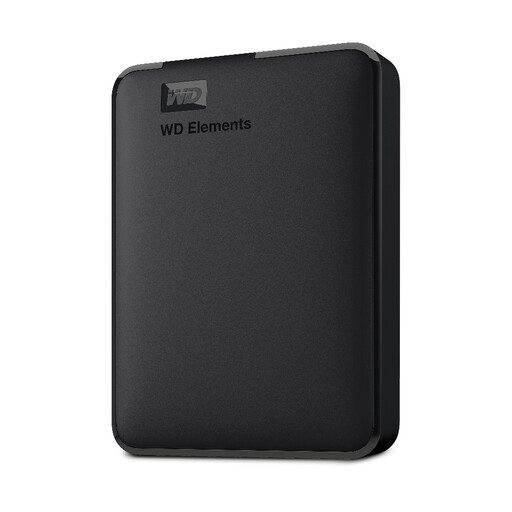 No image available
A portable hard-drive choice if your main task is copying ordinary notes and coursework.
Capacity: 1 TB. Confirm the supplied connection and whether your computer needs any file-system setup before you rely on it for regular copies.
 No image available
A portable SSD choice to assess if you regularly copy larger coursework folders.
Capacity: 2 TB. Confirm its exact connector, supplied cable and file-system compatibility with your computer before choosing it.
No: choose a drive and supplied cable that fit your computer’s port. Seagate’s One Touch guides show that cable arrangements differ between variants, so check the exact model and what comes in the box rather than choosing by the connector name alone.
Not on every connection. Samsung says the T7 Shield’s quoted maximum read and write speeds require a compatible USB 3.2 Gen 2 host and cable with UASP support; a slower port or hub can limit transfers.
Eject the drive through your operating system before unplugging it. Seagate warns that file operations may still be completing and that disconnecting without ejection can damage or corrupt files.
Electrical products marked with the crossed-out wheelie-bin symbol should not go in household rubbish, according to GOV.UK. Use an appropriate electrical-waste collection point, such as a household waste recycling centre.