What matters when choosing?
Start with the size of the delivered library and the copies you intend to keep. Then choose a drive format that fits how the handover will travel, and settle compatibility and file-checking arrangements before transferring files.
Desktop HDD
Consider it when: A large master archive or retained backup will stay at a fixed desk.
Trade-off: The powered desktop format is less convenient for carrying to a client.
Portable HDD
Consider it when: The delivery needs to travel and an available capacity fits the measured library.
Trade-off: Check the connection and the time available for copying rather than assuming a transfer speed from the interface name.
Portable SSD
Consider it when: A compact handover drive and fast copying matter, provided the complete delivery fits.
Trade-off: Stated maximum speeds depend on the host and connection; check the exact variant’s capacity too.
| Concern |
What to check |
Who this matters to |
| Library capacity |
Measure the delivery folder and planned retained copy; compare them with the exact variant’s usable capacity. |
If I must keep a sizeable master after delivery, I need room for the copy plan rather than just the handover folder. Around 36% of consumers would put archive capacity first. |
| Portable transfers |
Check capacity, the computer’s USB generation and the cable; treat resistance ratings as bounded test claims. |
When the drive travels between locations, I want transfers that fit the handover window without relying on a desktop setup. Portable speed and resilience would be the primary concern for around 29% of consumers. |
| Compatible, intact files |
Agree the recipient’s operating system and file system before copying; use a manifest or checksums to check the delivered files. |
I need the client to open the library and establish that its files have not changed in transit. That would be the first priority for around 21% of consumers. |
| Personal-data handling |
Identify who needs access and whether the files contain personal data; agree proportionate protection and credential sharing. |
If footage or project files contain personal data, I need a handover the authorised recipient can access without exposing it unnecessarily. Around 14% of consumers would make secure handling their primary concern. |
Joybuy product choices
These options cover portable SSD and HDD handovers as well as a desktop HDD for a fixed-location archive. Match the drive’s capacity to the measured delivery, and keep a separate verified copy regardless of which format you choose.
 No image available
Samsung Portable SSD T7 4TB, Grey
Consider this portable SSD if a 4TB drive fits the handover and the drive needs to travel.
USB Type-C, USB 3.2 Gen 2. Check the host and cable before relying on a particular transfer time. This T7 is not the T7 Shield variant discussed above.
View on Joybuy
 No image available
Lexar ES4 Portable SSD with Magnetic Set, 2TB
Consider this portable option when the complete delivery fits within 2TB and a compact drive suits the handover.
USB 3.2 Gen 2; the product title states maximum read and write speeds of 1,050 and 1,000MB/s. Confirm the recipient’s connection and access arrangements before transferring protected files.
View on Joybuy
 No image available
Western Digital Elements Portable HDD, 4TB Black
This portable HDD is an option when the handover must travel and the measured library fits within 4TB.
USB 3.0. Agree the recipient’s file system before copying, as changing the format later erases the files on the drive.
View on Joybuy
 No image available
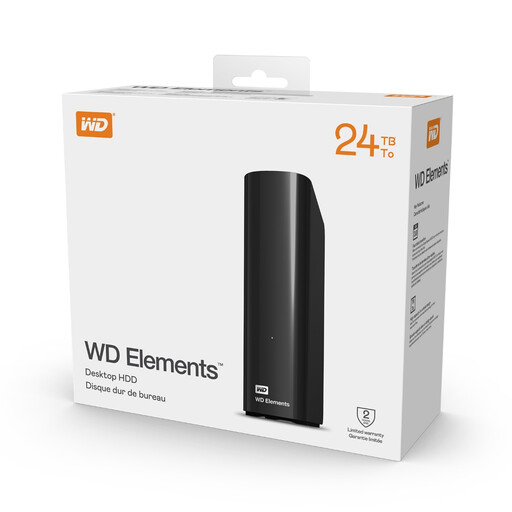
Western Digital Elements Desktop HDD, 24TB
Consider this desktop drive for a large library kept at a fixed location, provided 24TB fits the planned copy arrangement.
Confirm desk space, mains power and the recipient’s file-system needs. A desktop archive drive does not replace a separate handover or retained copy.
View on Joybuy
Questions about the handover
Can the client handover drive be the only backup?
No: keep a separate copy rather than making the delivery drive the only surviving copy. The National Cyber Security Centre advises keeping at least one backup offline when it is not in use, because connected backups can be affected during a ransomware incident.
What format should I use if I have a Mac and the client uses Windows?
For a disk over 32GB intended for Windows use, Apple advises choosing ExFAT in macOS Disk Utility. Agree the format with the client before copying, because formatting erases the drive’s contents.
How can we check that the delivered files arrived intact?
Create a checksum manifest before delivery and compare it with checksums generated from the received files. The Library of Congress describes this kind of fixity information as a way to determine whether content has changed; keep the manifest with the handover record.
How should I protect a handover containing personal data?
Choose protection appropriate to the risks of access, transport and retention, and make sure the authorised client can open the files. Guidance from the National Cyber Security Centre and the Information Commissioner’s Office addresses technical and organisational measures; agree access and separate credential sharing where encryption is used.
How long should I keep a retained client copy?
Set a retention period that reflects why you need the copy and any applicable obligations. For personal data, the Information Commissioner’s Office advises keeping it only as long as needed, then securely destroying or anonymising it unless another law requires retention.


