For notes, PDFs and other small project documents, choose enough space and a dependable backup routine before paying for maximum transfer speed. A portable HDD suits a larger archive kept mostly at home, while a portable SSD is worth considering if the drive regularly travels between home and school. If you need to use both Windows and Mac computers, check the drive’s format before moving files, and never make the external drive your only copy of important research.
Who needs which kind of drive?
Students carrying an archive between home and school
A portable SSD is worth considering when the drive travels regularly and easy carrying matters more than maximum capacity. Check the protection claims for the particular model rather than assuming every SSD is rugged.
Students building a larger multimedia archive
If the project includes scans, source images, recordings or video alongside notes, a portable HDD offers a capacity-led route when the drive can usually be stored safely at home or at a desk.
Students using school Windows PCs and a Mac
Check the available USB ports, school-device permissions and drive format before relying on one archive across both computers. Copy existing files elsewhere before changing a drive’s format.
What matters when choosing?
Start with the files you need to keep and where the drive will be used; then check its connection, format and place in your backup routine. The percentages below express how consumers with different primary needs might prioritise those decisions, not a reason to skip a check that matters to you.
| Concern |
What to check |
Who this matters to |
| Carrying and protection |
Check the exact model’s protection claims and their conditions, as well as its connection type. |
If I carry my research between home and school, I want a drive I can pack carefully and connect easily. Around 33% of consumers put carrying and protection first. |
| Archive capacity |
Allow room for existing documents, project versions and any scans, recordings or video you plan to keep. |
My notes may be small, but the accompanying media could make the archive much larger. For around 25% of consumers, having room for that growing collection comes first. |
| Windows and Mac access |
Confirm the computers’ ports and permissions; check the file system before changing it. |
I need to work with the archive on a school Windows PC and a Mac without losing files during setup. Cross-platform access is the primary concern for around 17% of consumers. |
| Recoverable backups |
Plan a second copy in a separate location, check that saved files open and disconnect the drive when it is not in use. |
If the drive is lost or stops working, I still need my sources and project versions. Around 25% of consumers put the ability to recover their work first. |
Mistakes to avoid
-
Treating the drive as the only copy
A lost or inaccessible drive could leave you without the research it holds. The National Cyber Security Centre advises keeping a backup in a separate safe location.
Keep another copy elsewhere, check that you can open saved files and disconnect the external drive when it is not being used.
-
Reformatting before copying your files
Apple Support says erasing or reformatting a drive deletes its contents. Changing the format to share files between Mac and Windows is therefore not a harmless connection fix.
Copy the complete archive to another location first, then check the format and any school-computer restrictions before making a change.
-
Choosing an SSD for a speed the computer cannot use
Samsung says the T7 Shield’s quoted maximum speed depends on a compatible USB 3.2 Gen 2 host and cable, with UASP enabled.
Check the ports on the computers you will actually use and the cable supplied with the drive before making transfer speed a deciding factor.
-
Reading a ruggedness rating as unlimited protection
Samsung describes the T7 Shield’s water, dust and drop results as controlled-condition tests. Actual resistance can vary, and Samsung excludes resulting liquid, dust and drop damage from its warranty coverage.
Carry even a rugged drive carefully, keep it dry and maintain a separate copy of the archive.
Brands to consider
Samsung
The T7 Shield represents a portable SSD option for an archive carried regularly.
- Samsung specifies up to 1,050 MB/s read and 1,000 MB/s write for the T7 Shield, subject to compatible hardware, cable and UASP support.
- Its IP65 and drop claims come from controlled tests; actual resistance can vary, and resulting damage is excluded from Samsung’s warranty coverage.
Kingston
The compact XS1000 is a portable SSD option for connecting an archive to USB-C and USB-A devices.
- Kingston specifies XS1000 capacities up to 2TB and includes a Type-C-to-Type-A cable and a Type-A-to-Type-C adapter.
- Check the ports and file-use requirements of the school computer before relying on those connections for the project.
Western Digital
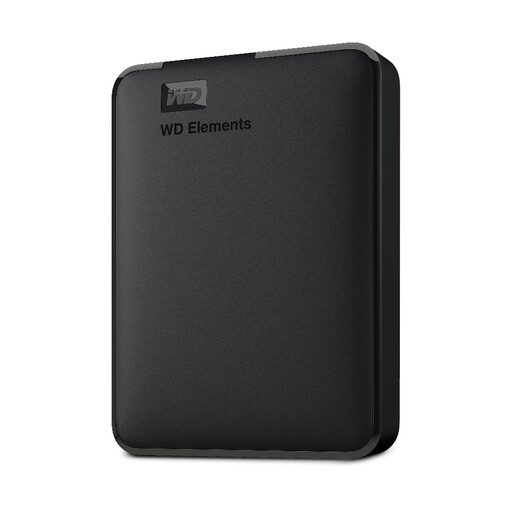
WD Elements Portable is a capacity-led HDD option for a project archive that is usually stored safely.
- Western Digital identifies a 2TB Elements Portable model with USB 3.2 Gen 1/USB 3.0 connectivity.
- Protect the drive while carrying it and keep another copy of important files.
Seagate
Expansion portable HDDs offer a USB-powered route for storing and moving a larger archive periodically.
- Seagate says its Expansion portable drives draw power from the USB cable and support USB 3.0, with backward compatibility for USB 2.0.
- A USB 2.0 connection will not provide USB 3.0 transfer speeds; check the computer port before relying on a faster connection.
Joybuy product choices
These portable SSDs and HDDs cover both regularly carried project files and a larger archive kept mostly in one place. Match the particular drive’s capacity and connections to your files and computers, then keep a separate backup.
 No image available
Samsung MU-PE1T0S 1TB Black portable SSD
Consider this 1TB portable SSD for an archive you carry regularly; check the school computer’s ports and permissions before using it there.
The listed connection is USB Type-C 3.2 Gen 2. Confirm the exact drive’s protection conditions rather than treating a ruggedness claim as a substitute for another backup copy.
View on Joybuy
 No image available
Samsung Portable SSD T7 2TB Blue
The 2TB capacity may suit a portable archive containing project media as well as notes.
The title specifies USB Type-C 3.2 Gen 2. Check the format and school-computer permissions before planning to write files on both school and home devices; keep the drive away from moisture.
View on Joybuy
 No image available
Lexar ES5 1TB portable SSD
This 1TB portable SSD is an option for carrying project files, provided its connection and file format meet the computers’ requirements.
The product title specifies USB 3.2 Gen 2x2, speeds up to 2,000 MB/s for reading and writing, and IP65. Treat those as listed specifications, not a promise of the speed or protection you will get in every situation.
View on Joybuy
 No image available
WD Elements Portable 2TB Black external HDD
This 2TB portable HDD suits a capacity-led archive kept mostly at home or at a desk.
The title specifies USB 3.0 and describes the drive as formatted for PC and Mac. Confirm the actual file system and school-device permissions before relying on it for writing files across both systems.
View on Joybuy
 No image available
SanDisk Portable SSD 2TB
The 2TB capacity gives you a portable option if the school project includes media files alongside notes.
Before choosing it for use between home and school, confirm its USB connection, file format and compatibility with the computers you need to use.
View on Joybuy
Frequently asked questions
Should I choose an SSD or an HDD for school research notes?
Choose according to how you will carry and grow the archive: a portable SSD is worth considering for regular travel, while a portable HDD is a capacity-led choice for a larger collection stored mostly in one place. For a small folder of documents, a sound backup routine and usable connections matter more than a high quoted transfer speed.
Can the external drive hold my only copy of the project?
No: keep another copy in a separate safe location. The National Cyber Security Centre also advises disconnecting an external backup device when it is not in use, because connected devices can be affected by viruses.
How can I use an archive drive on both a Mac and a school Windows PC?
Check that both computers can connect to and write to the drive, then confirm its file format. Apple Support documents ExFAT as a Windows-compatible choice for disks over 32GB when formatting on a Mac; copy existing files elsewhere before reformatting, because that process erases the drive.
Will a fast SSD reach its quoted speed on a school computer?
Not necessarily. Samsung says the T7 Shield’s quoted maximum speeds require a USB 3.2 Gen 2-capable host and cable with UASP enabled. Check the computer and cable you will use before making that speed a reason to choose a drive.


