Document-only project savers
You need somewhere to keep recipe files, PDFs, scans and a separate project copy. Fast transfers of large media files are not your main concern.


For a school project made up mainly of recipe documents, scans and photos, a portable hard drive is a sensible starting point if it works with the computers you use. Consider a portable SSD if the drive will travel often or you regularly move large media files, but check the USB connection before relying on its advertised speed. If the files include personal or school-controlled information, follow the school's removable-storage rules and use its approved security approach.
You need somewhere to keep recipe files, PDFs, scans and a separate project copy. Fast transfers of large media files are not your main concern.
You expect to carry the drive or connect it to different computers. The ports, cables, file format and care needed in transit all affect your choice.
Your project may include identifiable photos, names or school-issued documents. Check the school's rules before putting those files on removable storage, and use the security measures it approves.
Start with the computers and files involved: a drive that cannot be connected or read where the project is needed will not solve the storage problem. Treat a separate backup and any school data rules as part of that decision, whichever drive type you choose.
| Concern | Buying checks | Who this matters to |
|---|---|---|
| Document storage and backup | Choose space for the project files and a backup copy; keep another authorised copy somewhere separate from the drive. | If I am saving recipe documents and scans, I want room for project copies more than headline transfer speed. Around 50% of consumers would put document storage and backup first. |
| Carrying and compatibility | Check both computers' USB ports and the cable you will use, then confirm that each computer can read the drive's file format. | Moving work between home and school makes a usable connection and careful transport important to me. Roughly 33% of consumers would make carrying and cross-device use their primary concern. |
| Personal-data protection | Confirm whether removable storage is permitted and which encryption and access-control measures the school approves. | If my files contain identifiable people or school-controlled material, I need permission and an appropriate way to protect them. About 17% of consumers would put that data-protection need first. |
A drive can be lost, damaged or fail, taking the project files with it. Department for Education data-protection guidance includes backup and recovery procedures among the measures used to restore lost data.
Keep another authorised copy, such as one on the computer or in a storage location approved by the school.
Recreating recipe files and project notes can also take time.
Western Digital says My Passport drives are formatted as NTFS and need reformatting for macOS use. Samsung says the T7's maximum transfer speeds require a USB 3.2 Gen 2 host, a suitable cable and UASP mode.
Check the ports and operating systems at home and school, and establish how the drive will be formatted before moving project files onto it.
A different cable or adapter may be needed for a computer whose port does not fit the drive's connection.
Samsung bases its T7 Shield IP65 and 3 m drop claims on controlled tests and says liquid, dust and drop damage are not covered under its warranty.
Carry the drive with care and keep a separate copy of important work, even if you choose a rugged model.
Identifiable photos, pupil names or assessment files change the security decision. The Information Commissioner's Office describes encryption as a measure for protecting stored personal information; it does not replace the school's procedures.
Before copying those files, ask what removable storage the school permits and which encryption and access controls to use.
The My Passport portable hard-drive line is relevant to document storage and backup.
The portable T7 SSD line is relevant if the project involves frequent travel or transfers of large files; T7 Shield adds manufacturer-stated ruggedness features.
The Expansion Portable hard-drive line is another document-backup route to consider.
IronKey removable-storage products are relevant when an authorised school or organisation calls for hardware-encrypted storage.
These portable hard drives and SSDs offer ways to store school-project files. Compare their stated capacities with the files you plan to keep, then check each drive against the computers, carrying needs and school rules that apply to you.
 No image available
A portable hard-drive option for keeping recipe documents and project copies. This variant is labelled 2TB; if you will also use a Mac, check the formatting and setup needed before transferring files.
 No image available
A portable hard drive to consider if project documents will be kept alongside other files. This is the 5TB for Mac variant; check the required setup before relying on it with a Windows computer as well.
 No image available
A portable SSD to consider if you often carry the project or move large photos or video. Samsung rates this T7 Shield variant at up to 1,050 MB/s read and 1,000 MB/s write; those maximum speeds require a compatible USB 3.2 Gen 2 connection, cable and UASP mode. Keep a separate backup despite its manufacturer-stated ruggedness features.
 No image available
A 2TB portable SSD option for carrying project files. Before choosing it for home-and-school use, confirm that its connection and file format will work with both computers.
 No image available
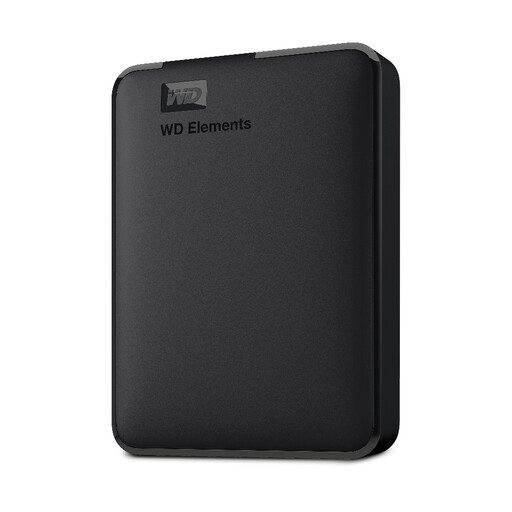
A portable hard-drive option for recipe documents and a project copy. This is the 1TB variant; check the connection and whether either computer requires a different file format.
No. A portable hard drive is a sensible starting point for documents, scans and backup copies if it works with your computers. An SSD becomes more relevant if you carry the drive frequently or regularly transfer large photos or video; advertised maximum speeds still depend on the connection.
Possibly, but check the particular drive's file format and the setup allowed on both computers before buying. Western Digital says My Passport is NTFS-formatted out of the box and needs reformatting for macOS use; do not assume every variant has the same setup.
That depends on what the drive will hold and the school's rules, rather than on the recipe-project label alone. For personal or school-controlled information, check the approved storage and security arrangements: the Information Commissioner's Office treats encryption as a measure to apply according to the nature and risks of processing.
No. Keep another authorised copy so that a lost or damaged drive is not the only place the work exists. Department for Education data-protection material includes backup and recovery procedures among measures for restoring data after loss.
Check which files the recipient is meant to receive, and follow school procedures for any personal or school-controlled information. Do not pass on access passwords with the drive; ask the school how such files should be shared or removed.