Editors moving between locations
A compact drive is useful when the project must travel between an edit suite, a shoot and the client. The size of the agreed folder and the time available to copy it both affect the choice.


Choose a portable SSD if the client needs to carry the completed project or you have limited time to copy it; a mains-powered desktop HDD makes more sense for a large archive that will stay at a fixed location. If the files contain personal or confidential material, plan how the recipient will access them, and keep a separate checked copy rather than making the handover drive your only archive.
A compact drive is useful when the project must travel between an edit suite, a shoot and the client. The size of the agreed folder and the time available to copy it both affect the choice.
If completed folders will mainly remain at a workstation or archive location, capacity and the space available for a powered desktop drive may matter more than a small enclosure.
When footage or project documents contain personal or confidential information, the handover needs an agreed recipient-access and retention process as well as a suitable drive. The Information Commissioner's Office advises keeping personal data only for as long as it is needed.
For a drive that will travel to the client, compare portable options against the full handover folder and the recipient's connections. A powered desktop drive is more appropriate to consider when the archive will stay at a fixed desk; security features are a separate decision within either handover plan.
Choose when: The completed project must travel or be copied within a limited handover window.
Trade-off: Confirm that the chosen capacity holds the agreed files and that the computers and cable support the connection; quoted transfer speeds are not a promise for every copy.
Choose when: A large completed-project archive will mainly remain at a studio or office workstation.
Trade-off: A desktop drive needs space and mains power, making it less convenient for a handover that involves frequent travel.
| Concern | What to check | Who this matters to |
|---|---|---|
| Transfer and portability | Check the editor's and recipient's USB ports and cable connectors, then establish whether the handover includes exports alone or the editable project. | If I have to deliver a large project in person, I need a drive I can carry and enough time to copy and check its files. Around 42% of consumers put a practical, timely handover first. |
| Archive capacity | Measure the complete agreed folder, including any source media and supporting assets, and check whether a desktop drive's power requirement suits its location. | When I retain completed projects at a fixed desk, I need room for the files the client and studio have agreed to keep. Capacity is the primary concern for around 33% of consumers. |
| Access to sensitive files | Agree who may open the files, how an encryption password will be shared if used, and who will manage retention and disposal. | If the project contains personal or confidential material, I need the recipient to gain access without exposing the files to others. Roughly 25% of consumers place that control first. |
Passing over a drive transfers the files; it does not protect the studio's archive if that drive is lost or becomes inaccessible. Seagate presents its 3-2-1 backup approach as a starting point for keeping multiple copies.
Keep a separate archive copy, check it before delivery and record which copy the client receives.
The agreed handover may include source footage, proxies, graphics and project files as well as final exports. Seagate also notes that an operating system may display capacity using a different measurement standard from the drive label.
Measure the actual delivery folder and allow room for the files you have agreed to include, rather than sizing the drive around the final video alone.
Ruggedness and password-enabled encryption are features of particular models, not every portable drive. The Information Commissioner's Office advises that personal-data retention should be limited to what is needed; a drive feature does not decide that period.
Agree authorised recipients, a workable password handover if encryption is used, and responsibility for retaining and disposing of copies.
A drive's quoted transfer rate depends on the connection used. For example, Samsung specifies the T7 Shield's stated rates for USB 3.2 Gen 2; the client's computer and cable still matter.
Check the ports and connectors at both ends, then reconnect the delivered drive and open a selection of the copied files before handover.
The T7 Shield portable SSD range is a reference point for a compact drive that may travel with a project; Samsung lists 1 TB, 2 TB and 4 TB variants.
The Expansion Desktop external HDD range is aimed at high-volume storage in a desk-based setup.
The G-DRIVE SSD is a portable model to examine when travel and a product-level security feature both matter.
These portable SSD and HDD choices suit projects that need to be carried or handed to a client. Compare their stated capacities with the complete delivery folder; a portable product is not a substitute for a separate retained archive copy.
 No image available
Consider this compact option for a travelling handover if the complete project fits within its 1 TB stated capacity.
The T7 Shield model family uses USB 3.2 Gen 2; Samsung specifies up to 1,050 MB/s read and 1,000 MB/s write under that connection. Check the recipient's port and cable before relying on the quoted rates.
 No image available
This portable 4 TB variant is worth considering when the agreed handover folder needs more room than a smaller drive provides.
Its product name specifies USB 3.2 Gen 2. Check the client's connection and whether the project will fit; do not apply the separate T7 Shield model's protection claims to this T7.
 No image available
Consider the ES5 for a portable project copy when 1 TB covers the agreed files and environmental protection matters during travel.
Its product name specifies USB 3.2 Gen 2x2, IP65 and up to 2,000 MB/s read and write. Check that the receiving computer and cable support the connection needed for the quoted rate; for confidential files, check how access will be controlled.
 No image available
This 2 TB portable SSD is an option when the complete handover fits within its stated capacity and the drive needs to travel.
Check the connection, writing performance and access features that your particular handover requires. The G-DRIVE SSD specifications discussed above belong to a different product.
 No image available
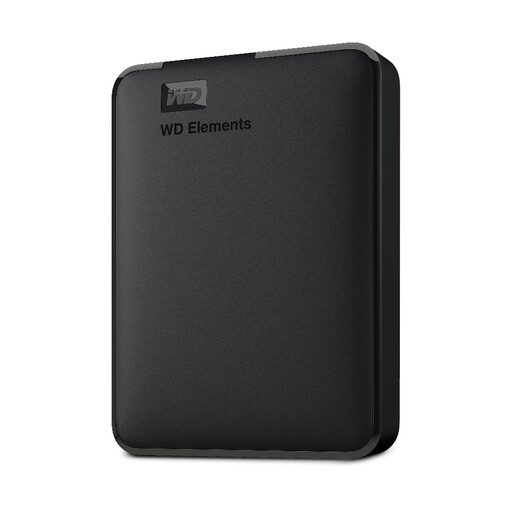
Choose this portable HDD for a carried project copy if its 2 TB stated capacity meets the agreed handover size.
The product name states USB 3.0 and formatting for PC and Mac. Confirm that the recipient can connect to and open the delivered files, particularly if the project moves between computers.
A portable SSD suits a handover that involves travel or a limited copying window, while a powered desktop HDD suits a large archive that will mainly stay at one workstation. Check the actual folder size and the client's setup before choosing either; neither should be the sole copy of an important completed project.
The displayed figure can differ because the computer may use a different measurement standard. Seagate notes this distinction in its external-drive guidance, so measure the full handover folder and leave room rather than assuming the labelled figure will appear unchanged on screen.
Where the project includes personal data, retain it only as long as it is needed for the relevant purpose, as the Information Commissioner's Office advises. Agree who keeps the working and delivered copies, what they are needed for and when they will be disposed of.
Consider encryption as part of the access plan when the drive contains personal or confidential material, rather than assuming every handover has the same requirements. The Information Commissioner's Office highlights encryption where exposure of confidential information is a risk; confirm that the chosen drive and recipient support the access method, and agree how to share the password securely.
Check that the agreed folder structure and files are on the delivered drive, then disconnect it safely, reconnect it and open a selection of files from that copy. Confirm the client has the right cable and any required access details, while retaining a separate checked archive copy.