Volunteer using unfamiliar venue computers
Check the available port before choosing a drive. Kingston Technology offers USB-A and dual USB-A/USB-C examples; the dual connector is useful when both port types are part of the handout workflow.


For ordinary PDF and presentation handouts, choose a flash drive that fits the computers you will use: USB-A for known USB-A ports, or a dual USB-A/USB-C model when devices vary. Consider a portable SSD for repeated transfers of large folders or media, but check the host connection before relying on its rated speed. If the files contain personal information, plan how to protect them before carrying them on any removable drive.
Check the available port before choosing a drive. Kingston Technology offers USB-A and dual USB-A/USB-C examples; the dual connector is useful when both port types are part of the handout workflow.
If you carry current and earlier PDFs, presentations and supporting files, measure the folders and choose capacity for what you intend to keep. Organise the files so the handout pack needed on the day is easy to find.
Large images, video or a frequently copied archive make a portable SSD worth considering. Samsung UK's rated T7 Shield speeds depend on a compatible host, cable and connection setup.
Choose when: Handouts are mainly documents and the copying computers have USB-A ports.
Trade-off: It will not plug directly into a USB-C-only device.
Choose when: Preparation and venue devices use a mixture of USB-A and USB-C ports.
Trade-off: Check the exact model's capacity; Kingston Technology lists its cited microDuo 3C range up to 256GB, versus up to 512GB for its cited Exodia range.
Choose when: You repeatedly move large folders, video resources or a travelling archive.
Trade-off: Samsung UK says maximum T7 Shield speeds require USB 3.2 Gen 2 support, a suitable cable and UASP.
| Concern | What to check | Who this matters to |
|---|---|---|
| Connector fit | Inspect the ports on the preparation and venue devices; check whether one drive needs both USB-A and USB-C connectors. | If the venue computer might have a different port from my own device, the drive needs to connect when I arrive. Around 46% of consumers could put connector fit first. |
| Space for handout packs | Measure the folders you will carry and decide which earlier sessions or supporting files should stay on the drive. | When I retain handouts from several sessions, I need room for an organised archive rather than just today's files. Around 36% of consumers could make that their primary concern. |
| Repeated large transfers | Check the exact drive's read and write ratings alongside the host's USB support and required cable. | If I regularly move video or large resource folders, copying them repeatedly makes transfer performance more important. For around 18% of consumers, that could be the deciding need. |
A USB-A-only drive cannot plug directly into a USB-C-only device. A dual-connector model covers both physical connector types, but the intended device must also accept removable storage.
Check the organiser's and venue's equipment before choosing a single-connector drive.
Otherwise, a suitable adapter or another drive may be needed on the day.
Samsung UK conditions the T7 Shield's maximum figures on USB 3.2 Gen 2, a suitable cable and UASP. SanDisk describes the figures for its cited Extreme PRO model as rated sequential performance.
Compare the exact models and check the computer and cable before choosing a drive for faster large-file transfers.
A lost drive containing participant details can expose information to someone else. The Information Commissioner's Office advises encryption for personal information on removable media as part of security appropriate to the risk.
Keep participant details off the transfer drive where possible. If they must travel, assess the risk, use appropriate encryption and keep access credentials separate.
Samsung UK bases the T7 Shield's IP65 and 3-metre drop claims on controlled tests and says liquid, dust and drop damage are not covered by its warranty.
Protect the drive while travelling and keep another copy of important workshop files.
Kingston Technology's DataTraveler examples cover both straightforward USB-A handout transfer and mixed-port use.
The T7 Shield portable SSD is relevant to organisers who repeatedly carry and copy larger workshop resources.
Its cited Extreme PRO USB 3.2 model offers a compact USB-A option for organisers considering rated transfer speed.
These drives cover USB-A handout transfer, mixed-port flash-drive use and a portable SSD option for larger, repeated transfers. Choose by the ports available and the files you actually carry.
 No image available
Consider this for moving handouts between devices with different USB ports. The named variant has 128GB capacity, a USB 3.2 dual interface and a swivel design; compare that capacity with your handout folders.
 No image available
Consider this SSD if you repeatedly carry large workshop folders or media. Samsung UK rates the T7 Shield at up to 1,050MB/s read and 1,000MB/s write, with maximum performance requiring USB 3.2 Gen 2, a suitable cable and UASP. Check whether the 1 TB capacity suits the archive you intend to keep.
 No image available
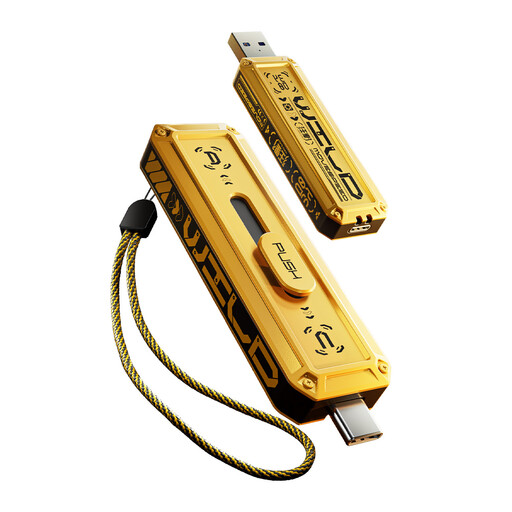
Consider this for handouts that need to move between USB-A and USB-C devices. The named variant has 256GB capacity and a zinc-alloy housing; confirm which transfer-rate specification applies to each connection before choosing it for speed.
 No image available
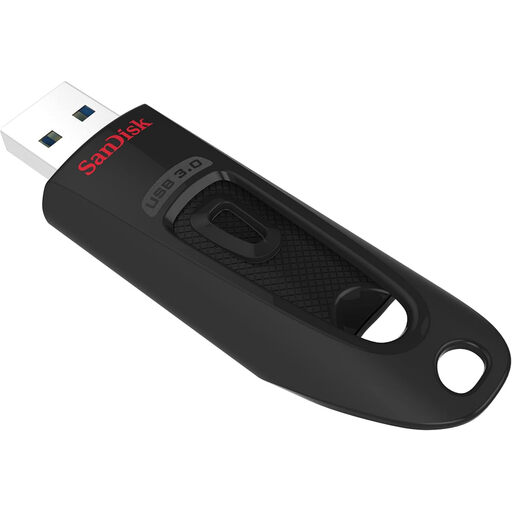
Consider this for ordinary handout packs when the copying computer has USB-A. This 128GB USB 3.0 variant will not connect directly to a USB-C-only device; check your folders against its capacity.
 No image available
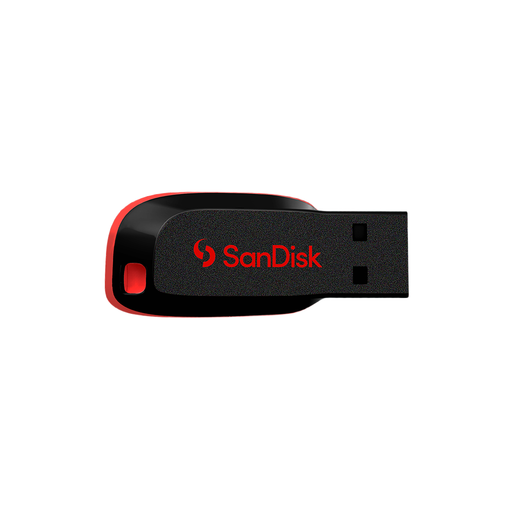
Consider this compact drive for modest document packs when the venue computer has USB-A. Check that 64GB covers the files you will retain and that its USB 2.0 connection suits your copying workflow.
A flash drive suits mainly PDF, document and ordinary presentation packs; consider a portable SSD when large files or archives are copied repeatedly. For the Samsung T7 Shield, Samsung UK says its maximum rated speeds require USB 3.2 Gen 2, suitable cabling and UASP.
Check the computer's physical ports before buying. If preparation and venue devices use both USB-A and USB-C, a genuine dual-interface drive, such as Kingston Technology's cited microDuo 3C, can connect to both port types; also confirm that each device can read removable storage.
Yes, Microsoft Support says Windows Disk Management can initialise drives, create and format volumes, and assign drive letters. If you need to change a drive's setup, select the intended drive carefully and keep a separate copy of any files you need.
Assess the risk and protect personal information before putting it on a removable drive. The Information Commissioner's Office says the UK GDPR does not specifically require encryption of all personal information, while its guidance advises encryption for personal information stored on removable media.
Check the electrical-equipment recycling route offered by your local authority or retailer, and deal with any files on the drive before handing it over. GOV.UK describes the UK WEEE framework as encouraging recovery, reuse and recycling of electrical and electronic equipment.