For a separate copy of a large photo library or laptop files, choose an HDD when backup capacity is the priority, then decide whether a portable or desktop model suits where the drive will stay. A portable SSD is worth considering when you regularly carry the drive or transfer large files; Which? describes SSDs as usually faster than HDDs, but usually pricier. Before moving or deleting originals, check your laptop’s port, the format required by your backup software and where you will keep another copy.
Who this guide is for
Household photo keepers
You want a separate copy of photos and documents that you can restore, along with a routine for keeping it current. The National Cyber Security Centre advises making regular backups of important files and checking that you can restore them.
Owners of full laptops
You need enough external capacity for growing files, but should distinguish files moved off the laptop from files that still have a separate backup. Microsoft Support describes backups as copies that help protect data from loss or corruption.
Frequent file movers
You carry storage or transfer large folders regularly, so the laptop’s port and cable matter alongside the drive’s rated speed. Samsung’s T9 specifications, for example, depend on a compatible connection.
What to prioritise when buying
Decide whether the drive is for a restorable backup, extra working capacity or frequent transfers before comparing formats. Which? describes HDDs as suited to long-term computer-file backups, while SSDs are usually faster and usually pricier.
| Concern |
What to check when buying |
Who this matters to |
| A separate backup you can restore |
Decide whether the drive is for working files, a backup or both. Plan where another copy will be kept and try restoring a file, as the National Cyber Security Centre advises. |
I want a restorable copy of photos and documents, not just more space after moving files off my laptop. Around 33% of consumers put a separate backup they can restore first. |
| Capacity for a growing laptop and photo library |
Estimate the files to copy and allow for future additions. Check the exact capacity variant and arrange another backup for files removed from the laptop. |
If my laptop is full, I need room for the files I still use and a separate copy of anything I remove. Around 27% of consumers prioritise capacity for growing files. |
| Portable access and transfer speed |
Check the drive interface, laptop port and supplied cable together. Treat a manufacturer’s maximum speed as conditional on a compatible setup; Samsung’s T9 rating, for example, requires USB 3.2 Gen 2x2 support and UASP. |
I carry storage or transfer large folders often, so a compact drive and a compatible connection matter to my routine. Around 20% of consumers prioritise portable access and transfer speed. |
| Compatibility with devices and backup software |
Identify the laptop’s port and the file format required by your backup software. Apple says formatting a disk erases its contents; check the intended Mac backup setup before reformatting. |
I need the drive to work with my computer and chosen backup application, rather than merely opening ordinary files. Around 20% of consumers put device and software compatibility first. |
Buying pitfalls to avoid
-
Moving your only photos onto a drive and calling it a backup
If the external drive is lost, fails or is affected while connected, the only copy may be lost too. Moving files off a laptop creates more space, but does not by itself create a second copy.
Decide where the original and backup copies will live, then check that you can restore a file. Keeping a separate copy also takes storage space and an ongoing routine.
-
Assuming a USB-C connector guarantees an SSD’s advertised speed
The connector shape alone does not establish that a laptop, cable and drive support the same interface. Samsung says the T9’s rated maximum requires a USB 3.2 Gen 2x2 host and cables, with UASP enabled.
Compare the exact drive interface with the computer port and cable before choosing a speed-focused model.
-
Reformatting a drive that already contains files
Formatting erases the files on the drive. Apple also distinguishes ordinary cross-platform file access from the formats it prefers for a Time Machine backup.
Copy existing files elsewhere first, then check whether you need shared file access or a dedicated backup volume.
-
Treating a desktop drive like a single-cable portable drive
Power and computer connections vary by model. Seagate’s One Touch with Hub manual specifies an 18 W power adapter and a USB micro-B connection to the computer; its front USB-C port is a hub port, not the computer connection.
Check the chosen model’s power source and computer-side connector, especially if you expect to move it often.
Relevant brands to consider
Seagate
The One Touch portable HDD and One Touch with Hub desktop drive illustrate different choices for storage that travels or stays by a powered desk.
- The One Touch with Hub manual specifies an 18 W power adapter and a USB micro-B computer connection.
- Its front USB-C port is a hub port, not evidence of a USB-C connection to the computer. Security setup applies to supported self-encrypting models and requires Toolkit; do not assume every variant has security enabled.
Toshiba
Canvio Basics and Canvio Flex illustrate portable HDD options with different stated formatting and cable arrangements.
- Toshiba describes Canvio Flex as supplied with USB-A and USB-C cables and preformatted for compatible devices.
- Toshiba lists Canvio Basics as NTFS-formatted for Windows and requiring reformatting for Mac. Ordinary file access on a device does not by itself establish readiness for Time Machine.
Samsung
The T9 is a portable SSD to consider when frequent large-file transfers make a speed-focused drive relevant.
- Samsung rates the T9 at up to 2,000 MB/s sequential read and write under specified connection conditions.
- Samsung’s rating requires a USB 3.2 Gen 2x2 host and cables with UASP enabled; it is not a promised speed for every laptop.
Crucial
The X9 is a compact portable SSD option for carrying storage and copying files; compare the exact capacity and interface with your laptop.
- Crucial rates the X9 at up to 1,050 MB/s read speed under its stated conditions.
- Crucial says its best speeds require a USB 3.2 Gen 2 USB-C setup. The X9 ships in exFAT; reformatting for another backup workflow erases data.
Western Digital
My Passport for Mac and My Book are distinct portable and desktop HDD lines to assess by exact model and intended setup.
- Western Digital provides model-family-specific support information for My Passport for Mac.
- A family name alone does not establish the specifications or setup of every variant; check the exact model against your computer and backup software.
Joybuy product choices
These Joybuy listings cover portable external SSDs, portable HDDs and desktop external HDDs for file backup and laptop storage. Compare capacity, connection and whether the drive is intended to travel or stay at a desk.
 No image available
Samsung MU-PG4T0B 4 TB External SSD
A portable SSD option for carrying and backing up large files; the listing describes 4 TB of storage.
The listing states USB 3.2 Gen 2x2 and up to 2,000 MB/s sequential read and write. Reaching the maximum requires a compatible USB 3.2 Gen 2x2 port.
The listing describes USB-C-to-C and USB-C-to-A cables.
View on Joybuy
 No image available
SanDisk Portable SSD 2 TB
A portable SSD option for keeping a local copy of files or carrying storage between locations; the listing describes 2 TB capacity.
The listing states read speeds up to 800 MB/s and drop protection up to 2 metres.
The listing describes a hook for attaching the drive to a bag or keys.
View on Joybuy
 No image available
Western Digital My Passport 4 TB Portable Hard Drive
A portable HDD option for a sizeable local file copy; the listing describes 4 TB capacity and scheduled file backups.
The listing specifies USB 3.2 Gen 1 and 256-bit AES hardware encryption.
The listing describes a USB bus-powered drive for mobile use.
View on Joybuy
 No image available
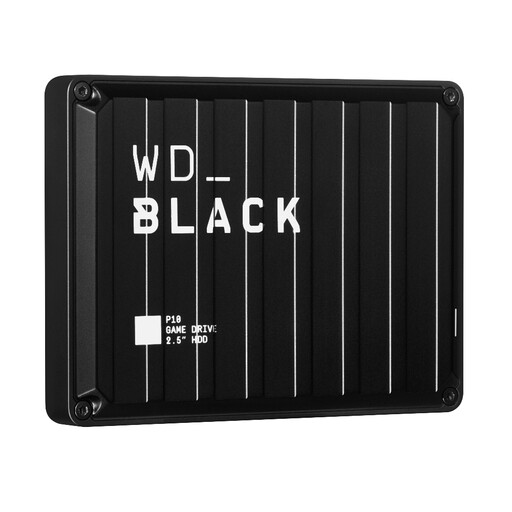
Western Digital WD BLACK P10 5 TB Game Drive
A portable HDD option for storing a large file collection; the listing specifies 5 TB capacity.
The listing states USB 3.2 Gen 1 and read speeds up to 130 MB/s.
The listing describes a USB-A-to-Micro-B cable.
View on Joybuy
 No image available
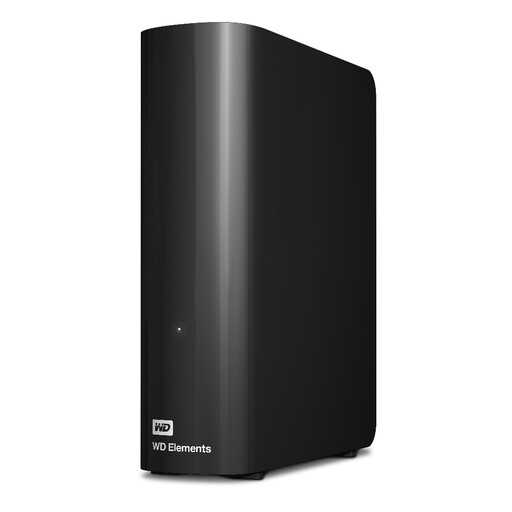
Western Digital WD Elements 20 TB Desktop Hard Drive
A desktop HDD option for a large local archive kept at a desk; the listing describes 20 TB capacity and file backup use.
The listing specifies USB 3.2 Gen 1 and includes a USB-A cable and AC adapter.
This desktop drive requires a separate power connection.
View on Joybuy
Frequently asked questions
Can I use the same drive for ordinary Mac and Windows files and for Time Machine?
Not necessarily: the format for shared files is not automatically suitable for Time Machine. Apple describes exFAT for ordinary cross-platform use on external disks over 32 GB and prefers APFS or APFS Encrypted for Time Machine; a Windows-formatted disk must be reformatted for that backup use. Formatting erases existing files, so copy them elsewhere first.
Does Windows File History back up everything on my laptop?
Do not assume it covers every folder automatically. Microsoft describes File History as automatically backing up libraries, with other folders addable to libraries; check that the folders you need are included and test a restore.
Should I leave a backup drive plugged in?
For a protective removable copy, make regular backups, check that you can restore files and disconnect the local drive when it is not in use. The National Cyber Security Centre gives this as security guidance, not as a legal requirement for households.
What happens if a newly bought UK drive is faulty?
GOV.UK says a faulty, misdescribed or unfit item may entitle you to a refund; repair or replacement may apply depending on the circumstances. Online purchases also have a separate, limited cancellation right, including notifying the seller within 14 days of receipt. Keep a separate copy of your files before a return or replacement.


