
24/7 Customer Support

Free returns

Same-day & Next-day Delivery

Quality Guaranteed

Unlock Your Welcome Offers: FREE Delivery | Up to 80% OFF | Free 30-day JoyPlus trial
Download the APP
Running out of space on your computer is a familiar frustration. Whether it’s a laptop groaning under the weight of family photos, a gaming console with no room for the latest release or a work machine slowed by large project files, an external hard drive is the go-to solution. Yet, navigating the market can be a minefield of confusing specifications and marketing hype. Many UK shoppers end up with a drive that is slow, incompatible or simply wrong for their needs.
As the Joybuy Product Recommendation Officer, my role is to help you sidestep these common issues. This guide will break down the essential factors to consider, helping you find a reliable storage solution without the guesswork.
Before looking at what to buy, it’s crucial to understand what to avoid. Many purchasing mistakes stem from these three common pitfalls:
To make an informed choice, focus on these core parameters. They determine how the drive will perform in your day-to-day life.
The technology inside the drive is the single biggest factor affecting performance.
Storage is measured in gigabytes (GB) and terabytes (TB), where 1TB = 1,000GB.
The port on the drive determines its speed and what devices it can connect to. Most modern drives use a form of USB 3.0 (often labelled as USB 3.2 Gen 1), offering transfer speeds of up to 5Gbps. Newer, high-performance SSDs may use USB 3.2 Gen 2 or USB-C for even faster rates. If you have a hard drive for Mac, ensure it's either pre-formatted for macOS or that you are comfortable reformatting it using the built-in Disk Utility tool.
To simplify your decision, we've matched a few standout options to common user profiles.
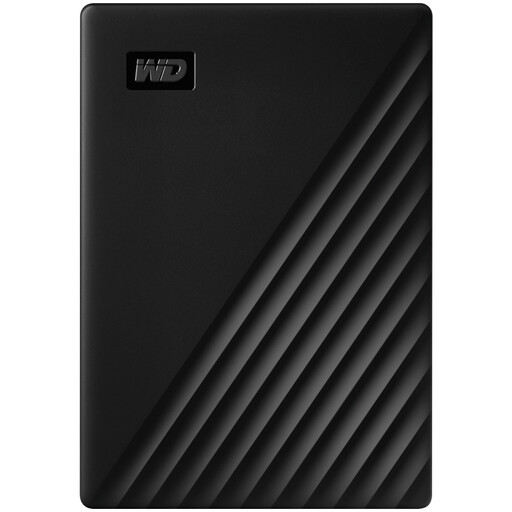
Why This Fits Their Persona: This drive offers a generous 4TB of space in a slim, pocket-sized design. It's perfect for students and home users in the UK who need to back up coursework, photos and personal files without being tied to a desk. It's a reliable workhorse for everyday storage needs.
It is a true portable drive, powered entirely by its USB connection—no AC adapter needed. The included software also provides clear guidance for use with both Windows and Mac, avoiding the compatibility headache.
Includes 256-bit AES hardware encryption with password protection to keep your files secure. The enclosure is also made with over 50% recycled plastics.
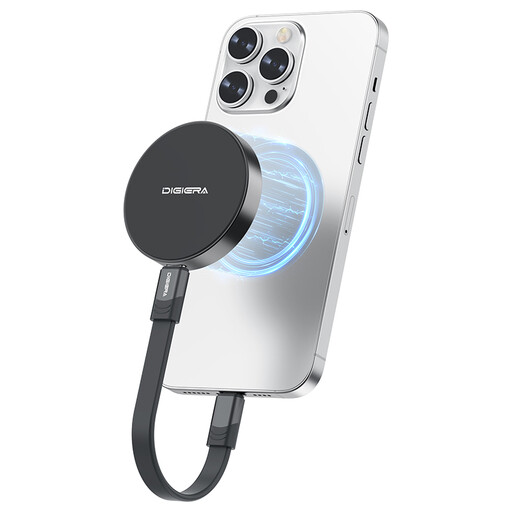
Why This Fits Their Persona: For videographers, photographers and mobile professionals, transfer time is downtime. This external SSD delivers exceptionally fast read/write speeds (up to 2000MB/s), allowing for direct editing of 4K video and rapid transfer of huge files, all in a tiny, lightweight package.
This drive squarely tackles the speed bottleneck. As an SSD, its performance is leagues ahead of any traditional HDD, making it suitable for demanding, active workflows rather than just passive storage.
Its USB 3.2 Gen 2x2 interface provides cutting-edge speed. The magnetic mounting feature is a unique bonus for iPhone 15/16 Pro users who want to record high-quality video directly to external storage.
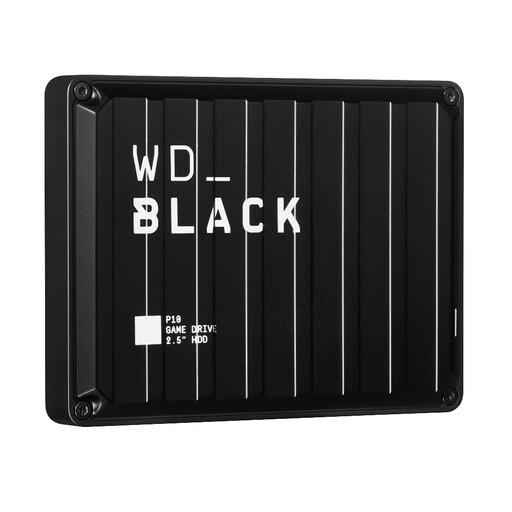
Why This Fits Their Persona: Modern game installs are huge. This drive is purpose-built as a gaming hard drive, offering a massive 5TB of space to store a large library of PS4, Xbox One and PC titles. It's also ideal for archiving PS5 and Xbox Series X/S games to free up internal SSD space.
It avoids the speed bottleneck of generic HDDs by using a high-performance platform tuned for gaming, delivering speeds up to 130MB/s. It's a portable, bus-powered drive, making it easy to take your game library with you.
Designed specifically for gamers with a rugged, durable build and a 3-year limited warranty. It offers a straightforward plug-and-play setup for consoles, making it an easy way to get more PS5 external storage.
We have compiled a complete, real-time list of products that fully satisfy these strict selection criteria and UK safety regulations.
The lifespan of an external hard drive depends on its type and usage. A traditional HDD with moving parts generally has a functional lifespan of 3 to 5 years under normal use. An SSD, having no moving parts, is more durable against physical shock and can last longer, though its memory cells have a finite number of write cycles. Regardless of the type, it is crucial to always keep a second copy of your most important files elsewhere, following the 3-2-1 backup rule (three copies, on two different media types and with one off-site).
Yes, but you may need to take an extra step. Most external drives are pre-formatted with the NTFS file system for Windows. macOS can read files from an NTFS drive but cannot write to it. To gain full read/write access, you have two main options:
For a large majority of users, a 4TB capacity is more than sufficient. It can hold hundreds of thousands of photos, a vast music library and dozens of high-definition films. It's an excellent choice for backing up a personal laptop and storing media. However, if you are a professional videographer shooting in 4K, a data-heavy researcher or someone wanting to archive your entire household's digital footprint, you might consider a larger desktop drive of 8TB or more.