What should you prioritise when adding a monitor?
Direct HDMI or another supported video output
Consider it when: your computer and monitor have a compatible video connection and you want an additional workspace.
Trade-off: you may need separate cables or laptop charging; match the computer’s supported output to the monitor’s input and intended resolution.
USB-C monitor connection
Consider it when: the computer’s specific USB-C port supports the required video mode and the monitor’s power delivery meets your laptop’s needs.
Trade-off: charging provision varies by model. LG specifies 15 W for the 27U631A-B, while Samsung specifies up to 90 W for its ViewFinity S60UD; neither figure confirms compatibility with an individual laptop.
Docking station or video adapter
Consider it when: you need a particular combination of display and peripheral connections that your computer does not provide directly.
Trade-off: a dock adds equipment and compatibility checks. DisplayLink says USB Standard A-B docking stations are not designed to charge the computer, so check the charging route separately.
For consumers adding a display to a computer they already use, the main decision is whether workspace, the connection and power route, desk positioning or creative detail matters most.
| Concern |
What to check when buying |
Who this matters to |
| Usable space and text detail |
Compare screen size with native resolution; check that your computer supports the intended output. |
When I want documents or spreadsheet columns visible together, I care about usable workspace without overlooking desk space. Around 36% of consumers put workspace and text detail first. |
| Connection and laptop power |
Check the computer’s video output and the monitor’s matching input; verify USB-C video mode and power delivery if you expect one-cable use. |
If I want to connect a laptop and possibly charge it through the display, I need the exact devices and cable to support that route. Around 29% of consumers prioritise connection and power. |
| Positioning on the desk |
Check the stand’s dimensions and adjustment or mounting options against the desk and intended screen position. |
On a shallow or shared desk, I need a screen that fits and can be positioned where I work. Around 21% of consumers put desk fit and positioning first. |
| Creative-work detail |
Compare native resolution and the model’s stated colour specifications; check that the computer can provide the intended display mode. |
When I also edit photos or video, I want the display specifications to suit that work rather than relying on an office label. Around 14% of consumers prioritise creative detail and stated colour capabilities. |
Joybuy monitor choices for an existing computer
These are standalone monitors for adding screen space to an existing computer. Compare each model’s listed HDMI, DisplayPort or USB-C connections with your computer’s supported video output and charging needs.
 No image available
AOC Q32V4 31.5-inch QHD IPS Monitor
For a larger document workspace, provided your computer supports the monitor’s intended output.
31.5-inch, 2560 × 1440 IPS display; matte screen; HDMI and DisplayPort inputs; removable stand.
View on Joybuy
 No image available
MSI MD272UPSW 27-inch 4K UHD Smart Monitor
Consider it if you want a 27-inch 4K display and its USB-C power delivery suits your laptop.
IPS panel; USB-C power delivery up to 65 W; HDMI and USB-C connections; stand adjusts for tilt, height, swivel and pivot. Check your computer’s video support and charging requirement.
View on Joybuy
 No image available
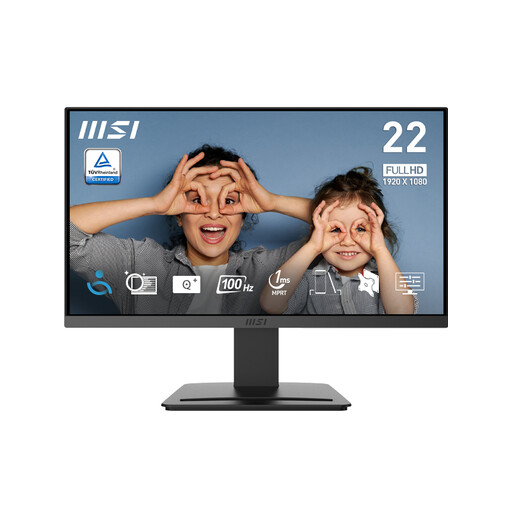
MSI PRO MP223 E2 21.45-inch Full HD Monitor
A smaller-screen Full HD option to consider when that size suits your desk and document layout.
1920 × 1080 VA display; 100 Hz; anti-glare surface; HDMI 1.4b and DisplayPort 1.2a; tilt adjustment and 75 mm VESA mounting.
View on Joybuy
 No image available
ASUS ProArt PA278CV 27-inch QHD IPS Monitor
Consider it for document or creative work where a 27-inch QHD display and the listed colour specification are relevant.
2560 × 1440 IPS display; stated 100% sRGB coverage and factory calibration; HDMI, DisplayPort and USB-C; stand adjusts for height, tilt, swivel and pivot. Stated colour coverage is a specification, not a guarantee of editing accuracy.
View on Joybuy
 No image available
ASUS ProArt PA24ACRV 24-inch QHD IPS Monitor
Consider it if you want a 24-inch QHD screen and USB-C power delivery that matches your laptop’s requirements.
2560 × 1440 IPS display; USB-C power delivery up to 96 W; HDMI and DisplayPort; Calman Verification; stand adjusts for height, swivel, tilt and pivot. Confirm video compatibility and charging needs for your computer.
View on Joybuy
Frequently asked questions about external monitors
Do I need a replacement computer to get more space for documents?
Not simply to add a screen: an external monitor can extend a computer’s workspace when the computer supports the connection. Check its video output and external-display capabilities first; a monitor will not resolve a separate shortfall in the computer’s processing capability.
Will any USB-C port send video and charge my laptop?
No; the connector alone does not confirm either function. Check the computer’s video-output mode, the monitor and cable, and the laptop’s charging requirement against the monitor’s power-delivery specification. If the setup does not meet those needs, use another supported video connection or keep the laptop charger.
How do I use the monitor as a separate workspace in Windows?
After connecting the display, arrange and scale the screens in Windows display settings. If the monitor is connected but the desktop is not extended, Microsoft Support advises checking that Extend is selected with Windows key + P.
What should I consider for long sessions at a home workstation?
Position the screen and workstation so they support a workable posture, and consider how the setup fits your work routine. For workers covered by display-screen-equipment duties, UK Health and Safety Executive guidance covers employer assessment, training and breaks; it does not prescribe one monitor model or size for every private buyer.
What if an online monitor does not suit my desk?
For an applicable UK distance sale, GOV.UK says consumers can cancel up to 14 days after delivery without giving a reason. This change-of-mind right is distinct from remedies for faulty goods, and its application depends on the purchase circumstances; check the relevant official guidance and seller instructions.


