What to check before buying
Confirm the laptop connection first, then work out where the screen will sit and whether your tasks call for fine detail or more width. A dock is worth evaluating if one laptop connection must also serve several peripherals, but it cannot override the laptop’s display-output limits.
| Concern |
What to check |
Who this matters to |
| Laptop connection and charging |
Check the exact laptop port’s video capability and supported display mode. For one-cable charging, compare the monitor or dock’s Power Delivery output with the laptop’s requirement. |
If I unplug my laptop after work, I want to reconnect the display without discovering that video or charging needs another cable. Around 36% of consumers put connection compatibility first. |
| Desk fit and screen position |
Measure usable desk width and depth, and check stand adjustments. If you plan to use an arm, confirm the monitor’s mounting interface, the arm’s load range and desk suitability. |
When my work desk has limited room, I need the added screen space to remain practical to position beside my laptop. Roughly 36% of consumers make desk fit and positioning their main concern. |
| Detail or side-by-side space |
Compare screen size with resolution, then confirm the laptop supports the intended mode. Choose between fine-detail viewing and a wider continuous area according to your work. |
If I work with dense content or several windows, I care about how much I can see at once without losing the detail I need. For about 28% of consumers, that workspace requirement comes first. |
Joybuy monitors for home working
These monitors cover USB-C-oriented laptop desks and direct HDMI or DisplayPort connections, with screen sizes and resolutions suited to different workspace needs. Check the intended laptop connection and desk fit for each model.
 No image available
BenQ MA270UP 27-inch 4K USB-C Mac monitor
Consider this Mac-focused model for a 27-inch laptop desk where a high-resolution screen and adjustable position matter.
Its listed features include a Nano Glossy IPS panel, 4K UHD resolution, USB-C and a height-adjustable stand. Check your exact laptop’s video output and charging requirement before planning a one-cable setup, particularly with a non-Mac laptop.
View on Joybuy
 No image available
BenQ MA320UP 32-inch 4K USB-C Mac monitor
This Mac-focused option is for a desk that can accommodate a larger high-resolution screen.
The name lists a Nano Glossy IPS panel, 4K UHD resolution, USB-C and a height-adjustable stand. Measure the available desk space, then check the intended laptop’s video and charging compatibility before relying on a single connection.
View on Joybuy
 No image available
LG 27UP650K 27-inch 4K IPS monitor
Choose this connection route if you want a 27-inch high-resolution display and are content to keep laptop charging separate.
The listed monitor has HDMI and DisplayPort inputs and a 4K IPS panel. Confirm that the laptop supports the intended 4K mode through your chosen connection; plan to use the laptop charger with an HDMI or DisplayPort connection.
View on Joybuy
 No image available
Dahua 32-inch 4K curved OLED gaming monitor
This gaming-led model may also suit work on a desk with room for a larger screen; assess it against your actual work tasks rather than its refresh-rate specification alone.
The name lists 4K resolution, a 165Hz refresh rate, Type-C 65W and a USB hub. Check the Type-C port’s video-input function and compare its stated power with your laptop’s charging requirement before planning USB-C use.
View on Joybuy
 No image available
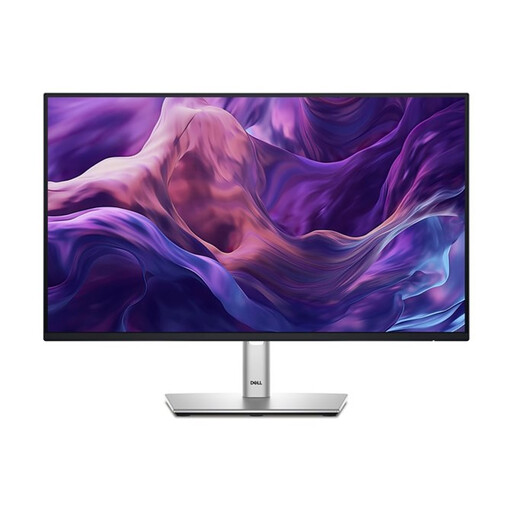
Dell P2425H 24-inch Full HD monitor
Consider this compact screen for a laptop desk where a direct video connection and a manageable monitor footprint matter more than a 4K workspace.
The listed specifications include a 1920 x 1080 IPS panel, HDMI and DisplayPort, plus a USB-C port. Check whether Full HD meets your screen-space needs; if you intend to connect through USB-C, confirm what that port does before buying.
View on Joybuy
Common questions
How can I tell whether my laptop’s USB-C port will run a monitor?
Check the exact laptop model’s manual or specifications for external-display output through that port. A USB-C connector does not establish its video functions; also confirm the supported resolution, refresh rate and number of displays for the connection you intend to use.
Will a USB-C monitor charge my laptop?
Only if the laptop accepts charging through the chosen port and the monitor’s Power Delivery output meets its charging requirement. LG UK specifies 90W USB-C Power Delivery for the 27U730A-B and Dell UK specifies up to 90W for the U2421E, but neither figure establishes compatibility with every laptop.
When is a dock worth considering?
Consider a dock when one laptop connection needs to serve charging, several peripherals, wired networking or multiple monitors. Check the exact laptop’s supported display arrangements before choosing one; a dock cannot increase the laptop’s own display-output capability.
Should I choose a 27-inch 4K screen or a 34-inch ultrawide?
Choose according to whether fine detail or a wider continuous area for windows matters more to your work. LG UK specifies 3840 x 2160 for its 27U730A-B and 3440 x 1440 for its 34BA75QE-B; check that the intended screen fits your desk and that your laptop supports its display mode.
Can UK display-screen rules apply when I work from home?
Yes, they can apply to long-term home workers and people who routinely split their working time between home and a workplace, according to the Health and Safety Executive. Discuss your particular workstation assessment and equipment arrangements with your employer; that guidance alone does not determine an individual entitlement to a monitor.


