Active multitrack project keepers
If you regularly move current sessions, stems and exports, a compact portable SSD is worth considering when transfer speed and frequent handling matter more than archive capacity.


Choose a portable SSD if you frequently move active recording projects and value a compact drive and quicker transfers. Choose a portable HDD if storing a larger archive is your priority. In either case, check the exact capacity, connection and Mac or Windows setup, and keep another independent copy of important recordings.
If you regularly move current sessions, stems and exports, a compact portable SSD is worth considering when transfer speed and frequent handling matter more than archive capacity.
If you mainly store completed sessions and mixes, a portable HDD gives you an archive-oriented route. Check the capacity and physical size of the exact variant before deciding whether it fits your desk.
If recordings move between macOS and Windows computers, check the drive’s file system and setup requirements before filling it. Apple identifies ExFAT as a Windows-compatible format available in Disk Utility; the requirements of a particular drive may still differ.
Plan where a second copy of your recordings will live, then decide whether active-project transfers or archive capacity should drive the choice. Check connection and file-system requirements against the computers you actually use.
| Concern | What to check | Who this matters to |
|---|---|---|
| Keeping recordings recoverable | Decide whether this drive holds working files or a backup, and arrange another independent copy. | If these takes cannot be replaced, I need a way to recover them if the desk drive is lost or fails. Around 33% of consumers put recoverability first. |
| Moving active projects | Match the drive’s stated USB interface to your computer’s port and cable; treat rated sequential speeds as specifications, not workflow results. | When I move current sessions and exports frequently, waiting for copies matters more to me than keeping the largest archive on this drive. For around 27% of consumers, active-project transfers are the primary concern. |
| Storing a larger archive | Size up existing recording folders and future projects, then check the chosen capacity and variant’s dimensions. | With completed sessions, stems and alternate mixes accumulating, I want room to keep the archive together without overlooking desk fit. Archive capacity comes first for around 27% of consumers. |
| Sharing between Mac and Windows | Check the shipped file system, any required driver and whether changing the format would require moving files elsewhere first. | If collaborators use different computers, I need to know that we can write to the drive before transferring sessions. Around 13% of consumers make cross-platform setup their first concern. |
A single device can be lost, stolen or fail. The Cybersecurity and Infrastructure Security Agency warns that saving just one backup file may not be enough to safeguard information.
Keep another independent copy away from the desk drive, and check that you can restore the recordings you need.
Losing the sole copy could mean losing takes or sessions that cannot be recorded again.
A drive’s format and setup can affect where you can write files. Apple lists Windows-compatible formats in Disk Utility, while Western Digital specifies additional macOS read/write steps for the cited My Passport range.
Check the exact model’s shipped format and driver requirements before loading it with sessions. Copy files elsewhere before any reformatting.
Changing formats can add file-migration work and put recordings at risk if no other copy exists.
Samsung says the T7 Shield’s IP65 rating comes from controlled internal testing, that resistance varies with conditions and that liquid or dust damage is not covered by its warranty.
Handle the drive with care and retain a separate backup rather than relying on its enclosure to protect the only copy.
Capacity does not identify a drive’s footprint or connection. Western Digital lists different dimensions and weights across the cited My Passport variants.
Compare the exact model number, dimensions, cable and computer requirements with the space and ports available on your desk.
The T7 Shield range represents a portable SSD approach for active projects; its specifications should not be assumed to apply to every Samsung SSD.
The My Passport portable HDD range offers an archive-oriented option with capacities listed by Western Digital from 1TB to 6TB.
The One Touch portable HDD line is another archive-oriented option when a computer-to-drive backup workflow matters.
These portable SSDs offer choices for current projects, while the portable HDDs offer choices for recording archives. Compare each drive’s capacity and connection with your own folders, computer and available desk space.
 No image available
Consider this portable SSD for active session files if 2 TB suits your storage needs. Its name specifies USB Type-C 3.2 Gen 2; check your computer’s port and the file-system setup needed for sharing recordings.
 No image available
This portable SSD is an option for current projects if 1 TB is sufficient. Its name specifies USB Type-C 3.2 Gen 2x2; check the host port before relying on that interface, and confirm the file-system setup for your computers.
 No image available
This portable SSD may suit a 2TB collection of projects and exports. Before choosing it for frequent transfers, check the connector and write-speed information you need, along with its file-system setup.
 No image available
Consider this portable HDD when a 5TB recording archive is the main need. Check its connection against your computer and confirm the file-system requirements before planning to share files beyond a Mac.
 No image available
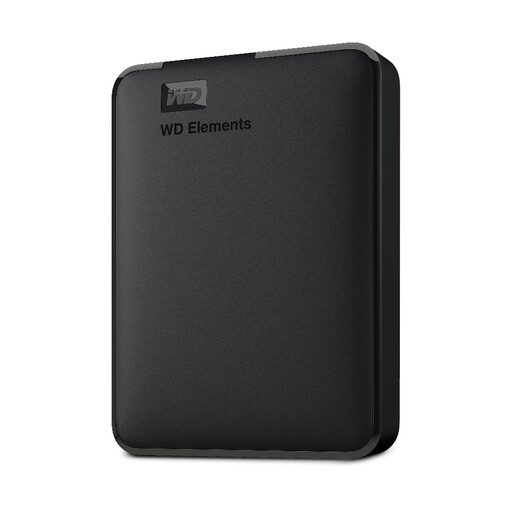
This portable HDD is an archive option if 2TB covers your recordings. Its name specifies USB 3.0 and PC/Mac formatting; check the exact file system and setup before moving sessions between computers.
Choose a portable SSD for frequently moved active projects when quicker transfers are the priority, or a portable HDD when keeping a larger archive matters more. Compare exact capacities and connections: Samsung specifies USB 3.2 Gen 2 for its cited T7 Shield SSD, while Western Digital lists My Passport HDD capacities up to 6TB.
Do not rely on one external drive as the sole copy of important recordings. The Cybersecurity and Infrastructure Security Agency warns that one backup file may not be enough; keep another independent copy and check that you can restore it.
You can plan to share a drive between Mac and Windows, but check its format and the exact model’s requirements before copying sessions. Apple lists ExFAT among Windows-compatible formats in Disk Utility; Western Digital specifies a downloadable NTFS driver and reformatting for macOS read/write use with the cited My Passport range.