What matters when choosing?
For notes copied between personal and shared studio computers, settle connection and file access first. Then decide whether transfer convenience or protection of the files and drive should shape your choice.
| Concern |
What to check |
Who this matters to |
| Device and file compatibility |
Check each computer’s USB port, the supplied cable or adapter, and whether the drive’s file format permits writing on the systems you use. Apple identifies ExFAT as a format for Mac and Windows use. |
If I move notes between my laptop and studio computers, I need to connect the drive and edit the same files on both. Around 40% of consumers put that compatibility need first. |
| Transfer convenience |
Check the host port and cable before relying on an advertised maximum speed. Samsung says its quoted T7 speeds require USB 3.2 Gen 2 support and UASP mode. |
When I repeatedly copy folders of scans, recordings or design work, I want transfers to fit into my study routine. Transfer convenience comes first for around 30% of consumers. |
| File and drive protection |
For private files, check the exact model’s access controls and any applicable organisation policy. For frequent carrying, read physical-resistance test conditions and warranty exclusions. |
If my drive carries private material or regularly travels in a bag, I care most about protecting its contents or the drive itself. Around 30% of consumers make protection their primary concern. |
Joybuy portable SSD choices
These portable SSDs offer different capacities, connections and stated protection features for carrying study files. Match the particular drive’s cable, file format and access options to the computers and notes you use.
 No image available
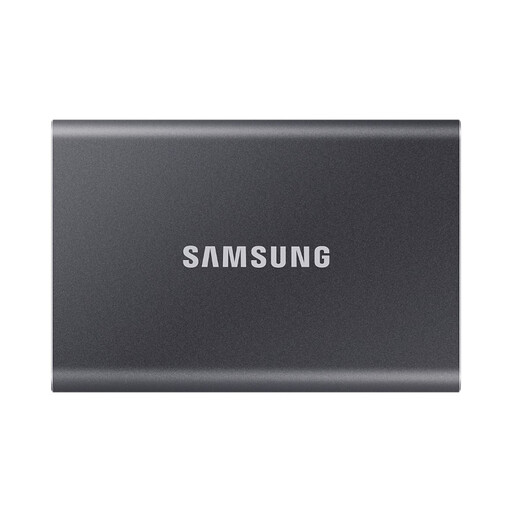
Samsung T7 1 TB portable SSD, grey
For routine note transfers, check the cables and file format against your laptop and studio computers before choosing this drive.
1 TB; USB Type-C; USB 3.2 Gen 2. This is the T7, not the fingerprint-equipped T7 Touch.
View on Joybuy
 No image available
Samsung MU-PG4T0B 4 TB portable SSD, black
If you also carry substantial project folders, decide whether this capacity fits what you need to keep with you; check connection and file-format requirements for each computer.
4 TB; USB Type-C; USB 3.2 Gen 2x2. Check host support if the Gen 2x2 connection matters to your choice.
View on Joybuy
 No image available
Samsung T7 Shield MU-PE1T0S 1 TB, black
Consider this model if the drive will frequently travel between locations and physical resistance matters more to you than keeping the choice centred on routine transfers.
1 TB; USB Type-C; USB 3.2 Gen 2. Samsung describes the T7 Shield’s IP65 and drop claims as controlled-test results and excludes related damage from its warranty; check the file format for your computers.
View on Joybuy
 No image available
SanDisk Extreme 1 TB portable SSD for PlayStation 5 and PC
If you are considering this drive for study notes rather than its stated console-and-PC use, confirm its connection and file format for the studio computers.
1 TB. If the notes need access protection, check the exact model’s options before choosing it.
View on Joybuy
 No image available
Lexar ES5 1 TB MagSafe portable SSD
If you carry files between locations and use a USB-C laptop, check whether this model’s connection and file format also suit the shared studio computers.
1 TB; USB 3.2 Gen 2x2; stated IP65 rating. The named maximum of 2,000MB/s read and write is an up-to specification, not a speed to expect from every host.
View on Joybuy
Common questions
Do I need a USB 3.2 Gen 2 laptop to use an external SSD?
Not necessarily: connecting a drive and reaching its advertised maximum speed are separate questions. Samsung says its quoted T7 maximum speeds require a USB 3.2 Gen 2 host and suitable cable, with UASP enabled; check the ports on both your laptop and the studio computers.
Which file format works for notes shared between Mac and Windows?
ExFAT is a format Apple identifies for an external disk used with both Mac and Windows computers. Check that it suits your actual devices and keep a separate copy before reformatting: Apple warns that erasing a storage device deletes its contents.
Should I choose an SSD with encryption for study notes?
Choose suitable access protection if the SSD will carry personal or confidential files, and follow any relevant university, placement or employer policy. GOV.UK guidance calls for appropriate security when organisations handle personal data; Ministry of Justice removable-media guidance identifies encryption as one possible measure, rather than a feature required for every set of study notes.
Does a rugged SSD’s rating cover accidental damage?
A resistance rating does not itself promise warranty coverage. Samsung says the T7 Shield’s IP65 claim comes from controlled testing and that liquid, dust and drop damage are not covered under its warranty; read the terms for the exact model you are considering.


