People carrying the archive on move day
If the drive will travel with you, its size and resistance to handling knocks matter alongside how readily you can restore the episodes after arrival.


Choose a portable SSD for the archive copy you will carry during the move, especially if knocks or a quick restore are concerns. A portable HDD can suit a larger archive that you can pack carefully, while a powered desktop HDD is better treated as a stationary copy at the new home. Whichever drive you choose, follow The National Archives’ advice to keep at least two copies in different places, and check the copied episodes before moving.
If the drive will travel with you, its size and resistance to handling knocks matter alongside how readily you can restore the episodes after arrival.
Completed episodes, raw recordings and associated media all need space. A larger drive kept safely at home may serve a different purpose from the copy carried through the move.
If you will open the archive on another computer after moving, check its ports, the drive cable and the file-system format before committing the archive to it.
Give the travelling copy and the copy kept at home separate jobs, then size each drive for the complete archive rather than the finished episodes alone.
Choose when: You will carry the archive yourself or need to copy and restore it promptly.
Bear in mind: Kingston Technology explains that SSDs lack an HDD’s moving parts, but any stated ruggedness rating applies under its specified test conditions.
Choose when: You need a larger portable archive copy and can keep the drive protected while transporting it.
Bear in mind: Its moving parts make careful packing important; do not make it the only surviving copy.
Choose when: You want a large, mostly stationary archive copy at the new home.
Bear in mind: It needs mains power and is less convenient as a move-day carry drive.
| Concern | What to check | Who this matters to |
|---|---|---|
| Handling during the move | Check whether the drive is an SSD or HDD, and read any model-specific drop or ingress conditions. | If I am carrying the archive among my belongings, I want it less exposed to damage from knocks. Around 37% of consumers put move-day protection first. |
| Room for the whole archive | Measure episodes, raw audio and associated files; leave space for future recordings. | My raw recordings and projects may take more room than the finished episodes, so I need capacity beyond today’s folder size. For around 27% of consumers, sufficient archive space comes first. |
| Connection and copying | Match the computer’s ports and USB support to the drive and cable; check the required file-system format. | I need to open the archive on my computer after the move without discovering that my cable or format prevents access. Connection and copying are the first concern for around 18% of consumers. |
| Keeping a separate copy | Plan for two copies in different places, and check copied file counts and representative episodes. | If one drive is lost or damaged, I still need the recordings elsewhere; private material may also need access protection. Around 18% of consumers prioritise archive continuity and privacy. |
A drive can be lost or damaged during a move, and a copied file may not open correctly. The National Archives advises keeping at least two copies in different places.
Keep the original, make a separate copy before moving, then compare file counts and open representative episodes.
An HDD has moving mechanical parts, so knocks are a particular concern when it is being carried.
Consider a portable SSD for the copy travelling with you. If you use an HDD, disconnect it before packing, protect it from impacts and keep another copy elsewhere.
Raw recordings, artwork and project files also take space, while the capacity shown by a computer may differ from the decimal figure on a drive label.
Measure the complete archive and allow room for additional episodes before choosing a capacity.
Samsung and Crucial specify connection conditions for their portable SSD speed figures. A USB-C-shaped port alone does not establish the computer’s USB capability.
Check the computer port and the exact cable supplied with the drive, then complete a test copy before packing day.
The T7 Shield is a portable-SSD reference for a copy carried during a move, with researched 1 TB, 2 TB and 4 TB variants.
The X9 is a compact portable-SSD reference for copying an archive between compatible devices, with researched 1 TB, 2 TB and 4 TB capacities.
The researched One Touch portable HDD and Expansion desktop HDD illustrate different roles: a carefully transported copy and a larger stationary copy.
These portable SSDs, a portable HDD and a desktop HDD suit different jobs in the same move: carrying a copy, transporting a larger copy carefully, or keeping a stationary copy at the new home. Check capacity against your complete archive before choosing.
 No image available
A portable SSD to consider for the archive copy travelling with you. The title specifies 4 TB and USB Type-C 3.2 Gen 2; check that your computer and cable suit the connection.
 No image available
A portable SSD option if 2 TB leaves enough room for the episodes and associated files. Check the connection and format needed by the computer that will hold the archive.
 No image available
A compact SSD route for a travelling copy if the complete archive fits with room to grow. The title specifies USB Type-C 3.2 Gen 2; check the intended computer and cable.
 No image available
A portable HDD to pack carefully rather than use as the only travelling archive copy. The product title says 4TB, but other listing details give a different capacity; confirm the exact variant before ordering.
 No image available
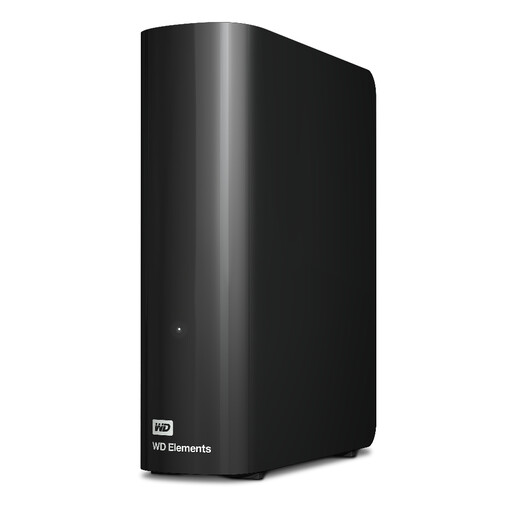
A desktop HDD to consider for a stationary archive copy at the new home, not the drive you carry on move day. Check the available power connection and your computer’s file-system requirements before transferring files.
No: use it as one copy, not the only surviving copy. The National Archives advises keeping at least two copies in different places; retain the original until you have checked file counts and opened representative episodes on the new drive.
A portable SSD is the more suitable travelling route when knocks or prompt restoration are priorities, because it lacks an HDD’s moving parts. A portable HDD can serve a larger archive if you can protect it during transport and keep another copy elsewhere.
Not necessarily. Samsung’s T7 Shield and Crucial’s X9 speed figures depend on compatible connection conditions; check your computer’s USB specification and the cable you will use, rather than relying on the port’s shape.
Protect the recordings before the drive leaves your control: the National Cyber Security Centre warns that simply deleting files is not sufficient sanitisation. Check an appropriate sanitisation or destruction method for the drive, then arrange a suitable electronics recycling route.