Buying priorities
Start by measuring the files you want to protect, then check how the storage will connect and how often it will be used. A backup is only useful when you can restore the files you need.
| Priority |
What to check |
Your needs |
| Capacity |
Measure the folders to be backed up; allow room for future files and retained versions. Check usable capacity and file-system compatibility for the exact drive. |
I want space for my current photos, documents and videos without filling the backup destination immediately. |
| Compatibility and routine |
Match the supplied cable and connector to USB-A, USB-C, Thunderbolt or any adapter required. Check operating-system, formatting and backup-software support. |
I need storage that connects to the computers or devices I already use and fits a backup routine I can maintain. |
| Transfer speed and portability |
Check the drive, cable, port and host support together. Compare stated read and write figures only for the same measurement basis and exact model. |
Frequent large photo or video copies make faster transfers and an easy-to-carry drive more relevant than occasional home backups do. |
| Recovery resilience |
Keep a copy in a separate location where practical. Disconnect removable media after backup, and periodically restore a non-critical file to confirm the process works. |
I want a recent copy that remains useful if the main computer fails, is lost or is affected by malware. The National Cyber Security Centre advises against keeping backup devices permanently connected. |
Joybuy product options
These Joybuy options cover portable SSD and external hard-drive routes for keeping a removable local copy of personal photos and documents.
 No image available
Samsung MU-PE1T0S 1TB USB Type-C SSD
A portable SSD option for frequent large transfers and carrying a local copy between locations.
Stated 1TB capacity, USB 3.2 Gen 2, claimed up to 1,050MB/s read and 1,000MB/s write, IP65 protection and drop resistance up to 3m. Check that 1TB allows room for archive growth and backup versions; transfer speeds depend on the host system and USB support.
Joybuy
 No image available
SanDisk Portable SSD 2TB
This 2TB portable SSD suits households that need more room for a growing collection while still carrying the backup.
Stated 2TB capacity, claimed up to 800MB/s read speed, 40g weight and drop protection up to 2m. Confirm the supplied cable, connector and direct compatibility with each computer, phone or tablet; only a read-speed claim is stated.
Joybuy
 No image available
Samsung Portable SSD T7 1TB Blue
A portable SSD choice for large photo or video copies across compatible USB-A and USB-C computers.
Stated 1TB capacity, USB 3.2 Gen 2, claimed up to 1,050MB/s read and 1,000MB/s write, 58g weight, plus USB-C-to-C and USB-C-to-A cables. It is not stated as waterproof or dustproof, and transfer speed depends on the computer and connection.
Joybuy
 No image available
Western Digital My Passport Ultra 5TB Blue
This portable external HDD is aimed at a growing household archive that is usually backed up at home.
Stated 5TB capacity, USB 3.2 Gen 1 Type-C connection, included USB-A adapter, bus-powered operation and AES-256 hardware encryption. It is pre-formatted for Windows; macOS use requires reformatting. Avoid moving or jolting the mechanical drive while it is operating.
Joybuy
 No image available
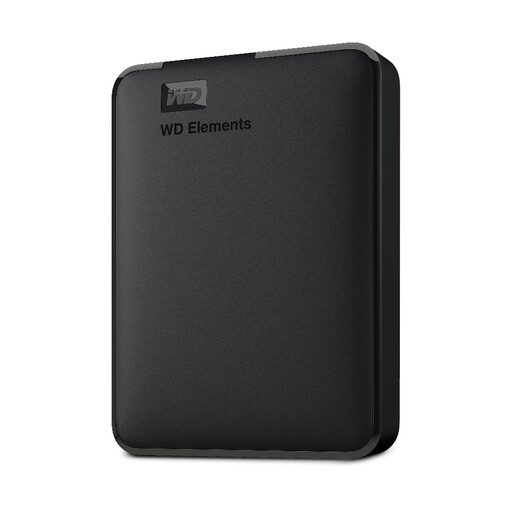
WD Elements Portable External Hard Drive 2TB
A straightforward external-HDD route for keeping photos, videos and important documents in a local second copy.
Stated 2TB portable capacity, plug-and-play use and USB 3.2 Gen 1 connectivity. Check the supplied cable and connector, formatting for each intended computer, and whether 2TB leaves sufficient room for future files and retained versions.
Joybuy
Frequently asked questions
How do I choose the capacity of an external backup drive?
Measure the folders you will actually protect, including photos, documents and videos, then allow for expected growth and historical versions if your backup tool keeps them. Do not rely only on headline capacity: Western Digital notes that actual user capacity can vary with the operating environment.
Should I choose an external HDD or SSD for photo and document backup?
Choose a portable HDD when capacity for a growing archive is the main priority and transfers are occasional. Choose an SSD for frequent large batches and compatible faster connections; Samsung notes that its T7 Shield performance can vary with the system environment and UASP support.
Can one external drive replace cloud storage?
An external drive can provide a separate local copy, but it does not automatically offer off-site access or protection from physical loss at the same location. The National Cyber Security Centre recognises both cloud storage and removable media as backup locations, so a cloud-plus-local approach can reduce dependence on one place when account access and local storage are protected.
Should I leave my external backup drive connected all the time?
No, if you want to reduce the chance that ransomware or a computer problem also reaches the removable backup. The National Cyber Security Centre advises that the device containing a backup should not be permanently connected; connect it for the backup, confirm completion, then disconnect and store it safely.
How do I check that a backup is useful?
Periodically restore a non-critical photo or document to a different folder and confirm that it opens. The National Cyber Security Centre advises checking that you know how to restore files, while Windows File History and Apple Time Machine support restoration when configured.


