What to prioritise when choosing storage
Decide what you need to recover, measure the archive and then check access and protection requirements. Drive type, encryption and backup arrangements answer different questions: an SSD or encrypted drive still needs a workable backup plan.
| Concern |
What to check when buying |
Who this matters to |
| Recoverable copies |
Identify the original, a separate backup destination and how you would restore a test file. Consider an off-site copy for records that would be hard to replace. |
If losing the archive would be difficult to recover, I would put a separate, restorable copy ahead of extra capacity; around 29% of consumers put recovery first. |
| Protection if lost |
Check how encryption is enabled, which devices can unlock the drive and where recovery information will be kept separately. |
If I carry financial or administrative records, I want to limit access if the drive is misplaced and can manage the unlock method; around 23% of consumers put privacy first. |
| Archive capacity |
Measure the files and backup set you intend to store, then allow for your own expected additions and any version history. |
If my scans and other files are growing, I need enough room for the collection I have measured; around 18% of consumers put archive capacity first. |
| Finding older records |
Check that your folder routine is usable and that the backup workflow can restore earlier versions or deleted files as needed. |
If I need to find a particular statement or undo a change, extra storage alone will not organise or restore it; around 18% of consumers put organisation and older versions first. |
| Access across devices |
Check the ports, file format and unlock method on every computer that needs to open the records before formatting or moving the only copy. |
If my household uses different computers, I need the backup to open on each intended device; around 12% of consumers put cross-device access first. |
Joybuy product options for personal records
These Joybuy options include portable SSDs and desktop or portable hard drives for household records, including models whose listings specify password protection or hardware encryption.
 No image available
Samsung T7 Shield MU-PE1T0S 1TB Portable SSD, USB Type-C 3.2 Gen 2, Black
A portable SSD option if you move records between devices and want the listing's password-protection feature.
1TB; USB Type-C 3.2 Gen 2; the listing describes PC, Mac and Android compatibility and an IP65 rating. Check the exact connection and device requirements before use, and keep a separate backup of important files.
Joybuy
 No image available
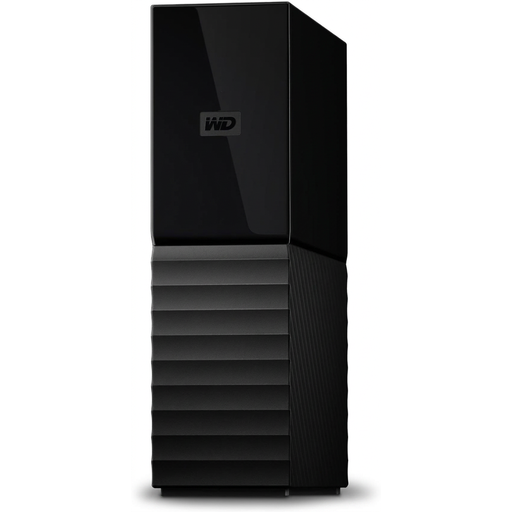
Western Digital My Book 22TB Desktop External Hard Drive
A desktop-drive option if your measured household archive calls for a large local storage capacity.
22TB; USB 3.0; password protection and hardware encryption. The listing describes backup software and compatibility with PC and Mac.
Joybuy
 No image available
SanDisk Portable SSD 2TB
A portable SSD option for keeping a local copy of records and moving files between locations.
2TB; the listing states read speeds of up to 800 MB/s and describes a compact, lightweight design with a carrying hook.
Joybuy
 No image available
Western Digital Elements Portable External Hard Drive 4TB, Black
A portable hard drive option if your measured archive needs more space on a removable local drive.
4TB; USB 3.0. The listing describes automatic recognition by Windows 10 or later and notes that reformatting may be required for Mac or other operating systems.
Joybuy
 No image available
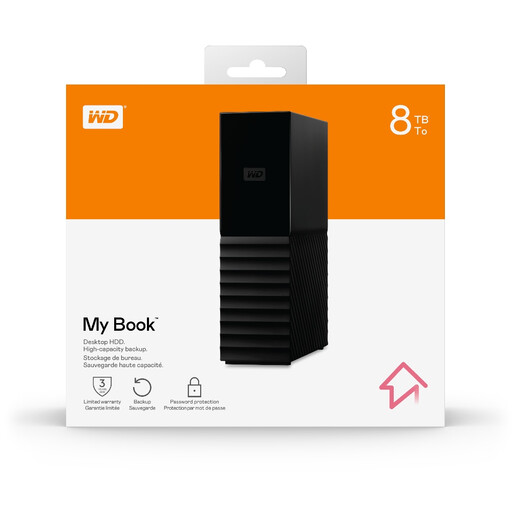
Western Digital My Book Desktop External Hard Drive 8TB
A desktop-drive option if you want a local archive with the access-protection features stated in the listing.
8TB; password protection and hardware encryption; exFAT format. The listing states compatibility with Windows 10 or later and macOS 11 or later out of the box.
Joybuy
Frequently asked questions
Is encryption legally required for a UK household's own records?
The Information Commissioner's Office says the UK GDPR does not apply to processing carried out by individuals purely for personal or household activities. That does not prevent you choosing encryption to protect records if a drive is lost or accessed by someone else. Different circumstances, such as professional or commercial activity, need a separate legal assessment.
Can I encrypt an existing Mac external drive without disturbing its files?
Apple's stated Disk Utility procedure for password-protecting a device erases it first. Copy the files elsewhere before using that procedure, then check that you can open the encrypted volume and restore the files.
Can I recover a personal cloud file deleted months ago?
Do not assume deleted files remain recoverable indefinitely. Microsoft says files deleted from a personal OneDrive account can be restored within 30 days, while permanently deleted items cannot be restored; some additional restore features depend on a Microsoft 365 subscription. Check the rules for the service and account you use.
What should I check if I need an earlier version of a file?
Confirm that version-capable backup is set up for the folder containing the file. Microsoft says File History can browse and restore saved versions when configured with an external drive or network destination; plugging in a drive alone does not configure that workflow.
How long should I keep records for a UK Self Assessment return?
HMRC says records for a return sent on or before the deadline should be kept for at least 22 months after the end of the relevant tax year; for a late return, its guidance says at least 15 months after sending it. HMRC gives different rules for self-employed business records, including a general minimum of five years after the relevant 31 January submission deadline. These periods depend on the type of record and circumstances.


