
24/7 Customer Support

Free returns

Same-day & Next-day Delivery

Quality Guaranteed

Unlock Your Welcome Offers: FREE Delivery | Up to 80% OFF | Free 30-day JoyPlus trial
Download the APP
As our digital lives expand, from family photos and work documents to vast game libraries and 4K video projects, the need for reliable external storage has become essential. Yet, the market is flooded with technical jargon and marketing claims that can easily lead to a poor purchase. As a Joybuy Product Recommendation Officer, my role is to help you navigate this landscape and find a solution that fits your actual needs, without wasting money on features you won't use.
Before you buy, be aware of these common pitfalls that trip up many UK shoppers:
To make an informed choice, focus on these three core parameters. Getting them right is the key to satisfaction.
The type of technology inside the drive is the single most important factor determining its performance and ideal use.
The connector on the cable can be misleading. The shape (USB-C or the older USB-A) does not dictate the speed. The speed is determined by the underlying protocol:
Based on these practical considerations, here are some recommendations matched to specific user profiles.
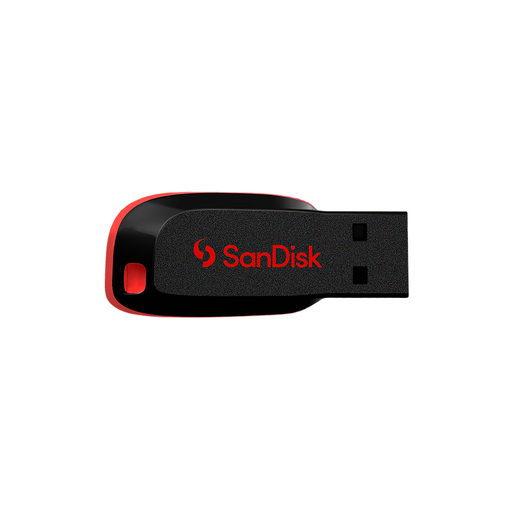
Why This Fits Their Persona: For transferring essays, presentations and photo albums, you don't need blistering speed. You need reliability and portability. This compact flash drive fits on a keyring and provides ample space for everyday files without a hefty price tag.
It avoids the speed trap by focusing on value. The USB 2.0 interface is more than adequate for documents and photos, preventing you from overpaying for performance you simply don't need for these tasks.
Its primary advantages are its ultra-compact design and affordability. It offers a straightforward, plug-and-play solution for quick file sharing and backup of essential documents.

Why This Fits Their Persona: For videographers, designers and gamers, time is money and performance is paramount. This portable SSD delivers the speed needed to edit 4K video directly from the drive and transfer huge project files in seconds, not minutes. Its 4TB capacity can hold hours of footage or dozens of games.
It avoids the capacity/use-case mismatch. Instead of a slow HDD, it provides the high-speed solid-state performance that creative workflows demand, eliminating bottlenecks and saving valuable time during intensive tasks.
Its key advantage is the USB 3.2 Gen 2x2 interface, offering sequential read/write speeds up to 2,000 MB/s. It also features a durable build with drop resistance and hardware encryption for data security.
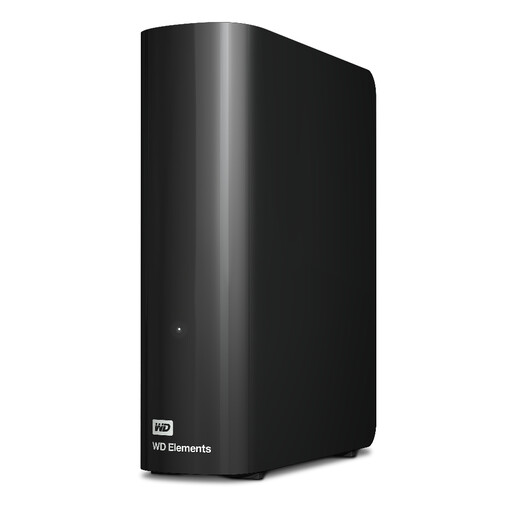
Why This Fits Their Persona: When the goal is to back up everything—years of family photos, a massive film collection or multiple computer systems—cost-per-terabyte is the most important metric. This desktop drive provides an enormous 12TB of space for simple, reliable archival.
It avoids paying a premium for SSD speed where it isn't needed. For long-term "cold storage" and backups, the reliable performance of a mechanical HDD is perfectly suitable and far more economical at this capacity.
Its standout advantage is the massive 12TB capacity at an accessible price point. It's a simple, plug-and-play solution for Windows users (and easily reformatted for Mac) that requires external power for stable, long-term operation.
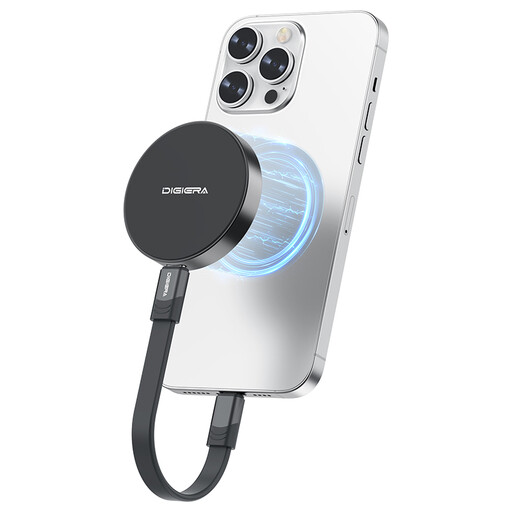
Why This Fits Their Persona: For vloggers and content creators using an iPhone 15 Pro or newer, the ability to shoot high-quality ProRes video is a game-changer, but it fills up internal storage fast. This is a purpose-built external SSD for iPhone that attaches magnetically, allowing you to record directly to the drive.
It avoids the trap of buying a generic drive with cumbersome cables. Its magnetic design and direct recording capability offer a seamless, integrated workflow that standard drives cannot match for mobile filmmaking.
The magnetic mounting system and support for direct 4K ProRes recording are its defining features. It combines high-speed USB 3.2 Gen 2x2 performance with an ultra-lightweight, phone-friendly form factor.
We have compiled a complete, real-time list of products that fully satisfy these strict selection criteria and UK safety regulations.
Most external hard drives and SSDs come pre-formatted with the NTFS file system, which is fully compatible with Windows. A Mac can read files from an NTFS drive, but it cannot write to it without third-party software. For full read/write compatibility on a Mac, you will need to reformat the drive using the Disk Utility application. For use across both Windows and macOS, formatting the drive to the exFAT file system is a good option.
The lifespan of an external drive varies. An external hard drive (HDD) with moving parts is more susceptible to mechanical failure and typically has a lifespan of 3-5 years with regular use. A portable SSD has no moving parts and is more durable, often lasting longer, though the memory cells have a finite number of write cycles. Regardless of the type, all drives can fail unexpectedly. It is crucial to always maintain a separate backup of your most important files.
For PS5 external storage, there are two distinct uses. You can use almost any USB external HDD or SSD to store and play PS4 games. However, to store PS5 games, you also need a USB external drive. To play PS5 games directly from external storage, you must install a compatible internal NVMe SSD that meets Sony's specific speed and size requirements; you cannot play PS5 games from a USB-connected drive.