Who needs which backup approach?
The files you cannot replace, the devices you use and how regularly you add new files should shape your backup routine.
People protecting family photos and videos
Keep a current, restorable copy away from the phone or computer holding the originals. For irreplaceable files, the National Cyber Security Centre advises considering both a cloud copy and one on removable media; check that each contains the photos and videos you intend to protect.
Households using several devices
Automatic capture can help keep selected files current, but access across devices is not the same as an independent backup. Check which folders or device data are included and how your chosen Apple, Microsoft or Google service handles deletion and older versions.
People with large collections or unreliable broadband
Measure the photo and video library before choosing storage. A local drive lets you make and restore a copy without relying on a cloud connection at that moment, provided the drive works with your device and the copy is kept up to date.
What should you check before choosing a backup?
Start with how you would recover a file, then check how copies stay current. A cloud service, external drive or combination is useful only when it covers the files you care about and you can restore them.
| Priority |
What to check |
Your needs |
| Restoration |
Identify where the separate copy lives, which files it contains and how to restore one after device loss or deletion. Try restoring a small file. |
I want my photos and documents back even if the device holding the originals is unavailable. |
| Recent files |
Check the backup schedule, selected folders and whether the last run completed. Apple says Time Machine can automatically back up a Mac to external storage. |
New photos should be included without my having to remember every manual copy. |
| Independent copies |
Check whether a drive can be disconnected and how the cloud account is protected. The National Cyber Security Centre reports ransomware incidents affecting connected backup drives and advises disconnecting removable media when not in use. |
If a connected device or account is compromised, I need another recoverable copy. |
| Older versions |
Check deleted-file recovery and version retention for the service and file types you use. Microsoft states a 30-day period for OneDrive file version history; Google Drive Help says a stored file version may be permanently deleted after 30 days or 100 newer versions. |
I may need the document from before an unwanted edit, not just the latest synchronised version. |
| Capacity and access |
Measure the intended backup set and allow for new files. Check drive compatibility, cloud storage allowance, connection needs and what happens if a subscription changes. |
My photo and video collection needs room to grow, and I need a practical way to restore it with the connection I have. |
How do Apple, Microsoft and Google fit in?
These platform features can help form a backup arrangement, but check the recovery behaviour of the particular service you use.
Apple
For households using a Mac alongside iCloud Photos, Apple describes different roles for local backup and photo synchronisation.
- Apple says Time Machine can automatically back up Mac files to a USB drive or other external storage.
- Apple says iCloud Photos reflects edits and deletions across devices and advises keeping backup copies of the photo library.
Microsoft
OneDrive can make selected Windows folders accessible across devices, with recovery features to check separately from sync.
- Microsoft says OneDrive version history can restore older versions of stored files, subject to its retention rules.
- Microsoft says OneDrive folder changes and deletions synchronise in both directions; check the applicable recovery options before relying on them.
Google
Google Drive is relevant when important files are stored through a Google account, including files uploaded from different devices.
- Google Drive Help describes ways to retain and restore recent versions of stored files.
- Google says a stored file version may be permanently deleted after 30 days or 100 newer versions unless it is marked to keep.
External drives and SSDs for a local backup
These Joybuy drives are options for keeping a separate local copy of personal files. Choose enough capacity for your collection, check compatibility with your device and backup method, and plan when to disconnect and test the copy.
 No image available
Western Digital My Passport 2TB portable hard drive, black
Consider this 2TB local drive for a separate copy of photos and documents after measuring the files you need to store. Confirm the Mac setup if relevant, and check how your backup software reports completion and restores files.
View on Joybuy
 No image available
Western Digital My Passport Ultra for Mac 5TB portable hard drive, silver
The stated 5TB capacity makes this a local-storage option to assess for a large photo or video collection. If you also use Windows, confirm the driver and setup needed; check the restore process and the applicable warranty for this SKU.
View on Joybuy
 No image available
Samsung T7 Shield 1 TB USB 3.2 Gen.2 portable SSD, blue
This 1 TB portable SSD could hold a separate local copy if its capacity suits your files. Check its connection to each intended device and arrange the backup schedule, completion checks and restore steps before relying on that copy.
View on Joybuy
 No image available
Lexar ES4 2TB portable SSD with Magnetic Set
Consider the 2TB Lexar ES4 for a local copy used with devices that meet its stated compatibility, including iPhone 15/16, PC and Mac. Its name specifies USB 3.2 Gen 2; check the connection and backup workflow for each device you intend to use.
View on Joybuy
 No image available
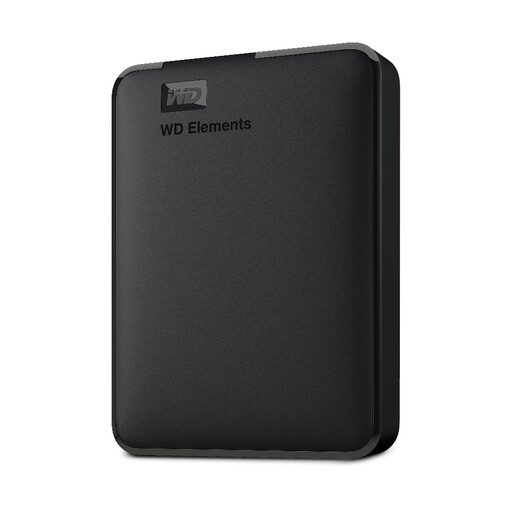
WD Elements 2TB USB 3.0 portable hard drive, black
This 2TB drive is a local-storage option for a separate copy of personal files. Confirm the format required by your PC or Mac before setting it up, then choose a backup routine and test that a file can be restored.
View on Joybuy
Questions about keeping files recoverable
Is a synchronised cloud folder a backup?
Not necessarily: synchronisation can carry an unwanted change to every connected location. Microsoft says OneDrive folder changes and deletions sync with its website, while Apple says deleting an iCloud Photo is reflected across devices using iCloud Photos. Check the service’s recovery options and keep another separate copy of irreplaceable files.
How much backup capacity do I need?
Measure the photos, videos, documents and folders you plan to protect, then choose a destination with room for new files. Check its current storage allowance or drive capacity and confirm periodically that recent files are still being copied.
What should I do before relying on an external drive?
Confirm that the drive works with your device and backup software, include the intended folders, and restore a small file after the first backup. The National Cyber Security Centre advises disconnecting removable backup media when it is not in use because malware can affect connected storage.
How should I protect a cloud backup account?
Use a strong password and turn on two-factor authentication, as the National Cyber Security Centre advises. Also check who or what can modify the backup and how you would regain access to the account when you need to restore files.
What if my cloud storage allowance changes?
Check the provider’s current terms before changing a subscription and make sure you retain another copy of important files. Microsoft says a cancelled subscription can reduce the available allowance; if an account then exceeds its allowance, it may be unable to upload, edit or sync new files.


