What should you check before buying?
Start with the size of the files you intend to back up, then check the devices, software and routine that will make the copy usable.
| Priority | What to check | Your needs |
|---|
| Capacity |
Measure the folders to be copied and allow for new files and retained versions. For Time Machine, Apple recommends a device with at least twice the Mac’s storage capacity. |
I want the whole photo and document collection to fit, with room for the way I plan to keep backups. |
| Drive format |
Decide between ordinary file copies and a dedicated backup disk before formatting. Apple identifies exFAT for Windows-compatible volumes over 32 GB, but says Time Machine cannot back up to a disk formatted for Windows; it prefers APFS or APFS Encrypted. |
Files need to move between my Windows PC and Mac, or I want a disk dedicated to Mac backups. |
| Backup routine |
Choose which folders are included and how often they are copied. Microsoft says File History makes regular backups to an external drive or network location; test a restore rather than assuming a copy is usable. |
I would rather have a repeatable process than rely on remembering to copy new photos manually. |
| Separate copies |
Plan where another copy will live and when a removable drive will be disconnected. The National Cyber Security Centre reports incidents in which ransomware also affected connected backup storage. |
If the computer fails or files on connected storage are affected, I want another copy kept separately when practical. |
| Phone connections |
Check the port, cable or adapter, drive power and supported format. Apple specifies format and partition conditions for iPhone external storage; Files by Google supports connected USB storage on Android 7.0 and later. |
Some photos are on my phone, so I need to know how I will actually copy them to the drive. |
Relevant brand references
These manufacturer examples illustrate different storage formats; their specifications apply to the named product lines, not every drive from each brand.
Toshiba
Toshiba’s Canvio Basics and Canvio Flex lines illustrate capacity-led portable hard drives and cross-device connection choices.
- Toshiba lists Canvio Basics capacities up to 4 TB and says the line is USB-powered.
- Toshiba lists Canvio Basics as NTFS-formatted for Windows and requiring reformatting for macOS. Its Canvio Flex line includes USB-A and USB-C cables, but check compatibility with the exact phone or tablet you plan to use.
Samsung
Samsung’s T7 Shield 2 TB is an example to examine if a portable SSD suits frequent transfers.
- Samsung lists sequential read and write speeds of up to 1,050 and 1,000 MB/s for the T7 Shield 2 TB.
- Samsung says reaching those speeds requires a compatible USB 3.2 Gen 2 host and cable with UASP enabled. Its resistance and drop claims come from controlled internal testing, and Samsung excludes liquid, dust and drop damage from warranty.
Kingston
Kingston’s DataTraveler Duo illustrates flash storage for a smaller selection of files shared across different USB ports.
- Kingston specifies USB-A and USB-C connectors and capacities of 128 GB or 256 GB for the DataTraveler Duo.
- Compare the files you intend to copy with the chosen capacity before treating a flash drive as a complete household backup.
Joybuy storage options
These options cover portable SSDs and a hard drive for local computer copies, plus a USB flash drive for a smaller set of files. Choose a format around your library size and backup workflow rather than relying on a drive alone.
 No image available
Samsung MU-PG4T0B 4 TB USB-C SSD
Consider this portable SSD if you want a local copy that you will carry or update frequently. Its title specifies 4 TB and USB 3.2 Gen 2x2; check that the capacity fits your files and that your device, drive format and backup software work together.
View on Joybuy
 No image available
Samsung Portable SSD T7 4 TB Grey
This is another portable local-copy option for a collection that fits its stated 4 TB capacity. The title specifies USB-C and USB 3.2 Gen 2; confirm the connection and drive format for your intended computer backup routine.
View on Joybuy
 No image available
SanDisk Portable SSD 2 TB
A portable local copy is worth considering if the files you plan to retain fit within 2 TB. Check the supplied cable ends, device ports and drive format before using it with a computer or phone.
View on Joybuy
 No image available
Western Digital My Passport Ultra 5 TB Blue
This portable hard drive is a capacity-led option for a computer-based collection that fits within its stated 5 TB. Check its format against your backup tool before adding files, particularly if you plan to use it with a Mac, and keep it steady during transfers.
View on Joybuy
 No image available
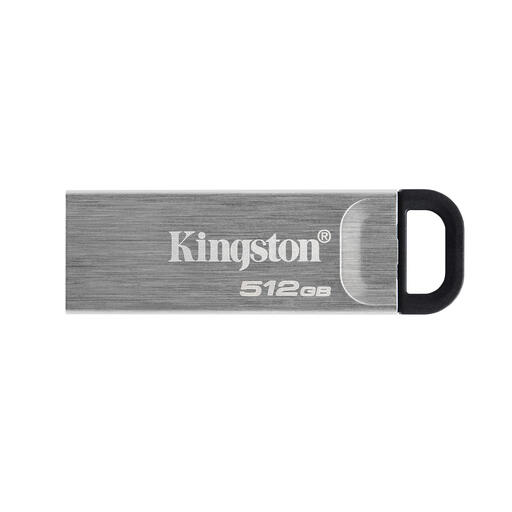
Kingston DataTraveler Kyson 512 GB
Use this USB flash-drive option for selected photos and documents if they fit within 512 GB, rather than assuming it will hold a large household library. Check the connector, drive format and ports on the devices you intend to use.
View on Joybuy
Frequently asked questions
Should I choose a hard drive or an SSD for household backups?
Consider a portable hard drive when capacity for a mainly stationary computer collection is the priority, and an SSD when you expect to carry the copy or transfer large files frequently. Measure your library before choosing either, and keep another copy separately when practical; the National Cyber Security Centre warns that connected backups can be affected alongside original files.
Can I use one drive with both Windows and Mac?
For ordinary file copies, Apple identifies exFAT as a Windows-compatible format for volumes over 32 GB. A dedicated Time Machine disk is a different use: Apple says Time Machine cannot back up to a disk formatted for Windows and prefers APFS or APFS Encrypted. Choose the workflow before formatting, and copy existing files elsewhere first.
How large should a Time Machine drive be?
Apple recommends a backup device with at least twice the Mac’s storage capacity for Time Machine. If you are copying selected folders instead, measure those files and allow room for additions and any versions you intend to retain.
Can I copy phone photos directly to external storage?
It can be possible, but check the exact phone and drive setup first. Apple specifies supported formats and a single data partition for iPhone external storage, while Files by Google supports connected USB storage on Android 7.0 and later. Check the port or adapter, power requirements and the app you will use to copy files.
Is an external drive enough without cloud storage?
An external drive can hold a local backup, but keeping it connected or beside the computer can expose both copies to the same event. The National Cyber Security Centre describes removable media and cloud storage as possible backup locations; choose a practical way to keep an additional copy separate. If you use cloud storage, check account access, ongoing payments and how to retrieve your files.


