Families with files on several devices
Photos taken on phones sit alongside documents or older media on computers. Check which devices and folders a service copies automatically, rather than assuming one synced library covers them all.


Choose cloud storage if photos and documents need to be copied from several devices and kept outside the home; choose an external drive for a local copy of a larger library, or a USB stick for a selected set of files. Combining cloud and removable storage gives you two separate ways to recover files, provided you check what each copy contains, keep the removable copy apart from the original device and test a restore.
Photos taken on phones sit alongside documents or older media on computers. Check which devices and folders a service copies automatically, rather than assuming one synced library covers them all.
A computer-held collection of photos and videos makes drive capacity, device compatibility and a repeatable copying routine important. A local drive still needs to be stored separately from the original device.
Personal records call for a closer look at cloud sharing permissions, account recovery and protection for removable media. The Information Commissioner's Office advises considering encryption for personal information stored on backup media.
The National Cyber Security Centre describes a backup as a copy kept in a separate safe location. For family files, decide where that copy will live, then check how it will be updated and restored.
Consider it when: Photos and documents are spread across devices and you want an off-site copy accessible through an account.
Trade-off: Continued copying depends on the service's coverage, account access and available storage; extra capacity may require a subscription.
Consider it when: You want a physical copy of a computer-held photo and video library.
Trade-off: You must connect and maintain the copy, and a drive kept beside the computer does not protect against an incident affecting both.
Consider it when: You want a separately stored copy of selected documents or photos.
Trade-off: Selecting and refreshing those files takes attention; do not assume the stick contains a growing library from every device.
Consider it when: You want both an off-site copy and a local copy you can access without signing in to a cloud service.
Trade-off: Both copies need upkeep, and each needs its own workable restore process.
| Concern | What to check | Who this matters to |
|---|---|---|
| Coverage across devices | Confirm which phone photos, computer folders and documents are copied, and how often. | I want recent files from both phones and computers in my backup, not just items visible in a synced folder. Around 33% of consumers put automatic multi-device coverage first. |
| Capacity and commitment | Measure the library and check whether a cloud allowance is shared with other services; allow for future growth. | As our videos accumulate, I need enough room without taking on a storage arrangement that no longer suits us. Capacity and ongoing commitment come first for around 27% of consumers. |
| Restoring files | Restore a test file and check the service's deletion or version-history rules, where relevant. | If a device is lost or a document is deleted, I need to know I can retrieve a usable copy. Around 20% of consumers make recovery their primary concern. |
| Privacy and access | Review sharing permissions and account recovery; consider encryption for sensitive removable copies. | My backup includes personal records, so I need to control who can open them without losing my own access. Privacy and access control are the main priority for around 20% of consumers. |
Apple distinguishes information synced to iCloud from information included in iCloud Backup. Other folders or device content may need a separate setting or copying step.
List the devices and files you need to recover, confirm their coverage and restore one test item.
Google says its account storage is shared across Drive, Gmail and Google Photos. When the account reaches its limit, new Google Photos photo and video backups cannot be made.
Check current use and leave room for the files you expect to add.
Additional cloud capacity can involve a recurring subscription.
A separate drive or USB stick can still be lost or damaged in the same incident as the computer. The National Cyber Security Centre advises keeping a backup in a separate safe location.
Store a removable copy away from the original device, or include an off-site cloud copy.
Apple says that with Advanced Data Protection, recovery of protected data after account-access loss rests with the user.
Set up a recovery method offered by the provider before relying on that protection, and keep its details somewhere safe.
iCloud is relevant to households using iPhone, iPad or Mac devices for photos, files and device backup.
Google Photos, Drive and Google One are relevant when household files are held in a Google Account.
Seagate's Backup Plus Portable line is relevant to households considering a local copy of computer-held files.
These drives offer options for keeping a removable copy of family files. Match the capacity and connection to your devices, then keep the copy separate from its original and test that you can restore a file. A drive alone is not an off-site cloud backup.
 No image available
Consider this for a removable copy of a computer-held photo and document library.
2TB portable external hard drive. Check how files from your particular devices will be copied, then test a restore.
 No image available
Consider this for a larger local archive used with a Mac.
5TB portable external hard drive. Confirm the connection and backup workflow for each computer you intend to use, and test a restore.
 No image available
Consider this for a local copy of selected family files when a USB Type-C connection suits your device.
1TB capacity. Confirm how your chosen files will be copied and check that you can restore them.
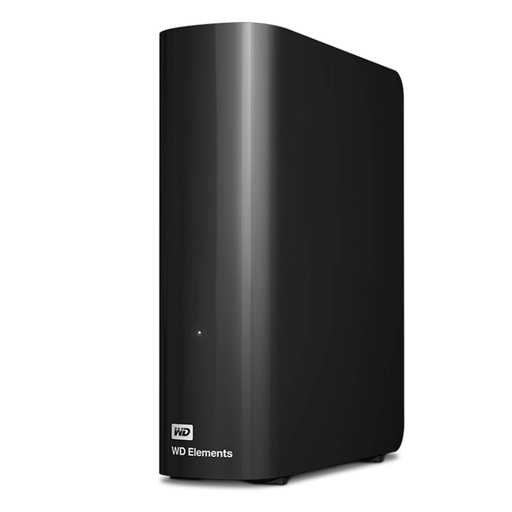 No image available
Consider this for a large computer-held photo and document library when a desktop drive suits your setup.
10TB capacity. Plan where to keep the backup separately from the computer, and test a restore before relying on it.
 No image available
Consider this for a removable copy of a larger local file collection.
4TB capacity and USB3.0. Check compatibility with your computer and restore a test file after copying.
Not always: Apple distinguishes data synced to iCloud from data included in iCloud Backup. Check which photos, folders and device information your chosen service copies, then try restoring a file you need.
Restore a non-essential photo or document to another location and open it. The National Cyber Security Centre describes a backup as a separate copy; a restore test also checks whether you can use that copy when the original is unavailable.
Check your provider's rules before relying on new files being copied. Google says that when a Google Account reaches its storage limit, new photos and videos cannot be backed up to Google Photos; its allowance is shared with Drive and Gmail.
Consider encryption when the copy holds sensitive personal records, particularly if the removable device could be lost. The Information Commissioner's Office advises encryption as protection for personal information on backup media; make sure you can safely manage the password or recovery method you choose.