Who this is for

Families buying a first shared video-and-gaming device

For households deciding whether a tablet or console better suits a child’s home use. Ofcom reported in May 2026 that 59% of UK children aged 8–17 who go online used tablets and 55% used games consoles; video viewing and online gaming were common activities.

Parents setting up a child’s own account

For families that need app or game approvals, content limits, communication settings, playtime rules and spending controls linked to a child rather than a shared adult login. Apple, Google, PlayStation and Xbox provide child or supervised account structures with platform-specific controls.

Families sharing a console between children

For households where siblings are different ages and the scope of restrictions matters. Nintendo says Switch console parental controls apply to everyone using that console, while PlayStation and Xbox offer family and child-account settings.

Buying priorities

Tablet with a child account

Choose it when: Portable streaming, app-based games and parent approval of downloads matter most.

Check first: Device controls may not cover every browser, video service, game chat feature or payment method.

Games console with child profiles

Choose it when: Gaming is the main activity and the household prefers a shared screen in a fixed home setup.

Check first: Controls differ by platform, and some shared-console restrictions can apply to every user.

Family smartphone with supervision

Choose it when: A child genuinely needs portable communication as well as video and gaming access.

Check first: A personal, always-carried device needs close attention to communication permissions, downloads, browser access and privacy settings.

Priority What to check Your needs
Time, content and interaction Check age-based content settings, screen-time limits, voice and text chat, friend requests, multiplayer permissions and user-generated content separately. I want entertainment rules that cover gaming time, content access and online interaction, not only ordinary device use.
Purchases and spending Confirm the purchase approval route, child spending limits where available, and whether in-game or third-party billing is covered. I need my child’s access kept separate from an adult payment account, with approvals or limits where the family permits purchases.
Shared-device controls Establish whether restrictions are console-wide, account-wide, game-specific or managed through a family group. Check whether more than one parent or guardian can manage settings. When siblings share hardware, I need controls that do not weaken restrictions for a younger child. On Nintendo Switch, console controls should be set with the youngest user in mind.
Privacy and services Review child-account privacy settings, location options, linked services, browser access and settings inside each new app or game. I want to review privacy and account-data settings alongside screen-time controls, especially when a child starts using a new video, gaming or browsing service.
Storage and protection Check the exact storage variant, likely download sizes, accessory compatibility and protection designed for the chosen model. I need enough room for the games and videos we plan to download, plus protection that fits the exact device if it will be carried or shared.

Common setup mistakes

  • Buying hardware before confirming a separate supervised account

    A shared adult account can make child-specific app approvals, screen-time rules, communication permissions and spending controls harder to apply. Apple advises that a child should use their own Apple Account rather than share one with a family member.

    Before ordering, confirm that the household can create the required child or family account, that a parent can manage it where needed, and that the intended video and gaming services work with that account structure.

  • Assuming console controls are individual to each child

    Nintendo says parental controls on a Switch are set for the console rather than each user. Shared households can otherwise end up with settings that are too loose for a younger child or too restrictive for everyone else.

    Check whether each restriction is console-wide, account-wide, game-specific or family-group-based. Set shared-console baseline controls with the youngest child in mind, then review individual account options.

  • Treating an age rating as a complete online-safety setting

    PEGI explains that content ratings do not answer every question about playtime, online interaction, spending, personal data or privacy.

    Check the PEGI rating and descriptors, then review voice and text chat, friend requests, multiplayer permissions, user-generated content, in-game purchases and privacy settings in each game or service.

  • Expecting one parental-control dashboard to cover everything

    Google says Family Link purchase approvals apply only to Google Play billing, while Apple notes that control availability can vary by device, region, age and software version.

    Test the intended purchase path and the child’s video and gaming apps before adding payment details. Combine store approvals, available platform spending limits and service-level settings.

Relevant platform brands and controls

Apple

Relevant for iPad and iPhone households using Apple Family Sharing, a Child Account and Screen Time controls.

  • Apple states that a parent or guardian can manage apps, websites, communications, device-use times, content and privacy restrictions, plus approvals for eligible purchases and downloads.
  • Control availability can depend on device, country or region, child age and software version. A child should use a separate Apple Account.

Google

Relevant to Android tablets and smartphones using a supervised Google Account and Family Link.

  • Google says Family Link can manage app requests, screen time, remote locking, Chrome and Search settings, and some Google Play approvals.
  • Features can vary by device, and purchase approval applies only to purchases made through Google Play billing.

Nintendo

Relevant for Nintendo Switch and Switch 2 households considering family-focused gaming with platform parental controls.

  • Nintendo UK says controls can set playtime limits, restrict age-rated content, limit communication and manage some eShop restrictions through a Nintendo Account family group.
  • Switch console parental controls apply to everyone using that console, so shared-device restrictions should suit the youngest player.

PlayStation

Relevant for households needing separate child family members, mobile family management and console gaming controls.

  • PlayStation UK describes family controls for playtime, privacy, games and apps, online communication, spending and monthly spending limits.
  • Families need to create or add the child account and configure the relevant controls; some settings can vary by country or region.

Xbox

Relevant for Xbox Series X|S and Xbox One households that want parent-managed child accounts and mobile family settings.

  • Xbox UK says its Family Settings app supports individual household-member settings for screen time, age-based content, social communication and multiplayer, alongside activity reports.
  • Verify the online features, games and payment routes a child will use before relying on the settings.

Joybuy product options

Joybuy options for the shared home-console and family-managed tablet routes in this guide.
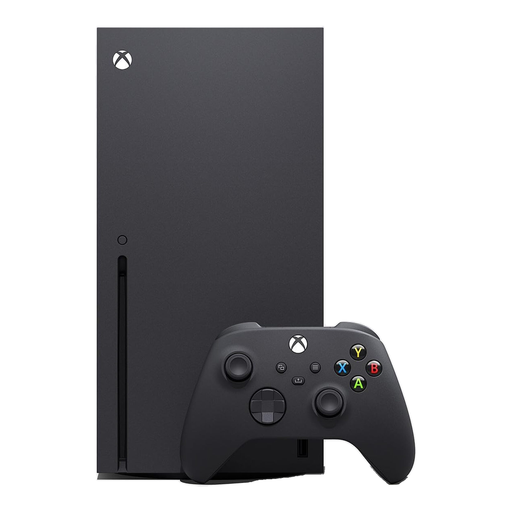
Xbox Series X Console 1TB in Black

Xbox Series X Console 1TB – Black

For a fixed shared-screen gaming setup where the family plans to use Xbox child accounts and Family Settings.

Stated features include 1TB NVMe storage, Wi-Fi, an included controller and a 4K UHD Blu-ray drive. Check child-account settings, chat features, payment routes, display compatibility and ventilation before use.

Joybuy
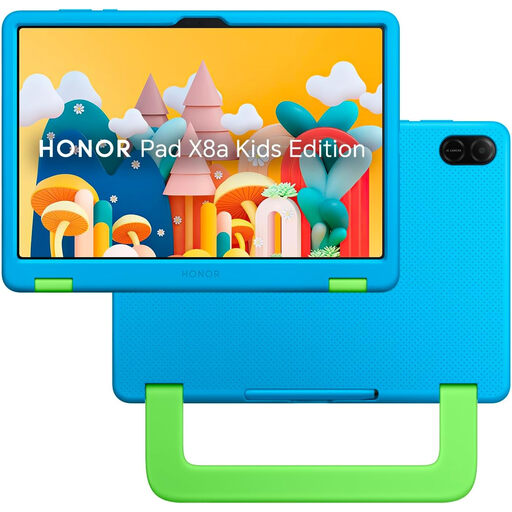
HONOR X8A Kids 11-Inch WiFi 128GB in Space Grey

HONOR X8A Kids 11-Inch WiFi 128GB – Space Grey

For portable video, apps and app-based games where a parent-managed tablet account is the intended setup.

Stated specifications include an 11-inch Full HD display, 4GB RAM, 128GB storage, Wi-Fi and Bluetooth. The listing states parent and child accounts, screen-time limits, content filtering and activity monitoring; check coverage for video apps, browser access, game chat and third-party payments.

Joybuy
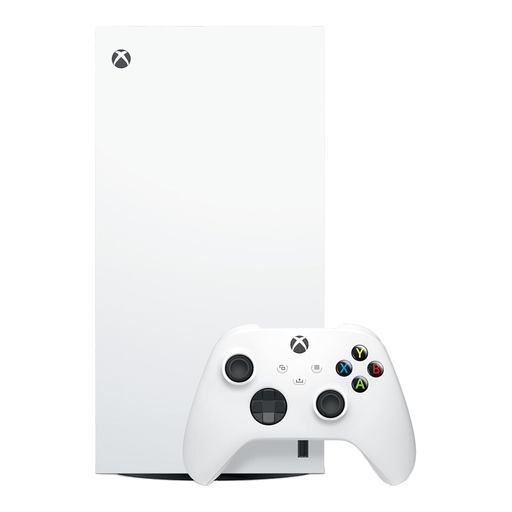
Xbox Series X 1TB Digital Edition Console in White

Xbox Series X 1TB Digital Edition Console – White

For shared home gaming where the household prefers a digital game library and individual Xbox family settings.

Stated features include 1TB NVMe storage, Wi-Fi and an included controller. Its all-digital design has no optical drive, so games must be downloaded or accessed through supported digital services; check child-account, chat and payment settings before use.

Joybuy

Alldocube Kido children’s tablet with blue protective case

Alldocube Kido 8-Inch Children’s Tablet with Blue Protective Case

For a portable first-tablet setup for video, apps and app-based games with an included protective case.

Stated specifications include an 8-inch Android 15 display, Unisoc T310 processor, 3GB RAM, 32GB storage, Wi-Fi, dual speakers and a 5000mAh battery. The listing states a child lock with content control and screen-time management; no power adapter is included, and child-account, purchase and communication controls should be checked.

Joybuy

Frequently asked questions

Should my child use a separate account instead of sharing a parent’s account?

Yes, where the platform supports it. Apple says a child should have their own Apple Account rather than sharing one with a family member, while Google, PlayStation and Xbox provide child or supervised account structures. Set up the account before downloading games or video apps and before adding payment methods.

Can I rely on PEGI ratings alone when choosing online games?

No. PEGI ratings address game content suitability, but PEGI says families may also need to consider playtime, online interaction, spending, personal data and privacy. Check communication, user-generated-content and purchase settings in addition to the rating.

How should I set up a shared Nintendo Switch for children of different ages?

Set console-wide restrictions with the youngest player in mind, then check whether individual account restrictions are also needed. Nintendo says parental controls set on a Switch console apply to everyone who uses it, while Nintendo Account family-group settings can manage additional areas such as eShop purchase restrictions.

Do parental controls cover every app, website and payment route?

No. Apple notes that controls can vary by device, region, age and software version, and Google says Family Link functions can vary by device while purchase approvals apply only to Google Play billing. Test controls in the actual video platform, game, browser and payment route your child will use.

What UK privacy protection should I expect from children’s apps and games?

The Information Commissioner’s Office says online services likely to be accessed by children must provide specific protections for children’s information under the Children’s code. The ICO describes examples including high privacy settings by default and non-essential location tracking switched off; review settings whenever a child starts using a new app, game or service.