Families sharing one console
You need to know whether restrictions follow each child or apply to everyone on the machine before setting it up for players of different ages.


Choose a console around the games and shared play your household wants, then check whether its restrictions apply to the whole console or to each child’s account. Nintendo Switch 2’s main restrictions apply to everyone using the console, while PlayStation and Xbox document child-account settings. Check the exact console variant, account setup, controllers and any membership needed for the online activity you intend to use.
You need to know whether restrictions follow each child or apply to everyone on the machine before setting it up for players of different ages.
You want compatible games and enough controllers for the people playing in the same room, without assuming an online membership is needed for every kind of shared play.
You need to check a child’s permitted communication, purchases and membership access alongside the game itself.
Consider it when: handheld and TV play suit your household and console-wide restrictions work for everyone using the machine.
Trade-off: Nintendo says the main restrictions apply to the console, not separately to each player; eShop spending settings are managed through supervised Nintendo Accounts.
Consider it when: your household’s chosen games are on PlayStation and settings for managed child accounts fit how you share the console.
Trade-off: set up the family and child accounts before relying on restrictions; the Digital Edition has no included disc drive.
Consider it when: Xbox family-member settings suit your approach to content, screen time and social features.
Trade-off: Series S cannot play discs, and Xbox says Ask to buy does not prevent spending from funds already in a child’s account.
For households choosing a console for children and shared play, compare the rules attached to each account as well as the games, media format and online activities you plan to use.
| Concern | What to check when buying | Who this matters to |
|---|---|---|
| Restrictions on a shared console | Check whether content and playtime rules attach to the console or to each child’s account, and how an adult changes them. | If children of different ages share one machine, I want rules that fit each player. Around 29% of consumers put shared-console restrictions first. |
| Local multiplayer | Check the chosen game’s local-player count, controller compatibility and what comes with the exact console or bundle. | When we want to play in the same room, I need the game and controllers to suit everyone joining in. Around 23% of consumers prioritise local play. |
| Age-appropriate games and contact | Check each game’s UK age rating and communication features, then review the applicable child-account or console settings. Set up Switch 2 GameChat separately if it will be used. | If my child will play online, I want to assess the game and who they can communicate with. Around 18% of consumers prioritise content and contact safeguards. |
| Purchase controls | Set rules for the child’s actual account, check stored funds and payment access, and review renewal settings for memberships. | When a child can access a console account, I want purchases to follow rules I understand and can manage. Around 18% of consumers prioritise spending approvals. |
| Ongoing online access | Check the current membership terms for the intended game or activity, which accounts are covered and when a membership renews. | If we plan to use online play or chat, I want to know which accounts and activities need a membership. Around 12% of consumers prioritise ongoing-service commitments. |
Nintendo says the main Switch 2 parental restrictions apply to everyone using that console. Separate user profiles do not make those console-wide rules individual child settings.
For children of different ages, check whether restrictions set for the youngest player will work for everyone. Use separate account-level settings where available.
Xbox says a child may still make purchases using gift cards or money already in their Microsoft account, even when Ask to buy is enabled.
Review each child account’s balances, stored payment access and purchase settings.
A child may be able to spend funds already held in their account without a new approval request.
Xbox Series S cannot play discs, and the PS5 Digital Edition does not include a disc drive.
Check the physical games you intend to use and confirm they are compatible with the exact console variant before buying.
You may need a compatible digital version or, for supported PS5 Digital Edition models, a separately sold disc-drive accessory.
Nintendo says that other users on one console are not automatically covered by the purchaser’s Nintendo Account family membership.
Check who is in the family group and the membership and game requirements for each person’s planned online activity.
An uncovered person may need a membership or an account change for the online activity they intend to use.
Nintendo Switch 2 offers handheld and docked play, with console restrictions and Nintendo Account family settings serving different purposes.
PS5 disc and Digital Edition choices suit households whose intended games are on PlayStation and that plan to manage child accounts.
Xbox Series X and Series S use family-member settings, with different options for households that need disc playback.
These listings include portable retro handhelds and named Nintendo Switch 2 and PlayStation 5 bundles. Check each option against your household’s shared-play, game and account-control needs.
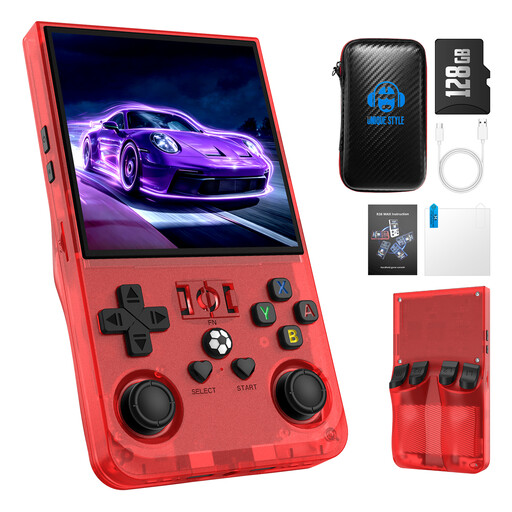 No image available
This is a portable retro handheld option; check the games and controls you need before choosing it for a child or shared family play.
4.0-inch IPS display; 720 × 720 resolution; Linux system; 128GB storage; 4000mAh battery. The listing states support for 22,000+ classic games.
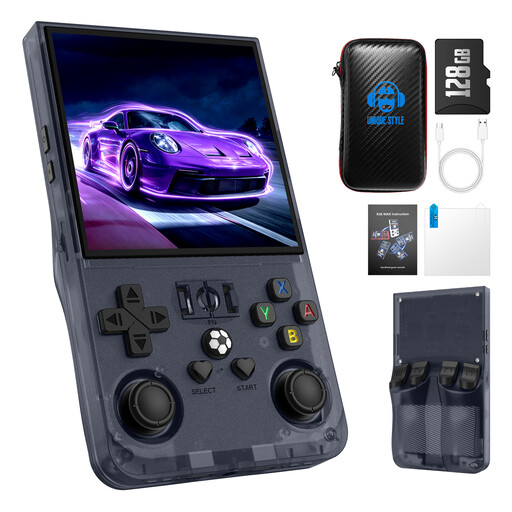 No image available
This is a portable retro handheld option; check the games and controls you need before choosing it for a child or shared family play.
4.0-inch IPS display; 720 × 720 resolution; Linux system; 64GB storage; 4000mAh battery. The listing states support for 22,000+ classic games.
 No image available
This named Switch 2 bundle may suit households considering shared play on the platform; Nintendo’s main parental restrictions apply to everyone using the console.
The listing identifies a Nintendo Switch 2 console and Nintendo Switch Sports Resort bundle. Check the game’s player and controller requirements for the way your household plans to play.
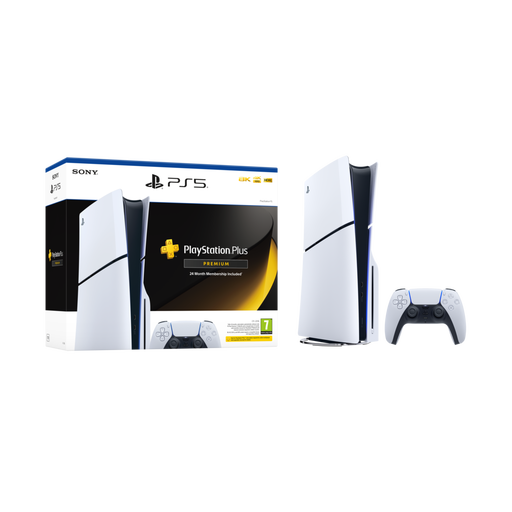 No image available
This listing combines a PS5 console with a 24-month PlayStation Plus Premium subscription; check whether the included service suits the accounts and online activities you intend to use.
The bundle title specifies a 24 Month Subscription. PlayStation documents parental controls for child accounts added to a family.
 No image available
This console may suit households considering Switch 2 for handheld and TV play; Nintendo’s main parental restrictions apply to everyone using the console.
The listing identifies the UK version. Check the games, controllers and account settings required for your household.
Use the child-account setup when you intend to rely on child-account restrictions. PlayStation says to add a child to a family before setting controls, and Xbox describes purchase approvals for child accounts. On Switch 2, distinguish console-wide restrictions from supervised Nintendo Account settings for eShop spending.
No. Nintendo says the main parental restrictions apply to everyone using that Switch 2 console. Nintendo Account restrictions, including eShop spending settings, are a separate layer.
Membership requirements vary by platform and activity, and parental controls do not all require a subscription. Nintendo says parental controls are available without Nintendo Switch Online, while Switch 2 GameChat and many supported online games require membership; some free-to-play games are exceptions. PlayStation Plus is required for online multiplayer where the game’s terms require it. Check the chosen Xbox game and current Game Pass plan rather than assuming a console purchase includes a game catalogue.
No. Xbox says purchases can still be made using gift cards or money already in a child’s Microsoft account. Review account balances and payment access as well as approval settings.
Create the intended adult and child accounts, use the child’s correct age, and review content, communication, playtime and purchase settings while signed into the child account. Check the game’s own interaction options too, and revisit the settings when the games or permitted activities change. Ofcom advises parents to check that children are registered with their correct age.