Parents matching a child’s games and friends
Check whether the games your child wants and the platforms their friends use are compatible. Ofcom’s UK research identifies online gaming and games consoles as part of children’s online activity.


Start with the games your child wants to play and the platforms their friends use, then check each game’s online requirements and communication features before choosing a device. Nintendo, PlayStation and Xbox document different family-control options, while a tablet is worth considering when the games have suitable versions for its platform; a controller or headset cannot replace account controls on the device.
Check whether the games your child wants and the platforms their friends use are compatible. Ofcom’s UK research identifies online gaming and games consoles as part of children’s online activity.
If several people will use the same device, consider how child accounts, communication limits and play-time settings work. Nintendo, PlayStation and Xbox document different approaches to family controls.
A tablet may suit a child whose preferred games have suitable versions for that device. Check the supported app store and the available child-account controls; Apple documents app, communication and device-use settings for supported family setups.
| Concern | What to check when buying | Who this matters to |
|---|---|---|
| Games and friends | Check the exact game version, supported platforms, ways to play together and online-access terms. | If my child wants to join friends in a particular game, I would confirm the game works on the chosen platform; around 25% of consumers put game-and-friends compatibility first. |
| Communication controls | Check child-account setup, communication permissions and whether the game has separate chat features. | If I want to manage who can contact my child during play, I would check the platform and game settings separately. Around 25% of consumers put communication controls first. |
| Online-play requirements | Check each game’s multiplayer terms and whether the console accepts physical game discs. | When I am working out what online access a game needs, I would check its current terms before choosing hardware; around 20% of consumers prioritise understanding those requirements. |
| Shared-device controls | Check whether restrictions apply to the whole console or an individual account, and how other household members sign in. | If adults and children will share a device, I would look for settings that fit everyone using it; around 15% of consumers prioritise controls for a shared household. |
| Tablet game availability | Confirm the game is available in the exact tablet’s supported store and check its device requirements. | If portability and touch-based play matter most, I would confirm the intended games run on the tablet I am considering; around 15% of consumers put tablet-game access first. |
A game may not be available on the chosen platform, and some older Nintendo Switch games may not be fully compatible with Switch 2.
List the games and intended playmates first, then check platform support, compatibility and online-play terms for each title.
Nintendo says its main console restrictions apply to everyone using that console. A game’s own communication features may also need separate attention.
Set up the child’s account and relevant controls, then check the settings for the particular game and feature they will use.
Online requirements vary by game and platform. PlayStation Plus includes online multiplayer, while Xbox says multiplayer for free-to-play games is open to every Xbox player. Xbox Series S and PS5 Digital Edition have no built-in disc drive.
Check the chosen game’s current online terms and whether you need a disc drive before settling on a console.
Consider Switch or Switch 2 when the requested games are available on those systems and handheld or shared-screen play suits the household.
Consider PS5 when the child’s games and friends’ play arrangements suit PlayStation and you want to manage settings through a child account.
Consider Xbox Series X or S when the intended games are available on Xbox and family-member settings suit a shared household.
Consider an iPad when the requested games have suitable iPad versions and portable tablet play fits the child’s needs.
These Joybuy options cover handheld and hybrid Nintendo Switch play, Xbox Series S consoles and an Android tablet. Check that your child’s intended games and online setup are supported before choosing between them.
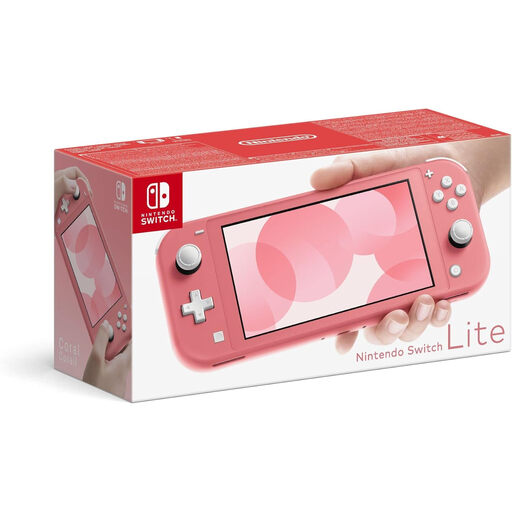 No image available
For handheld Nintendo Switch play when television output is not needed.
This model is handheld-only and has no TV output. Nintendo documents parental controls for Switch consoles.
 No image available
For compatible Switch games when both handheld and television play are useful.
Nintendo says some older Switch games may not be supported or fully compatible with Switch 2.
 No image available
For games with suitable versions available for the tablet’s Android setup.
Check that the games you want are available for this device and that its child controls meet your household’s needs.
 No image available
For Xbox games and household members who can use Xbox family settings.
512GB storage. This is an all-digital console with no disc drive.
 No image available
For Xbox games and household members who can use Xbox family settings.
1TB storage. This is an all-digital console with no disc drive.
Nintendo, PlayStation and Xbox document communication or multiplayer controls, but their settings work differently. Nintendo’s main console restrictions apply to everyone using the console, while PlayStation and Xbox document child-account or family-member settings. Check the game’s own communication features as well.
Set up the appropriate child or supervised account, configure game-access and communication settings, and check the controls for the particular game. For a child under 16 using Switch 2 GameChat, Nintendo specifies setup through its parental-controls app and additional GameChat controls.
That depends on the game and platform. Nintendo says certain Switch games require Nintendo Switch Online; PlayStation Plus includes online multiplayer, and Xbox says free-to-play multiplayer is open to every Xbox player. Check the current terms for the specific game before choosing.
UK government guidance says games rated PEGI 12, 16 or 18 cannot be sold or hired to someone below the corresponding age. This is a sales restriction; check the individual game’s rating and communication settings when deciding whether it suits your child.