Who is this for?
The right setup depends on who shares the device and which purchases and online interactions an adult needs to manage.
Parents setting up a first online-gaming account
A separate child account lets the household configure purchasing and access without giving the child an adult’s account. Xbox Support, PlayStation and Apple Support describe family settings that depend on the relevant member or child account being set up.
Families sharing a console or tablet
Account separation matters when adults and children use the same hardware. Xbox Support advises separate profiles on shared consoles; Nintendo UK says Switch console restrictions apply to everyone using that console.
Parents managing in-game spending requests
Different stores offer different approaches: Xbox describes purchase requests and added funds, PlayStation offers child-account spending limits, Nintendo manages eShop restrictions through Nintendo Accounts, and Apple offers purchase settings through Family Sharing and Screen Time. Check the store the child will actually use.
What should you check before choosing?
Start with the child’s games and the household’s shared-device arrangements, then check controls on the device, account and game store separately. A gaming accessory does not take the place of those settings.
| Priority | What to check | Your needs |
|---|
| Purchases |
Find the child account’s purchase setting in the relevant store. Xbox Support notes that approval is not required for spending existing currency or Xbox gift cards; Nintendo UK places eShop restrictions in Nintendo Account settings. |
I want to review requests or set a limit without leaving an adult payment method open to the child. I also need to know how gift cards and existing balances work. |
| Shared access |
Check whether restrictions follow a child profile or apply to the whole console. Xbox Support advises separate profiles on shared hardware; Nintendo UK says Switch console restrictions apply to every user. |
Adults and children will use the same device, but they do not all need the same access. The adult account must remain protected. |
| Style of play |
Check that the intended games are available on the chosen route and how the child will use it. For portable Switch play, check console restrictions and eShop settings separately; for iPad games, check Apple Family Sharing and Screen Time. |
Portable, app-based and living-room play suit different routines. I would rather choose around the games and setup we will use than a device category alone. |
| Online contact |
Review each child account’s communication settings and each game’s online features. PlayStation describes family controls for online communication; check game-specific chat and interaction settings as well. |
My child wants to play online, but I need to decide which conversations and interactions are appropriate before access begins. |
| PC accounts |
If choosing a PC setup, check the operating-system account, game store, publisher account and chat services separately. Steam says Steam Families offers parental controls for Child members. |
A headset or controller may be useful for play, but I cannot rely on an accessory to manage purchases or communication. |
| Game suitability |
Check the PEGI rating and content descriptors for each game, then review the account and game settings before online play. |
I need to make a decision about each game, not assume that a device restriction makes everything available on it suitable. |
Platform and brand references
These platform settings help distinguish the routes; they do not establish that a particular device is suitable without the relevant child account and game settings.
Xbox
A console and Windows-PC family ecosystem using Microsoft family groups and separate member accounts.
- Xbox Support says family organisers can require approval for a member’s purchases or add funds, and advises separate profiles for a shared console.
- Xbox Support says approval is not needed when a member spends existing currency or Xbox gift cards. Balance and adult-profile protection still matter.
PlayStation
A console route with family settings tied to each child account.
- PlayStation describes controls for game access, online communication and a monthly spending limit.
- The child needs to use their child account; the family-manager account and other sign-in routes need appropriate protection.
Nintendo
Switch gameplay restrictions and Nintendo Account eShop controls are managed separately.
- Nintendo UK describes console parental controls and options to restrict or fund a child’s eShop purchases through their account.
- Nintendo UK says Switch console restrictions apply to everyone using that console, which matters in a mixed-age household.
Apple
An app-based gaming route using a child Apple Account, Family Sharing and Screen Time.
- Apple Support says Ask to Buy can request approval for eligible downloads and in-app purchases; Screen Time can restrict purchases.
- Ask to Buy depends on the family-account setup and does not cover every activity, including redemption-code use.
Valve / Steam
A PC game-store account route for households setting up a separate child member.
- Steam Support says Steam Families allows Adult members to set parental controls for Child members.
- Steam account controls do not take the place of checks on the PC account, game publisher accounts or other chat services the child uses.
Xbox console options on Joybuy
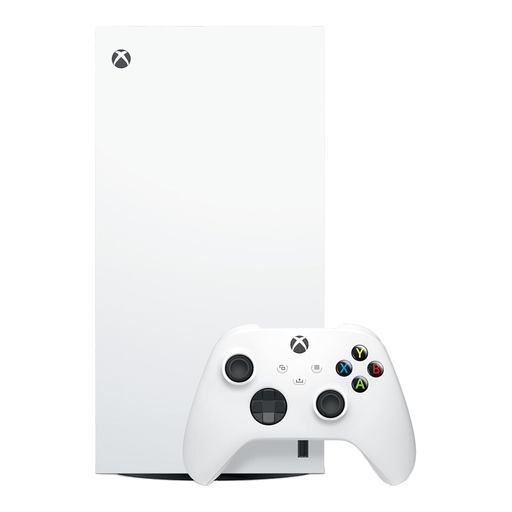
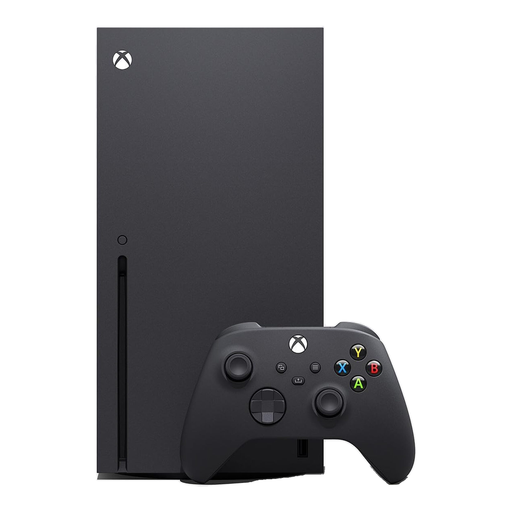
These two Xbox Series X variants are options for a household choosing a shared console and planning separate child and adult Xbox profiles. Choose the variant around the games you intend to use, then set up family purchase and account controls separately.
 No image available
Xbox Series X 1TB Digital Edition – White
For a household choosing a digital-game Xbox setup and separate profiles on a shared console. This is the 1TB Digital Edition in white; check the child account’s purchase settings and any existing Xbox balance before downloads.
View on Joybuy
 No image available
Xbox Series X 1TB Console – Black
Another Xbox console option for a household planning separate child and adult profiles. This is the 1TB model in black; if physical games matter, confirm the exact model’s drive and supported formats before choosing, alongside the family-account settings.
View on Joybuy
Frequently asked questions
Are parental controls set on the device or the child’s account?
Check both, because the setting depends on the platform. Nintendo UK distinguishes Switch console restrictions from Nintendo Account eShop controls; PlayStation ties controls to child accounts, Xbox uses family-group purchase settings, and Apple’s Ask to Buy requires Family Sharing and a child Apple Account.
Can a child and parent share one console?
They can share the hardware while using separate accounts, but the restrictions must fit the platform. Xbox Support advises separate profiles and adult-profile protection; Nintendo UK says Switch console restrictions apply to every user, so a shared Switch should be set with the youngest player in mind.
Does purchase approval stop every type of spending?
No. Xbox Support says approval is not required for existing currency or Xbox gift cards, and Apple Support identifies activities such as redemption-code use that do not trigger Ask to Buy. Review payment methods, balances and the store’s purchase settings together.
How do I check whether an online game suits my child?
Check that game’s PEGI rating and content descriptors, then review its online features and the child account’s communication settings. A device-level restriction does not by itself settle whether chat or other interactions in a particular game are appropriate.
Will a gaming headset or controller manage parental controls?
An ordinary headset or controller is not a substitute for account settings. For a PC setup, check the operating-system account, game store, publisher account and any chat service separately; Steam Support says Steam Families provides controls for Child members within Steam.


