Laptop researchers short of sockets
You want the monitor to charge a compatible laptop as well as display your work, so a separate laptop charger need not occupy a socket at the desk.


A USB-C monitor can free up a socket by charging a compatible laptop while carrying its display signal, provided its power delivery meets the laptop’s needs. For detailed scans, consider a 27-inch 4K screen; a 24-inch 16:10 model may fit a tighter desk, while a 32-inch 4K display needs more room. Check the laptop’s video output, charging requirements and cable support before relying on one connection.
You want the monitor to charge a compatible laptop as well as display your work, so a separate laptop charger need not occupy a socket at the desk.
You move between digitised documents, notes and family-tree views, making screen detail and usable space more important to you than gaming features.
You need a screen that fits the available desk space and can be positioned comfortably for reading archives and notes.
For laptop-based family-history research with few free sockets, establish whether one USB-C connection can handle the laptop’s display and charging needs before choosing screen size and resolution.
| Concern | What to check | Who this matters to |
|---|---|---|
| Fewer plugs and cables | Check the laptop’s USB-C video output and charging support, then compare its charging requirement with the monitor’s Power Delivery rating. | If I have one spare socket, I want the monitor to power my laptop as well as show my research. Around 42% of consumers put this single-cable need first. |
| Record detail and screen space | Compare native resolution and screen size for the scans and windows you expect to use together. | When I compare a scanned certificate with notes and a family tree, I want enough detail without constant window switching; about 33% of consumers prioritise record viewing. |
| Fit on a small desk | Measure the space available for the screen and stand, and check the adjustments you need for reading. | A large display would crowd my desk, so I would put footprint and screen positioning ahead of extra display area. Roughly 25% of consumers make compact fit their primary concern. |
The connector shape alone does not establish that a laptop can send a picture to the monitor and receive power through the same connection.
Check the laptop manufacturer’s specifications for USB-C display output, such as DisplayPort Alt Mode, USB4 or Thunderbolt, as well as USB-C charging support.
If either function is unavailable, the desk may still need a separate charger, dock or video adapter.
A larger screen takes more desk space, while its resolution determines the detail available for scans and adjacent windows. Dell’s 24-inch P2425E, for example, has a 1920 × 1200 screen; the LG 27U730A-B and Samsung S80UD are 4K options of different physical sizes.
Measure desk width and depth, then compare native resolution as well as screen dimensions against the records you expect to view.
A monitor’s stated maximum USB-C power delivery does not establish whether it meets a particular laptop’s charging requirement.
Compare the laptop maker’s charging specification with the monitor’s rating, and keep the laptop charger available if compatibility or sufficient power is uncertain.
Safety alerts and recalls can concern individual electrical products, making the exact model worth checking before purchase or continued use.
Keep the seller and order details, and search the GOV.UK product-safety alerts, reports and recalls service for the model where relevant.
Dell’s P2425E is a 24-inch, 16:10 USB-C hub monitor aimed at a more compact document-reading desk.
The LG UltraFine 27U730A-B is a 27-inch 4K option for viewing detailed records with a compatible USB-C laptop.
Samsung’s researched ViewFinity options include a 32-inch 4K S80UD for a larger desk or a workspace using more than one device.
These monitors offer different screen formats for family-history work at a laptop desk. Check each model’s USB-C video and charging capabilities against your laptop before relying on it to save a socket.
 No image available
Consider its larger screen for comparing records if your desk has sufficient room. The product name specifies an IPS panel, USB-C and a height-adjustable stand; confirm video and charging compatibility, including the available power, for your laptop.
 No image available
Its listed QHD IPS screen is relevant if you want to inspect records at a higher resolution than Full HD. Check its physical dimensions, USB-C video and charging functions, and supplied cable before planning a one-cable desk.
 No image available
For a temporary or compact research desk, check how this IPS model can be positioned in your available space. Its USB-C connection is named in the product title, but confirm video support and charging output before expecting it to replace the laptop charger.
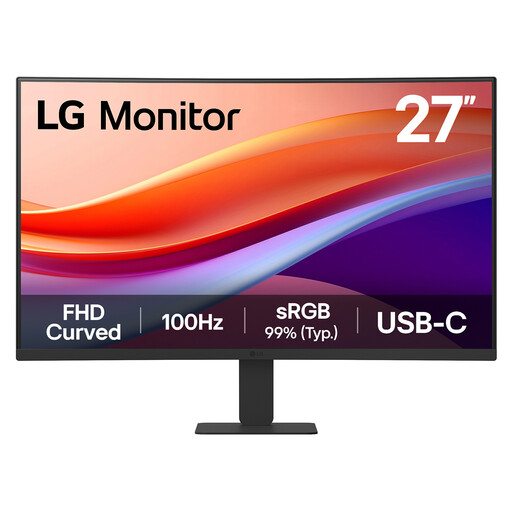 No image available
Its Full HD resolution is worth weighing against your need to inspect fine scan detail or keep several records visible. The product name lists USB-C and HDMI; confirm whether its USB-C connection provides video and enough charging power for your laptop.
Yes, if the laptop accepts USB-C charging and the monitor delivers sufficient power through that connection. LG states that the 27U730A-B can carry display and data while supplying up to 90W; compare that maximum with your laptop’s charging requirement before leaving its charger unplugged.
No: a USB-C connector alone does not establish video-output or charging support. Check the laptop manufacturer’s specifications for USB-C display output, such as DisplayPort Alt Mode, USB4 or Thunderbolt, and for USB-C charging.
Use it only if its specifications cover the video and charging functions your monitor and laptop require. A cable used for charging cannot automatically be assumed to carry a display signal, so check the cable specification and what comes with the monitor.
For equipment supplied in Great Britain, the Office for Product Safety and Standards explains that the Electrical Equipment (Safety) Regulations 2016 set requirements before electrical equipment can be placed on the GB market. Keep the seller details and check the GOV.UK product-safety alerts, reports and recalls service for the exact model where relevant; do not assume Great Britain guidance also resolves requirements for Northern Ireland.