Families sharing one main gaming screen
If children expect to play together in the same room, establish what their games allow on one screen before choosing a console or adding controllers. Local multiplayer and split-screen support vary by game.


Choose a console or gaming-capable computer after checking whether your family’s games support the number of local players you need, online play and friends on other platforms; those features depend on the game and service. Add controllers only for confirmed same-room play, set up child accounts and communication permissions before enabling chat, and assess the home connection separately if several people use it at once.
If children expect to play together in the same room, establish what their games allow on one screen before choosing a console or adding controllers. Local multiplayer and split-screen support vary by game.
Children playing with friends or family may also encounter other players online. Ofcom’s research on UK children aged 8–17 makes online interaction a relevant consideration; separate child accounts let families apply the communication and privacy settings available on their chosen platform.
When play coincides with streaming or video calls, or the gaming room has weak signal, check the broadband connection and Wi-Fi coverage before replacing gaming hardware. Ofcom advises that Wi-Fi performance cannot exceed the underlying broadband service.
Settle the games, player count and rooms first; then choose compatible accounts and accessories. Diagnose a connection problem before deciding whether network equipment belongs on the shopping list.
| Concern | What to check | Who this matters to |
|---|---|---|
| Players on one screen | For each intended game, check local-player limits and split-screen support before deciding how many compatible controllers to get. | If the children want to play together in the living room, I need to know whether one screen can accommodate them. Around 31% of consumers put shared-screen capacity first. |
| Accounts and communication | Check child-account settings for voice, text, invitations and cross-network communication, including whether controls apply per child or to the shared console. | When a child joins online games, I want to decide who can contact them without applying the wrong settings to a sibling. For around 25% of consumers, supervised access is the primary need. |
| Connection across rooms | Test the broadband connection and gaming-room Wi-Fi; note whether problems coincide with other household activity. Consider Ethernet where a cable is practical. | If play drops out in one room or while others are online, I need to identify where the connection problem starts. Connection reliability comes first for around 25% of consumers. |
| Audio and expansion | Check the exact device’s headset connection, display inputs and storage-expansion compatibility before adding accessories or a second device. | Once the main setup works, I may need voice audio or equipment for another room, but only if it fits the devices we use. Around 19% of consumers make expansion their first priority. |
Local multiplayer, split-screen, online multiplayer and cross-platform play are different features. Xbox says only some games support cross-network play, so an extra controller does not, by itself, let another child join on the same screen.
List the games your household uses and check each game’s local-player count, controller needs, online requirements and cross-play support before choosing the hardware.
Otherwise, extra controllers or a second display may go unused for the intended games.
Ofcom advises that Wi-Fi cannot outperform the broadband service. A weak signal in one room calls for a different response from a problem affecting the whole connection.
Test the service and the gaming room separately. Where practical, review router placement and try a wired connection for a fixed console or computer before choosing new network equipment.
A headset provides a way to talk; platform account settings govern who may communicate with a child. Xbox also separates cross-network play permissions from communication permissions.
Configure the child account before enabling chat, then check that the headset and intended voice feature work with the exact device and game.
Controls can apply at different levels. Nintendo states that Nintendo Switch 2 console-level parental controls apply to everyone using that console, while other restrictions can be managed through accounts.
For siblings with different needs, check which settings are per account and which affect the whole device before relying on a single profile.
A platform to consider for a shared Xbox console or Windows-PC gaming arrangement where family-group settings matter.
Relevant to families considering a shared PlayStation console and parent-managed child accounts.
Relevant to households considering Nintendo Switch or Nintendo Switch 2 for use in more than one room as well as supervised online play.
These products cover a Nintendo Switch 2 console bundle, controllers, home-network equipment and microphone earbuds. Match each addition to your family’s games, devices, account settings and connection needs rather than assuming every item is needed together.
 No image available
For a family considering one Nintendo Switch 2 console, check whether its intended games support the number of people who want to play together locally.
Confirm each game’s online requirements and the child-account controls you need before relying on online play or chat.
 No image available
An additional controller is useful for same-room play only when the intended game supports another local player. Check compatibility with your exact Nintendo console model, particularly if you use Switch 2.
If an intended Switch 2 feature calls for a C Button, check whether this controller provides the control you need.
 No image available
Consider this three-pack mesh system if testing points to a Wi-Fi coverage problem across rooms, rather than assuming network equipment will fix every interruption during play.
Ofcom advises that Wi-Fi cannot outperform the underlying broadband service. Check the home’s connection, layout and existing equipment before choosing where mesh units would go.
 No image available
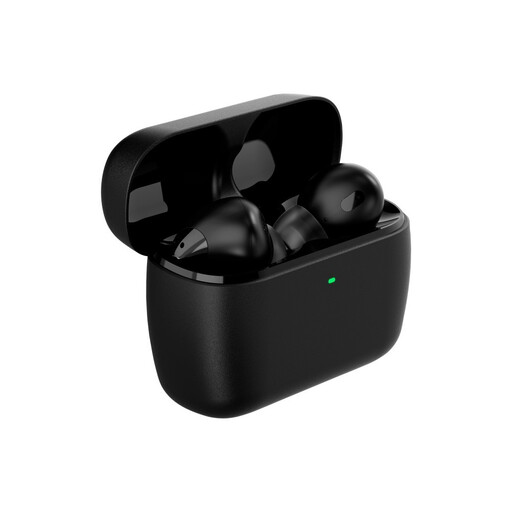
For a child who needs microphone earbuds for gaming chat, confirm that both the connection and microphone work with the exact console or computer and its intended chat service, especially if the device is Switch 2.
Set communication permissions through the child’s platform account; a microphone does not determine who can contact them.
 No image available
For a household using PlayStation, check the exact console compatibility and the intended game’s local-player support before adding this controller for shared-screen play.
The product listing identifies small detachable modules as a potential choking hazard for young children; keep them out of young children’s reach.
Separate child accounts are the practical choice when you want to use the family settings provided by Xbox, PlayStation or Nintendo. Configure each child’s available privacy, communication and playtime controls before online play, and check whether any additional setting applies to the whole console.
Not automatically. Xbox Support says only some games support cross-network play, while play and communication permissions are separate settings. Check the intended game’s cross-play and chat features alongside the child account’s permissions.
Consider mesh equipment when testing points to inadequate Wi-Fi coverage in the rooms where people play. Check the broadband service and router placement first: Ofcom advises that Wi-Fi cannot outperform the underlying service, so mesh will not resolve a problem with that service itself.
No. PEGI describes its age ratings as guidance on content suitability, not game difficulty. Check the rating when choosing a game, then use the relevant platform controls to manage online interaction, privacy and playtime.
Nintendo says Switch 2 GameChat needs a persistent internet connection and Nintendo Switch Online. For a user under 16, parental controls must also be set through the Nintendo Switch Parental Controls smart-device app before GameChat can be used.