Choose cloud storage when you want an off-site copy, a local drive when you want a copy you manage yourself, or both when you want separate destinations. The UK National Cyber Security Centre advises keeping important data in a separate safe location; whichever route you choose, confirm the files have copied and test that you can open or restore them before resetting the original. Apple notes that iCloud Photos synchronises deletions across devices and, when enabled, its photos are not included in the daily iCloud device backup, so synchronisation alone may not provide the independent recovery copy you expect.
Who this guide is for
Families protecting irreplaceable photos
If a phone is lost, damaged or reset, you may need to recover family photos and key documents. The UK National Cyber Security Centre recommends keeping important data in a separate safe location; Apple Support explains that iCloud Photos synchronises changes across devices.
Phone-first device changers
Before switching phones, check that the intended photos and files have finished uploading or copying, and confirm the account, connector and any adapter you need. Apple Support lists file-system and connection requirements for accessing external storage from an iPhone.
Households with large computer archives
For a collection of folders on a Mac or Windows PC, consider how much space the backup needs and how you will restore files. Apple Support provides Time Machine format and capacity guidance, while Microsoft Support describes backup and restore options for Windows.
What to prioritise when choosing a backup
For consumers preparing to replace, repair or reset a personal or household device, start with the files that must be recoverable and the devices that need to open them.
| Concern |
What to check when buying |
Who this matters to |
| Recovering files after loss |
Confirm the copy is stored separately, completed successfully and can be opened or restored. |
If losing or resetting the original must not mean losing irreplaceable photos, I would want a separate copy I can restore; around 36% of consumers put independent recovery first. |
| Keeping a backup up to date |
Check which folders and photo libraries are included, and when the latest backup completed. |
If new photos and documents arrive between device changes, I would want a routine that captures them without relying on memory; roughly 29% of consumers prioritise keeping a backup current. |
| Space for an archive |
Allow for the files you want to protect, future additions and any retained backup history. |
If my household archive or planned backup history is large, I would check capacity before choosing a destination; about 21% of consumers put archive space first. |
| Device and format compatibility |
Check ports, adapters, supported file systems and the format required by the backup method. |
If I need to move selected files directly between a particular phone and computer, I would confirm both can read the copy; around 14% of consumers prioritise device compatibility. |
Backup mistakes to avoid
-
Treating a synchronised photo library as an independent backup
Apple says that deleting a photo in iCloud Photos removes it across devices using that library. When iCloud Photos is enabled, those photos are also not included in the daily iCloud device backup.
Check the service’s restore rules and keep a separately stored copy of irreplaceable files before resetting a device.
-
Reformatting a drive that holds the only copy
Apple says a Windows-formatted drive must be reformatted for Time Machine, which permanently removes the data already on it.
Decide whether the drive is for Time Machine or ordinary file transfers before using it. Move existing files to a safe location before any required reformatting.
-
Choosing a drive by connector or advertised protection alone
A connector does not by itself confirm that a phone can read a drive. Samsung’s T7 Shield resistance rating is based on controlled internal tests, and Samsung says real-world resistance can vary; liquid and dust damage are outside its stated warranty.
Check the exact phone, connector, file system and drive variant, then test a small transfer before relying on the setup.
-
Assuming one copied folder contains everything important
Files may be spread across several folders and photo libraries, so a completed transfer does not by itself confirm that the full collection is present.
List the folders and libraries you need, then browse the destination and open sample files before erasing or handing over the original.
Relevant backup brands to know
Apple
Apple provides iCloud Photos and iCloud Backup for Apple devices, as well as Time Machine for Mac-to-disk backups.
- Apple Support describes automatic iCloud Photos synchronisation and automatic Time Machine backups.
- iCloud Photos deletions synchronise across devices, and photos in that library are not included in the daily iCloud device backup when the feature is enabled. Time Machine’s format guidance applies to that Mac backup method.
Google
Google Photos can be a phone-photo route when the intended items are backed up to the correct account.
- Google Photos Help explains how to check photo backup and account settings.
- Google says deleting items in Google Photos also removes them from devices with the app installed and backup turned on, so a synced library is not automatically a deletion-proof second copy.
Samsung
Samsung’s T7 Shield MU-PE1T0S/EU is a 1 TB portable SSD option for a manually managed local copy.
- Samsung specifies USB 3.2 Gen 2 and states that the model’s IP65 rating is based on controlled internal tests.
- Samsung says real-world resistance may vary and liquid or dust damage is outside the stated warranty. The rating does not establish compatibility with a particular phone.
Seagate
Seagate’s Expansion Portable line is an external hard-drive option for computer-based local storage; its listed 5 TB model represents a larger-capacity route.
- Seagate describes drag-and-drop storage and USB 3.0 for the listed model.
- Seagate notes that reformatting is needed for Time Machine. A drive’s stated computer compatibility does not establish that a particular phone can power and read it.
Kingston
Kingston’s DataTraveler Exodia is a USB-A flash-drive line for selected files on compatible computers.
- Kingston lists 64 GB, 128 GB, 256 GB and 512 GB capacities and a USB-A connection.
- Check the chosen capacity against the files you want to transfer and confirm the destination has a compatible port. A flash drive is not automatically a complete or continuously updated backup.
Joybuy external storage options
These Joybuy options are external drives for keeping a local copy of photos and important files; check the connection and format against the devices you plan to use.
 No image available
Samsung Portable SSD T7 2 TB, USB Type-C, Grey
A portable local-storage option for a copy of photos and important files.
2 TB external SSD; USB Type-C; USB 3.2 Gen 2 (3.1 Gen 2). The product description lists USB-C to C and USB-C to A cables, optional password protection and AES 256-bit hardware encryption.
View on Joybuy
 No image available
Western Digital My Book 22TB External Desktop Hard Drive
A desktop-drive option for a large computer archive stored locally.
22 TB; USB 3.0; the title specifies password protection and hardware encryption. The product description identifies backup software for PC and Mac.
View on Joybuy
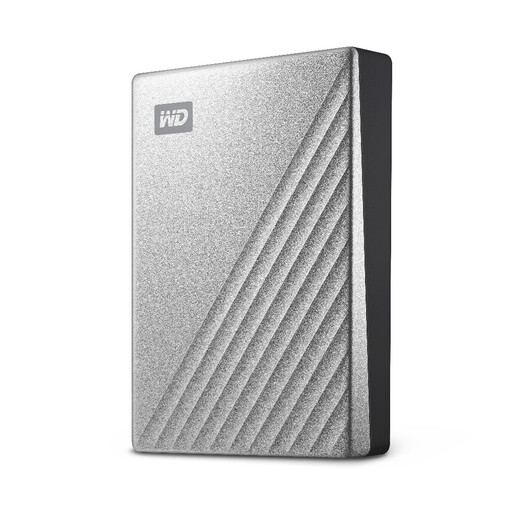 No image available
Western Digital My Passport Ultra Portable External Hard Drive, 4TB, Silver
A portable local drive for a computer-based photo and document archive.
4 TB; the product description lists USB-C, a USB-A adapter, scheduled backup options, password protection and 256-bit AES hardware encryption. It is formatted for Windows; Mac read/write access requires a downloadable NTFS driver.
View on Joybuy
 No image available
Western Digital Elements Portable 4TB External Hard Drive, Black
A portable local drive for storing photos, videos and documents or transferring selected files to a computer.
4 TB; USB 3.2 Gen 1; the product description lists an included USB-A cable and says it is automatically recognised by Windows 10 and later. Reformatting may be required for Mac or other operating systems.
View on Joybuy
 No image available
Lexar ES4 Portable SSD with Magnetic Set, 2TB
A portable local-copy option for moving selected files between supported phones and computers.
2 TB; USB 3.2 Gen 2; the product description lists USB-C and USB-A cables and 256-bit AES encryption software. It describes magnetic attachment for iPhone 15 and 16 with the included case or ring. iPhone 14 and older models are not supported, and MagSafe wireless charging is not supported while the SSD is attached.
View on Joybuy
Backup questions answered
Does iCloud Photos provide a separate photo copy in iCloud Backup?
No. Apple says that when iCloud Photos is on, its photos and videos synchronise to iCloud and are not included in the daily iCloud device backup. Deletions in iCloud Photos are reflected across devices using that library, so check the restore options and keep a separate copy if you need one.
How can I check a Windows file transfer before changing PCs?
Browse the external drive and open files to confirm the copies are in the right locations. Microsoft Support advises checking the files on the destination; remember to include the folders and other locations that contain the files you need.
Will any USB drive work directly with an iPhone?
Not necessarily. Apple lists supported single-partition file systems, and the right connector or a separately sold adapter may be needed. Check that the particular iPhone and storage device work together before relying on a direct transfer.
Does UK data-protection law require a household to use a particular backup product for family photos?
No. The Information Commissioner’s Office says personal data processed solely for personal or household activity, with no professional or commercial connection, is outside the UK GDPR’s scope. That guidance does not prescribe a household backup product.


