For family photos and videos across phones and computers, a compatible cloud plan or managed NAS can suit households that want automatic access across devices; an external HDD or SSD suits those prepared to make regular local copies. Neither synchronisation, a phone memory card nor NAS drive redundancy alone guarantees an independently recoverable copy: check deletion behaviour, account access and device compatibility, and test that you can restore files. Apple Support UK, Google Photos Help, the UK National Cyber Security Centre and Synology all describe conditions that make those checks important.
Who this backup decision is for
Families protecting phone memories
If you want new photos copied routinely and recoverable after a lost device or accidental deletion, distinguish automatic uploads from a separate backup. Apple Support UK and Google Photos Help explain how deletion can affect synced or backed-up items.
Households with growing video libraries
If media is spread across phones and computers, you need enough room and a routine for copying and restoring files. Seagate documents the 2 TB Expansion Portable STKM2000400, while Synology describes mobile uploads and access across platforms for the DS223j.
Families sharing across devices
If family members use different devices or accounts, check who can upload, view and restore media rather than assuming that shared storage means shared access. Apple and Google describe ways eligible family members can share storage while keeping personal files private.
What to prioritise when choosing
Start with how you would recover a deleted or lost file, then weigh automatic copying, family access, capacity and ongoing account arrangements.
External solid-state drive
Choose when: You regularly move large video libraries between compatible devices or want a portable local copy.
Trade-off: Check the full model, cable, connection and file format; rated transfer speeds depend on a compatible host and connection. Samsung UK specifies this condition for the T7 Shield.
External hard drive
Choose when: You want a computer-led local archive and can keep up with periodic copies.
Trade-off: Manual copying needs a routine. Seagate says its STKM2000400 requires reformatting for Time Machine; Apple Support UK says external HDDs often need additional power when connected to an iPhone.
Network-attached storage
Choose when: Several compatible devices need a central library and someone can manage accounts, uploads and backups.
Trade-off: Synology describes mobile uploads and computer-folder backups for the DS223j, but the NAS still needs compatible drives and a separate backup destination.
Cloud-backup subscription
Choose when: Automatic uploads, off-site copies and access away from home matter to your household.
Trade-off: Check the account owner, quota, recovery arrangements and whether the service synchronises deletions. Apple Support UK and Google Photos Help describe deletion behaviour that can affect synced or backed-up items.
Phone storage expansion
Choose when: You need more room on a phone or tablet that accepts the card and supports its intended capacity.
Trade-off: A card kept in the device is not an independent backup. Confirm support for the exact device before buying.
Card reader
Choose when: You need to import camera-card media or transfer files between compatible devices.
Trade-off: A reader is a transfer accessory, not a backup destination. Apple Support UK notes that a compatible connector and, where needed, an adapter must match the phone and card.
| Concern |
What to check when buying |
Who this matters to |
| Recovery after loss or deletion |
Identify the original files, a separate backup destination and how you will test restored files. |
If a phone is lost or a synced deletion spreads, I need a copy I can restore independently; around 28% of consumers put recovery first. |
| Automatic copying |
Check which devices, accounts and folders can upload automatically, and how to confirm the last successful copy. |
I want new phone and computer media copied without relying on memory; around 22% of consumers prioritise a repeatable automatic routine. |
| Family access and sharing |
Check who can upload, view and restore files across the household's actual devices and accounts. |
When relatives use different devices, I need clear upload, viewing and restore permissions; around 22% of consumers prioritise shared access. |
| Capacity for a growing library |
Estimate the files to protect, allow for growth and check the exact drive or shared plan quota. |
If videos are filling phones and computers, I need room for the archive I plan to keep; around 17% of consumers put capacity first. |
| Privacy and ongoing cost |
Review sharing permissions, account recovery, plan terms and the capacity needed for a separate copy. |
When I share storage but want personal photos to remain private, I check access rules and continuing charges; around 11% of consumers prioritise privacy and ongoing cost. |
Backup buying pitfalls to avoid
-
Treating a synced photo library as a deletion-proof backup
Apple Support UK says that deleting an item from a device using iCloud Photos also deletes it on other synced devices. Google Photos Help describes deletion affecting devices where the app is installed and backup is enabled.
Keep a separate, independently recoverable copy and test that selected files can be restored before clearing the originals.
A separate storage destination and a routine for maintaining copies may be needed.
-
Choosing a USB drive by connector shape alone
A matching plug does not establish that a phone supports the drive's format or power needs. Apple Support UK says external hard drives often need another power source when used with an iPhone.
Check the exact phone, computer, connector, file format and power arrangement, then test a transfer.
An adapter, powered hub or suitable cable may be needed.
-
Assuming shared storage or a NAS protects every family member's files
Shared capacity and shared file access are different, and a NAS is itself a storage location that needs a backup plan.
Confirm permissions, quotas and restore access for each account, and plan another destination for NAS-held media.
A separate NAS backup destination and enough capacity for it may be needed.
-
Relying on an old description of Microsoft 365 storage
Microsoft says new Family and Premium subscriptions from 8 October 2026 use 2 TB of shared OneDrive storage; existing subscribers have a different transition at renewal from 2 May 2027.
Check whether your subscription is new or existing and confirm the quota shown in your account before comparing plans.
Brands to consider for family media backup
Seagate
Expansion Portable is a computer-led local hard-drive option; Seagate's datasheet identifies the STKM2000400 variant as black with 2 TB capacity.
- Seagate specifies USB-powered operation and Windows/macOS compatibility subject to configuration.
- Seagate says Time Machine use requires reformatting. Its Rescue service is not available in every country, and one drive is not a separate backup.
Samsung
The T7 Shield is a portable SSD for local transfers; EVO Plus microSD is an expansion option only for devices that accept the card.
- Samsung UK rates the 1 TB T7 Shield MU-PE1T0S/EU for up to 1,050 MB/s read and 1,000 MB/s write with a compatible USB 3.2 Gen 2 host and cable.
- Samsung's speed, dust-and-water resistance and drop claims depend on stated conditions and manufacturer testing; check the exact phone before choosing a microSD card.
Synology
The DS223j is a two-bay NAS example for a household prepared to manage a shared library and its backup tasks.
- Synology describes mobile uploads, multi-platform access and backup to other destinations.
- These are manufacturer-described capabilities, not independent reliability tests. Check drive compatibility and plan a separate NAS backup destination.
Apple
iCloud+ may suit households using Apple Photos and eligible Family Sharing, with access to specified iCloud content on Windows and through a browser.
- Apple says eligible family members can share a storage plan while keeping personal files separate.
- Apple Support UK says deletions in iCloud Photos propagate across synced devices. Check account recovery and keep a separately recoverable copy.
Google
Google One is a cloud-capacity and family-sharing option when the household's chosen accounts and photo workflow fit.
- Google says eligible family members can share storage without automatically accessing one another's files.
- Google's 30 GB Lite plan does not support family sharing. Google Photos deletion can affect backed-up content on devices with backup enabled.
Microsoft
OneDrive may suit households already organising computer files or family accounts through Microsoft 365.
- Microsoft says new Family and Premium subscribers from 8 October 2026 receive 2 TB of shared storage, with files private unless shared.
- Microsoft states that existing Family and Premium subscribers transition at renewal from 2 May 2027; check the subscription status and account quota that apply to your household.
Joybuy products for local photo and video storage
These Joybuy options focus on local copies and transfers: portable SSDs, an external hard drive and a USB-C phone drive. Treat them as storage destinations, not as a complete multi-copy backup arrangement.
 No image available
Samsung Portable SSD T7, 2 TB, Grey
A 2 TB portable SSD for a local copy and file transfers between compatible devices; the product description lists Windows, macOS and Android use.
The title specifies USB Type-C 3.2 Gen 2 (3.1 Gen 2); the product description lists USB-C-to-C and USB-C-to-A cables. Check the exact device and keep another independent copy.
Joybuy
 No image available
Samsung MU-PE1T0S 1 TB USB Type-C SSD, Black
A 1 TB portable SSD for local storage and transfers between compatible devices.
The product name specifies USB 3.2 Gen 2. Check the host, cable and phone requirements before relying on a direct connection, and keep a separate copy.
Joybuy
 No image available
SanDisk Portable SSD, 2 TB
A portable 2 TB SSD for keeping a local copy of photos, videos and other files.
SanDisk's product description specifies read speeds up to 800 MB/s; actual transfer results depend on the connected device. Keep another independently recoverable copy.
Joybuy
 No image available
SanDisk Phone Drive with USB-C, Arctic White, 256 GB
A 256 GB USB-C phone drive for local storage on compatible devices.
The product description says its app supports automatic photo and video backups from compatible iPhones and iPads. Confirm that your specific device and app support the intended connection, and keep another copy.
Joybuy
 No image available
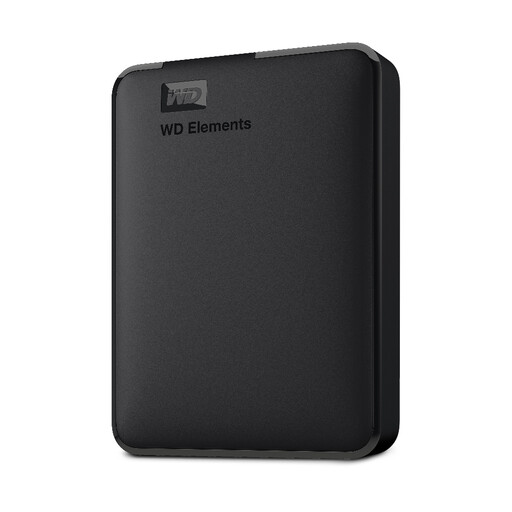
Bros Western Digital Elements Portable Hard Drive, 5 TB, Black
A 5 TB portable hard drive for computer-connected local storage of a household media library.
The product name specifies USB 3.0. Plan a repeatable copying routine and a second, independent destination.
Joybuy
Family photo backup FAQs
If photos appear on all my devices, are they backed up independently?
Not necessarily. Apple Support UK says deleting a photo through iCloud Photos removes it from other synced devices; Google Photos Help describes deletion affecting devices with backup enabled. Keep a separate recoverable copy and test restoring it.
Can I connect a portable hard drive or camera card directly to an iPhone?
Yes, if the phone, connector, adapter, format and app support the drive or card. Apple Support UK says external hard drives often need additional power when connected to an iPhone, so check the exact phone and accessory before buying.
Does sharing family cloud storage expose everyone's photos?
Not by itself in the eligible arrangements described by Apple and Google. Apple says personal files remain separate with eligible iCloud+ Family Sharing, and Google says family members cannot access one another's files without permission; a deliberately shared photo library or folder has its own access settings.
What recurring charges or extra equipment should I check?
Compare the current UK plan quota and billing terms with the household's combined storage needs. A NAS requires compatible drives and a separate backup destination; Apple Support UK says a directly connected iPhone HDD often needs additional power.
Can new UK iCloud users enable Advanced Data Protection for Photos?
Apple says UK users who had not already enabled Advanced Data Protection can no longer newly enable it. Apple states that Photos instead falls under Standard Data Protection for those users, so check the protection settings that apply to your account.


