What should you check?
Start with the files you need to recover, then choose where each copy will live and how you will restore it.
| Priority | What to check | Your needs |
|---|
| Recoverability |
Check which photos, documents, settings and app data are included. Confirm the restore steps and any recovery window for the service or plan. |
I want files I can actually restore after a lost device or accidental deletion, not just a folder that appears to be synced. |
| Storage capacity |
Measure the files you intend to copy and allow for new photos and videos. Compare cloud allowances and ongoing plan charges with the usable capacity of a local drive. |
Our photo library is growing, so today’s files cannot be the only basis for choosing capacity. |
| Access and security |
Check cloud sign-in and account-recovery options. For sensitive files on removable media, check how protection is enabled and where the device will be kept. |
If a drive goes missing or I lose access to an account, I still need a way to protect and reach important documents. |
| Backup routine |
Check whether the required cloud categories back up automatically. For a local copy, plan when to connect, check and disconnect the drive. |
A backup routine has to fit how often our household adds or changes files. |
| Storage locations |
Decide whether a cloud copy, a separately stored local copy or both suit the files. The National Cyber Security Centre warns that connected backup locations can also be affected by ransomware. |
For irreplaceable files, I would rather not depend on one account, device or storage location. |
Local storage options on Joybuy
These drives are options for a separate local copy of household files. The portable SSDs offer different stated capacities; the USB flash drive is a narrower option for selected documents. Whichever you choose, plan how often to copy files and test a restore.
 No image available
Samsung MU-PG4T0B 4 TB USB Type-C SSD
A local-copy option for a larger household archive, provided 4 TB suits the files you plan to keep. The name specifies USB 3.2 Gen 2x2; check your device’s port, how you will protect sensitive files and how you will test restoration.
 No image available
Samsung Portable SSD T7 2 TB USB Type-C, grey
A 2 TB local-copy option for photos and documents if that capacity leaves enough room for your intended archive. The name specifies USB 3.2 Gen 2; check your connection, set up any protection you intend to use and test a restored file.
 No image available
Samsung MU-PG1T0B 1 TB USB Type-C SSD
Consider this for a selected local copy rather than assuming 1 TB will hold every household photo and video. The name specifies USB 3.2 Gen 2x2; check capacity against your files, confirm the device connection and plan a restoration test.
 No image available
Samsung MU-PG2T0B 2 TB USB Type-C SSD
This 2 TB drive can serve as a local destination if its capacity fits your backup set. Its name specifies USB 3.2 Gen 2x2; confirm the connection and compatibility with the devices you will use, then establish a repeatable copy-and-restore routine.
 No image available
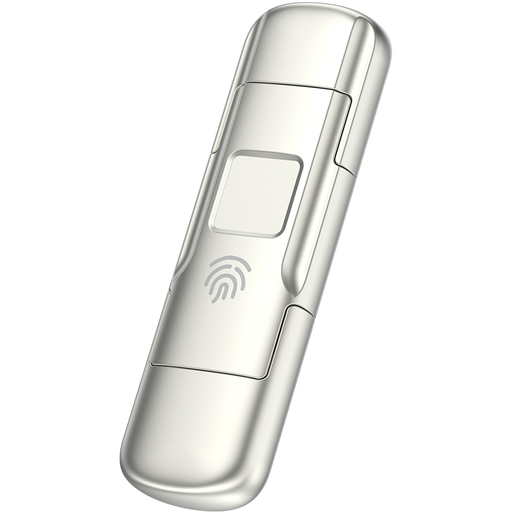
MOVESPEED YSUYC-256GSN 256 GB USB-A/USB-C flash drive, silver
Its 256 GB capacity makes it a route to consider for a deliberately selected set of documents, not an assumed fit for a full photo archive. The product name advertises fingerprint encryption; check its setup and access procedure before storing sensitive files, and keep another copy elsewhere.
Frequently asked questions
Is cloud sync the same as a separate backup?
Not necessarily. Apple says that, when iCloud Photos is enabled, photos and videos sync to iCloud rather than forming part of the daily iCloud Backup. Check what your service stores and how you would restore it before relying on sync as your only copy.
How much backup storage does a household need?
Measure the photos, videos and documents you intend to recover, then allow room for new files and future copies. Compare that amount with a cloud plan’s capacity or a local drive’s usable capacity before choosing either route.
Should an external backup drive stay plugged in?
Disconnect it when a backup is not running. The National Cyber Security Centre warns that malware can affect connected backup locations, so a local copy needs both a regular update routine and safe storage between backups.
How can I tell whether a backup will restore?
Check that recent important files appear in the backup, then restore a small, non-sensitive test file. The National Cyber Security Centre advises checking both what a backup contains and whether you know how to restore files.
What should I check before relying on a cloud account?
Set up a strong unique password, two-factor authentication and current recovery details. Account access matters to cloud recovery: Apple says its account-recovery process can take several days or longer, while Google recommends keeping recovery contact details available.


