Families protecting important photos
If family photos matter, plan for a copy that is separate from the device or account holding the originals. The UK National Cyber Security Centre advises keeping backups in a separate safe location.


Choose a backup approach that gives important files a separate, recoverable copy: a synced photo library or a NAS alone should not be your only backup. An external drive can suit a regular copy-and-disconnect routine, cloud storage can keep a copy away from home and make access across devices easier, while a NAS suits households ready to manage shared storage and a separate backup. Check what each device and account includes, how you would restore files, and the ongoing commitment before choosing.
If family photos matter, plan for a copy that is separate from the device or account holding the originals. The UK National Cyber Security Centre advises keeping backups in a separate safe location.
When phones and computers use different accounts, check which folders and devices a backup can actually collect from and restore. Services from Apple, Google and Microsoft have different account and access arrangements.
Compare the space available for photos, videos and documents with the way capacity is provided: local storage or an account allowance shared with other files and services.
Decide what must be recoverable, list every device and account holding files, then compare how each option stores and restores a separate copy.
| Concern | What to check when buying | Who this matters to |
|---|---|---|
| Recoverable copies | Check where each copy is stored and test opening or restoring representative files. | If a device or incident at home could put irreplaceable photos at risk, I want a separate copy I can restore; consumers who prioritise recoverability make up around 36%. |
| Device and account coverage | List devices, accounts and file locations; check app compatibility, upload settings and included folders. | When files are spread across phones, computers and accounts, I need to know each source is included; consumers who put cross-device access first make up around 29%. |
| Capacity and continuing commitment | Measure the library and likely growth; compare usable capacity and the current UK renewal terms. | If videos and documents share space with photos, I want enough room without losing sight of continuing commitments; consumers who prioritise capacity and ongoing cost make up around 21%. |
| Shared-library administration | For a NAS, check supported devices and software, user permissions, and where its separate backup will be kept. | When several devices need a household-controlled library, I want to know who will maintain it and its backup; consumers who put shared-storage control first make up around 14%. |
A change or deletion in a synced library can appear across devices, so synchronised copies may not give you a separate version to recover.
Keep another recoverable copy and check it before removing files you want to keep.
Storage allowances can differ by file type. Amazon Photos' UK information, for example, distinguishes photo storage from its video allowance for Prime members.
Measure videos and documents separately before comparing a plan with your library.
A household NAS can centralise files, but it remains a storage destination that can be affected by failure or an incident where it is kept. Synology recommends backing it up to a different destination.
Plan the separate copy and how you will maintain it before choosing a NAS.
Samsung's stated maximum T7 Shield speeds depend on the host, cable and UASP support.
Check your computer's port and cable before treating the stated maximum speed as a deciding factor.
iCloud+ is a cloud option for households using iCloud Photos and Apple devices.
Google One adds account storage for households using Google Photos, Drive and Gmail.
OneDrive through Microsoft 365 is a cloud option for households already using Microsoft productivity apps.
The My Passport portable HDD is one option for a computer-based local-copy routine.
The T7 Shield portable SSD is relevant to households that frequently transfer files or carry a local copy.
The DS223j is a two-bay NAS option for households prepared to manage central files and photo software.
These Joybuy listings cover external drives and SSDs for keeping a local copy of personal files. A single drive is not a complete backup by itself, so keep a separate copy elsewhere.
 Image unavailable
A portable local copy for a personal file library, provided you keep another copy separately.
2 TB capacity; USB Type-C; USB 3.2 Gen 2 (3.1 Gen 2).
 Image unavailable
A portable SSD option for keeping a local copy of a smaller file collection; retain a separate backup as well.
1 TB capacity; USB Type-C; USB 3.2 Gen 2 (3.1 Gen 2).
 Image unavailable
A desktop drive for a larger local archive; it remains one copy, so plan another destination for important files.
22 TB capacity; USB 3.0; password protection and hardware encryption; listed as compatible with PC and Mac.
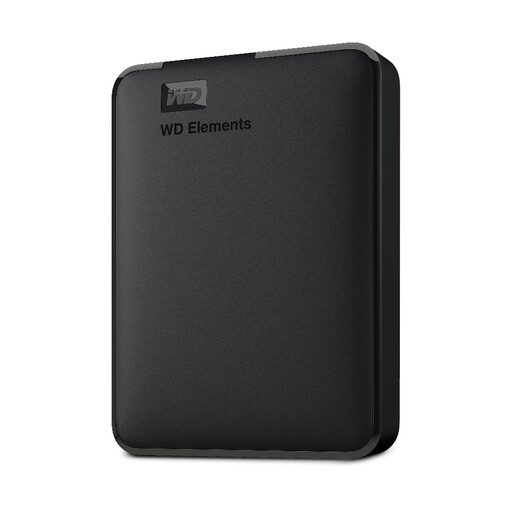 Image unavailable
A portable local storage option for photos, videos and documents, with a separate copy still needed for backup.
2 TB capacity; USB 3.0; formatted for PC and Mac.
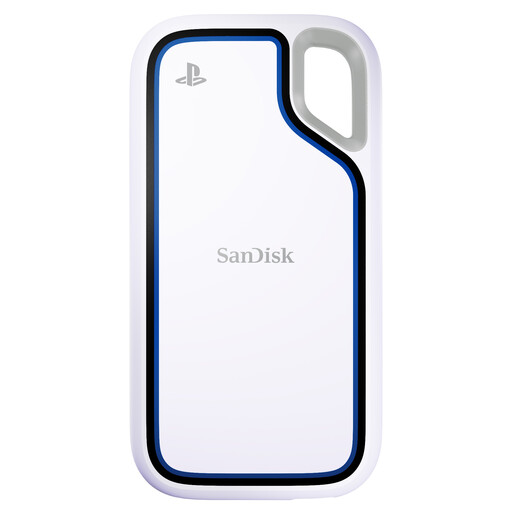 Image unavailable
A portable local storage option for a PC or PlayStation 5 console; keep a separate copy of important files.
2 TB capacity; the listing states use with PlayStation 5 and PC.
Not if you are relying on iCloud Photos as an independent copy. Apple says that deleting a photo on one device also deletes it from other devices signed in to the same account, so make and check a separate copy before deleting files you want to keep.
Check that the intended folders are included, make regular copies and test that representative files can be restored. Keep a removable drive separately when it is not in use; if you use a NAS, arrange a backup at a different destination.
No. Synology says drive or RAID failures can still cause data loss and recommends backing up the NAS to a different destination.
Compare the current UK plan terms with the space available for all your file types and the people who need access. Check whether photos, videos and documents share an allowance, how renewal works, and what happens to access if the plan ends.
A local copy plus a separately protected off-site copy can suit households that want files to remain recoverable after a device problem or an incident at home. Check that both copies include the intended files and that you can restore them; this approach also means maintaining more than one destination.