Choose cloud storage if automatic phone uploads and access across devices matter most; choose an external drive for a local copy you are willing to maintain, or a NAS when several household devices need a shared library. For family photos, videos and documents you cannot replace, the National Cyber Security Centre advises considering both online and storage-device backups rather than relying on one destination.
Who needs which approach?
Families protecting irreplaceable memories
If losing a phone, computer or drive would also mean losing family photos or documents, focus on keeping a separate, recoverable copy. The National Cyber Security Centre recommends considering both online and storage-device backups.
Phone-first households
If most photos begin on a phone and manual copying rarely happens, check whether your existing Apple, Google or Microsoft account can capture them automatically and make them available on the devices you use.
Households maintaining a local library
If you are prepared to organise files and run backups yourself, an external drive or NAS can hold a local library. Keep another copy elsewhere: Synology advises a separate backup destination even for data stored on a NAS.
What matters when choosing storage?
Choose how the household will access its files, then decide where an independent recovery copy will live.
External drive
Choose it when: One person can routinely copy files from the household computer to a local archive.
Allow for: The drive must be stored securely and connected when it is time to back up.
Cloud storage
Choose it when: Automatic phone uploads and access away from the main computer take priority.
Allow for: Continued access depends on the account, available capacity and the service arrangement.
NAS
Choose it when: Several computers need to use a central household library.
Allow for: Someone must maintain the system and back its files up to another destination.
| Concern |
What to check |
Who this matters to |
| Recovering after a loss |
Confirm there is a separate backup destination and try restoring a folder to another device. |
If our family photos disappear from one device, we need a copy we can actually recover. About 33% of consumers put independent recovery first. |
| Automatic capture and access |
Check phone and computer compatibility, shared account capacity and how to export files. |
When photos are taken on several phones, manual transfers are easy to miss; about 27% of consumers prioritise automatic capture and access across devices. |
| Ongoing subscription |
Check the library’s current size, whether email and documents use the same allowance, and what happens if the plan ends. |
As our video collection grows, we would rather maintain local storage than depend primarily on an expanding subscription. That is the main concern for about 20% of consumers. |
| Shared local library |
Check which devices need access, who will maintain the NAS and where its separate backup will go. |
We need several computers to work with the same household files without passing a drive around; about 20% of consumers place shared local access first. |
Backup mistakes to avoid
-
Treating one connected drive as the whole backup
A drive left attached to a computer can be affected by the same incident as the files it holds. The National Cyber Security Centre advises considering both online and storage-device backups.
Keep another copy of irreplaceable files, disconnect the backup drive when it is not in use and store it securely.
-
Assuming NAS RAID is a separate backup
Synology warns that RAID problems and drive failures can still cause data loss. Multiple drives inside one NAS do not replace a copy at another destination.
Plan a backup to an external device, another location or a cloud service, and check that you can restore from it.
A separate destination and time to configure and test recovery remain part of running a NAS.
-
Choosing cloud capacity by looking at photos alone
Google One Help says Google account storage is shared across Drive, Gmail and Google Photos. Other files can therefore use space you expected to reserve for pictures.
Review current usage across the account and allow room for future videos before selecting a storage allowance.
-
Leaving account access and exports until an emergency
A cloud archive is less useful if you cannot enter the account or have not checked what the download contains. Google Photos Help provides an archive route through Google Takeout.
Set up two-step verification, keep recovery details current and check a downloaded archive before relying on it as another copy.
Relevant brands and services
Apple
iCloud+ is a service to consider when the household already uses Apple devices and wants cloud storage for photos, files and device backups.
- Apple Support lists iCloud+ storage tiers including 2 TB, 6 TB and 12 TB.
- Apple says UK users who have not already enabled Advanced Data Protection can no longer enable it; do not assume that option is available for iCloud Photos, iCloud Drive or iCloud Backup.
Google
Google Photos and Drive may fit a household that already stores photos, documents and email in a Google account.
- Google One Help says a Google Account includes up to 15 GB shared across Drive, Gmail and Google Photos.
- Those services draw on the same allowance; check their combined usage rather than judging capacity by the photo library alone.
Microsoft
OneDrive is worth assessing if the household already uses it to keep files available across its devices.
- Microsoft Support documents version history for restoring earlier versions of files stored in OneDrive.
- Microsoft Support says free Microsoft account storage is shared with OneDrive files and photos, Outlook.com attachments and Microsoft 365 apps.
Synology
Synology NAS systems are relevant to households prepared to manage a shared local library and its backup routine.
- Synology Knowledge Center describes NAS backups to external devices, another NAS, remote servers and public cloud services.
- Synology warns that a NAS needs another backup destination. Some Hyper Backup files also require Synology backup software to read them.
Joybuy NAS selections
These NAS models are for households considering a shared local photo and document library. Either still needs a separate backup destination for important files.
 Image unavailable
Synology DS225+ 2-bay diskless NAS
Consider this model if you want a central place for household photos and videos and are prepared to set up its backup routine. The listing describes automated backups to cloud services, external drives and remote NAS devices.
It is a 2-bay, diskless model, so storage drives must be obtained separately. Check the backup workflow for your phones and computers before buying; RAID and snapshots alone are not a separate copy.
View on Joybuy
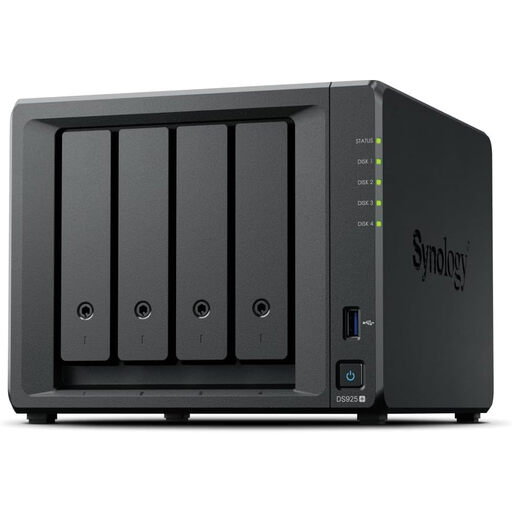 Image unavailable
Synology DiskStation DS925+ 4-bay NAS
Consider this model if several household devices need access to a shared file and photo library. The listing identifies a 4-bay NAS with dual 2.5GbE ports and describes expansion up to 9 bays.
The listing restricts drive compatibility to Synology-branded drives. Confirm the drives supplied with the configuration, your intended backup and restore workflow, and a separate destination for important files.
View on Joybuy
Common questions
Is cloud sync the same as a backup?
Not necessarily: sync helps keep current files available across devices, while a recovery plan also needs a usable copy after loss, deletion or damage. For irreplaceable files, the National Cyber Security Centre advises considering both online and storage-device backups; check that you can restore from the copy you keep.
Can a new UK user enable Advanced Data Protection for iCloud Photos and iCloud Backup?
No. Apple Support says UK users who have not already enabled Advanced Data Protection can no longer turn it on. That distinction matters when choosing iCloud for photos, files or device backups; it is not a claim that all iCloud protection is absent.
How can I make a local archive of Google Photos?
Google Takeout can create a downloadable archive of selected Google data. Check the downloaded files before treating the archive as a completed second copy, particularly if photos changed while the archive was being prepared.
What should I check before relying on cloud storage for family files?
Check that your devices can upload the files you care about, that the account has enough shared capacity, and that you can export and restore files. Set up two-step verification and keep account recovery details current so access to the account does not become the obstacle to recovery.


